
Participant
November 24, 2023
Answered

Error archivo AEP. en Premiere

  • November 24, 2023
  • 1 reply
  • 312 views

Hola a todos


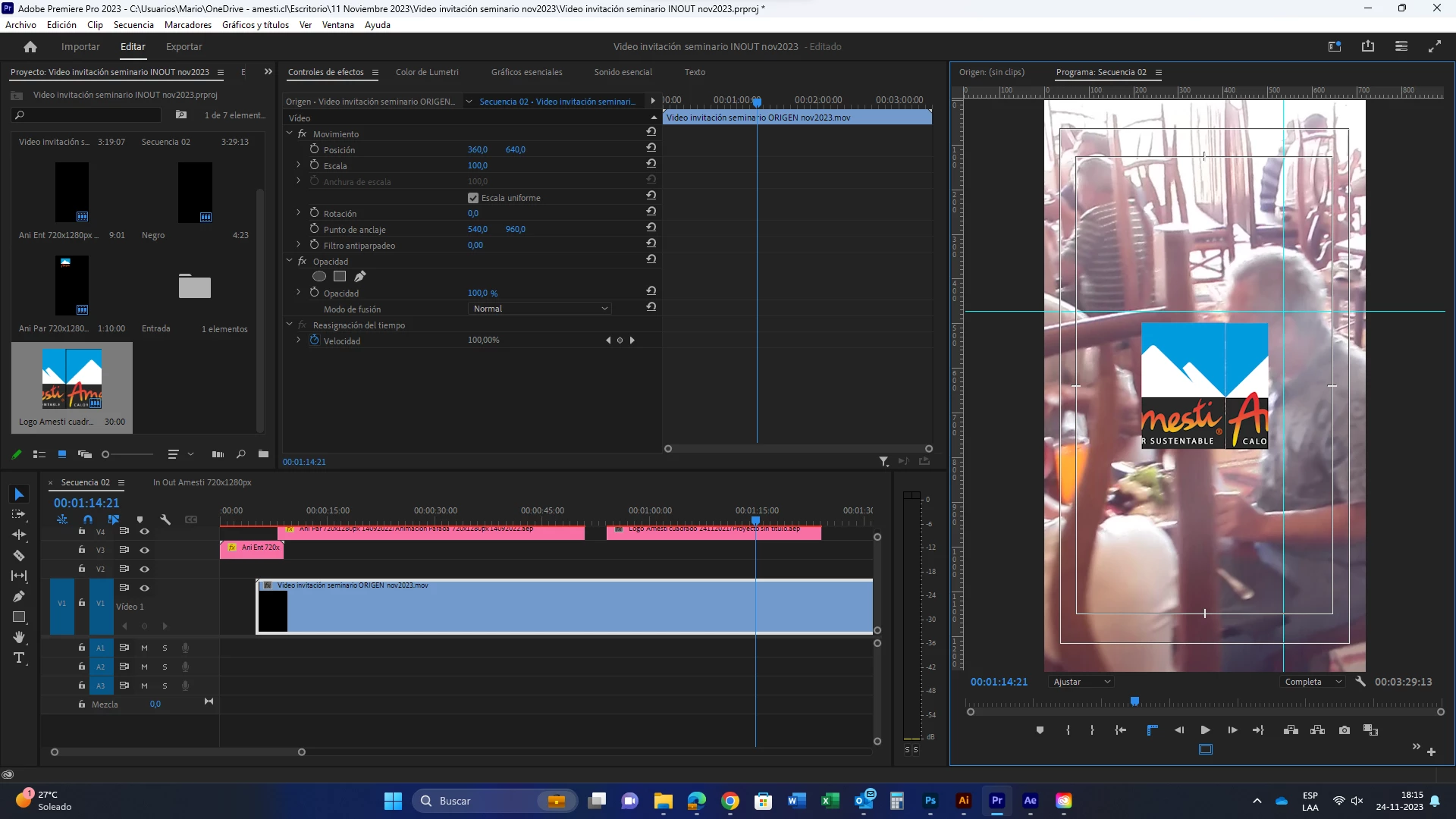
Un año atras hice un video con los mismos AEP. vinculados en proyecto Premiere, ahora con las actualizaciones se visualizan desfazadas las imagenes.

Hice el ejercicio de generar archivos nuevos y vincular y pasa lo mismo. Que será? error de programa?

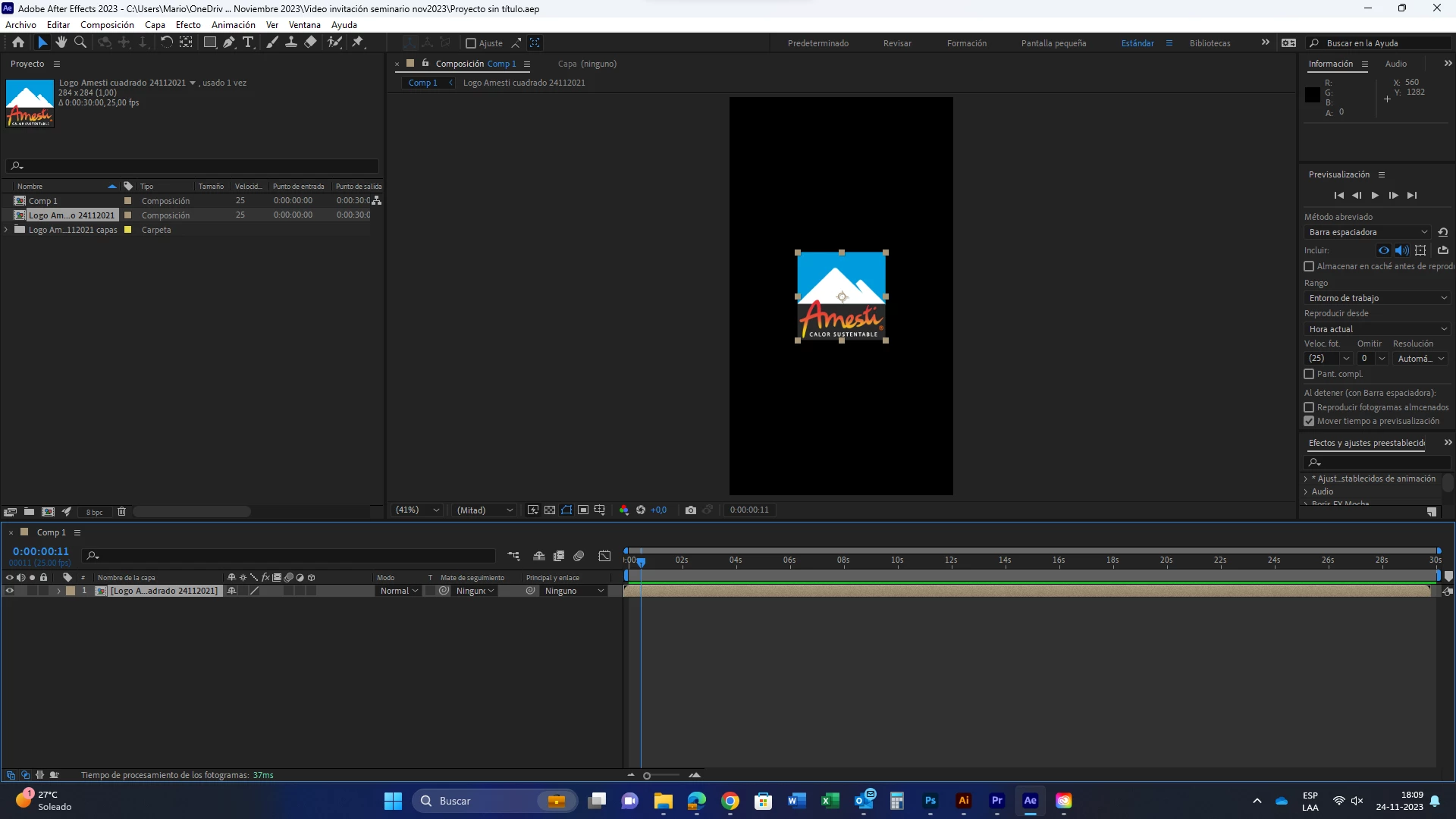
Adjunto imagen de ejemplo en AE, logotipo perfecto y siguiente imagen cuando lo llevo a Premiere.
 

En premiere
 

Porfa ayuda.


Gracias


This topic has been closed for replies.
Correct answer Warren Heaton

Make sure that your installed versions of Premiere Pro, After Effects, and Media Encoder all have the same version number.

So, if placing After Effects Composition in Premiere Pro 23.6, then make sure that After Effects is also version 23.6 and Media Encoder is version 23.6.

Ideally, importing an After Effects Composition into Premiere Pro always works as expected, but sometimes it does not.  When this happens, render the Comp in the After Effects Render Queue using the "Best Settings" Render Settings template and "High Quality with Alpha" Output Module template and use the resulting movie file in Premiere Pro.  It's a high quality file meant for use as source footage so it will require a good amount of storage space.


1 reply

Warren Heaton
Community Expert
Warren HeatonCommunity ExpertCorrect answer
Community Expert
November 25, 2023

Make sure that your installed versions of Premiere Pro, After Effects, and Media Encoder all have the same version number.

So, if placing After Effects Composition in Premiere Pro 23.6, then make sure that After Effects is also version 23.6 and Media Encoder is version 23.6.

Ideally, importing an After Effects Composition into Premiere Pro always works as expected, but sometimes it does not.  When this happens, render the Comp in the After Effects Render Queue using the "Best Settings" Render Settings template and "High Quality with Alpha" Output Module template and use the resulting movie file in Premiere Pro.  It's a high quality file meant for use as source footage so it will require a good amount of storage space.


Participant
November 27, 2023

Muchas gracias por tu respuesta Warren

Efectivamente era problemas de versiones, hice las actualizaciones y conseguir tener las mismas versiones en los 3 programas.

Funcionó perfectamente importando archivo AEP (AfterEffects) y PRPROJ (Proyecto Adobre Premiere Pro).


Saludos desde Chile!


Warren Heaton
Community Expert
Community Expert
November 27, 2023

Happy to hear that things are working as expected!