Participant
March 2, 2022
Question

Error de pre-visualización y exportación en Adobe Premier Pro 2021

  • March 2, 2022
  • 2 replies
  • 452 views

Hola a Todos

Tengo un problema que me surgio estos dias, los videos que se ve en la previsualización se ven de esta manera, tambien al terminar de exportarse siguen con las mismas rayas verdes, al principio estuvo exelente el programa pero nose como solucionar ese error, investigue e intente de algunos tips pero nada, alguien me puede ayudar? 😕😕

Por si acaso ayuda, mi tarjeta grafica es una 11th Gen Intel I5-1135G7
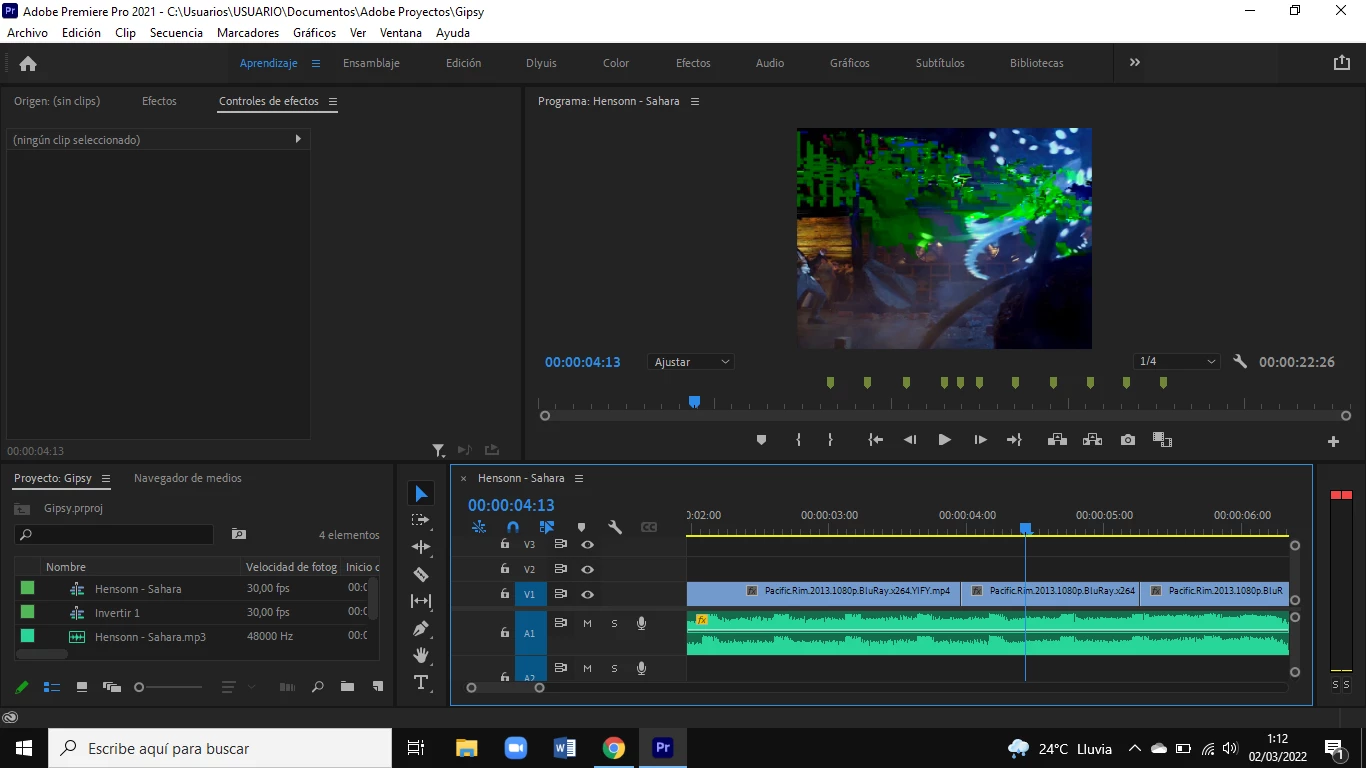


This topic has been closed for replies.

2 replies

Peru Bob
Community Expert
Community Expert
March 2, 2022

Please use the free MediaInfo and post a screenshot of the properties of your media in tree view:
https://mediaarea.net/en/MediaInfo

Many users are having issues with VFR. If the file is variable frame rate, use Handbrake to convert to constant frame rate:
https://handbrake.fr/downloads.php
Here is a tutorial:
https://www.youtube.com/watch?time_continue=34&v=xlvxgVREX-Y

Shutter Encoder may also be used to convert to Constant Frame Rate:
https://www.shutterencoder.com/en/

Kartika Rawat
Community Manager
Community Manager
March 2, 2022

Hi there!

Thanks for the screenshot. What's the source of the media files? Also, can you check after switching the video renderer to "Software Only"? https://community.adobe.com/t5/premiere-pro-discussions/faq-how-to-change-the-video-renderer-in-premiere-pro-and-adobe-media-encoder/td-p/9851383


Let us know.

Thanks,

Kartika

Dlyuis18Author
Participant
March 2, 2022

Hola hola, gracias por respondrr.

Ya intente cambiar el reproductor y procesamiento de video a "Solo Software", diria que me salen mas rayas verdes con esta opcion que con la "Aceleracion de Gpu de Mercury", y sobre la fuente de archivos multimedia, diculpe pero no entendi a que se refiere, soy algo nuevo en Premier, pero quisiera aprovechar al máximo Premier Pro, me gusta mucho sus programas, son interesantes y exelentes.


- Captura de con la opción de "Solo a Software":


- Captura de con la opcion de "Aceleracion por GPU de Mercury P.E":