
Answered
error in rendering/export
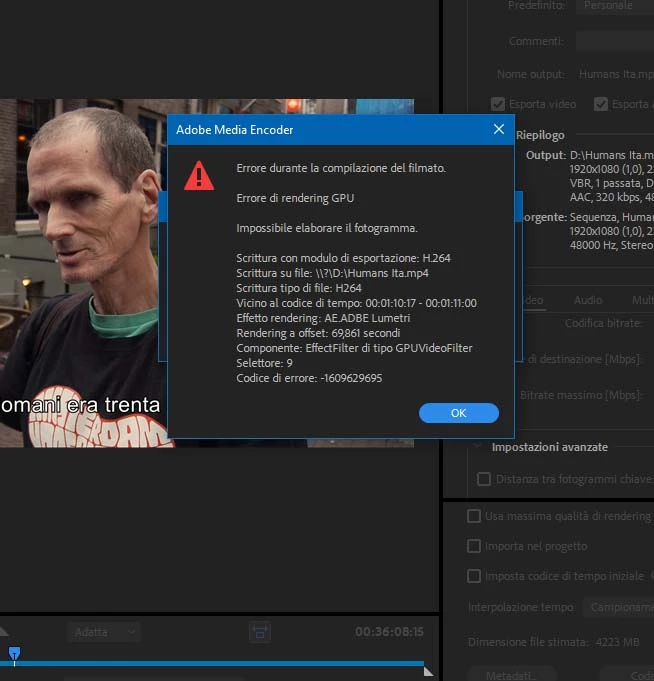
hello i have this error, is it in italian language, but you should know
tried different thing, delete all rendering filse, restart premiere, restart pc..i always get the error
what to do?
thanks

hello i have this error, is it in italian language, but you should know
tried different thing, delete all rendering filse, restart premiere, restart pc..i always get the error
what to do?
thanks
i solved it before cause i need to finish it quickly
what i did..i went to the clip it says me problematic because an fx, then i copy the fx, i deleted it and paste it
and it worked
I had to do that 6,7 time...not the best solution but it worked
thanks anyway, next time i know what tod o, i see this is a common problem
Already have an account? Login
Enter your E-mail address. We'll send you an e-mail with instructions to reset your password.
 AdChoices