Participant
December 15, 2024
Answered

Error in sequence

  • December 15, 2024
  • 2 replies
  • 276 views

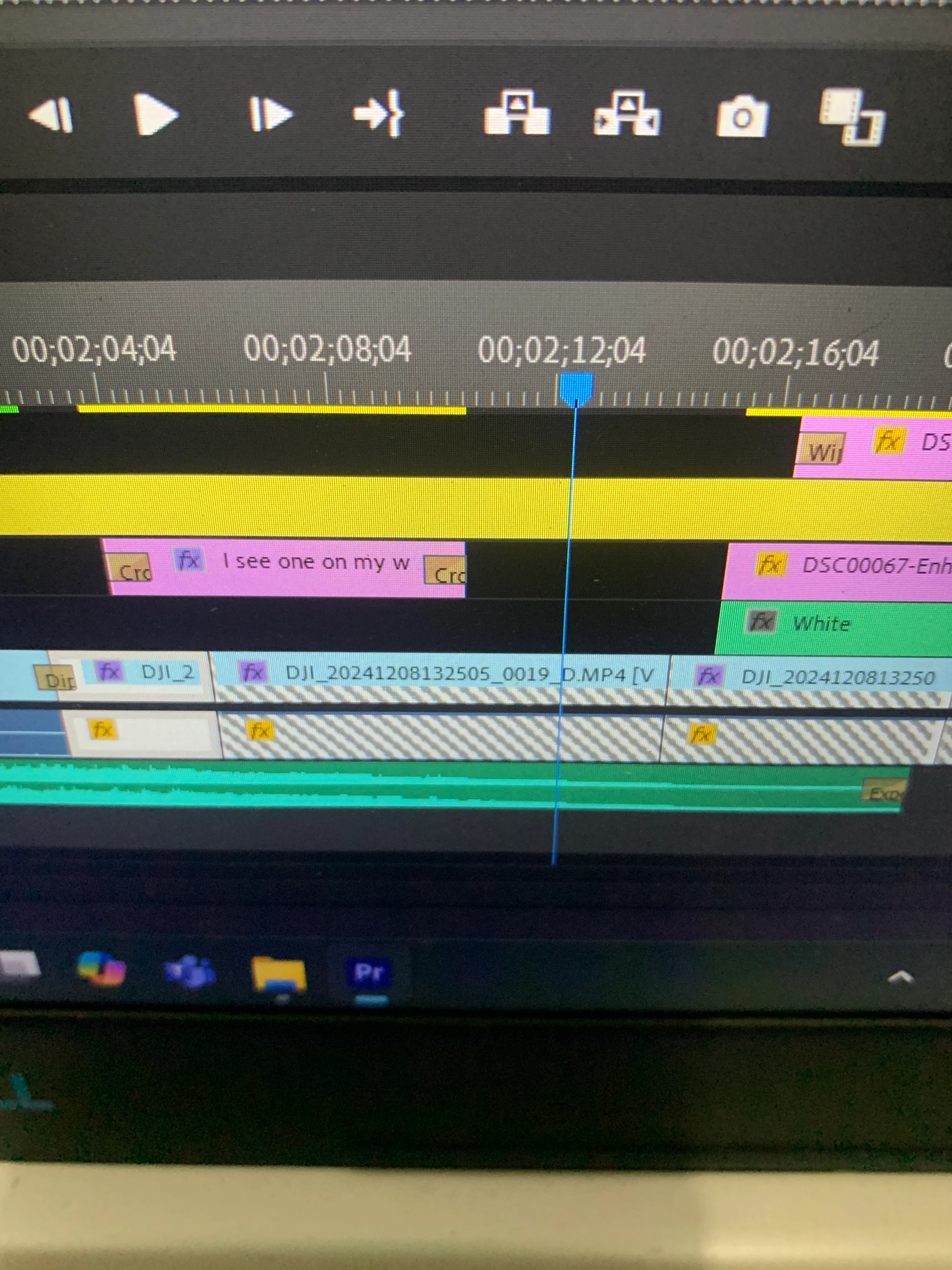
Hi, I got chess patterns in my sequence, it should be in blue color in default, but it turns white with some hatch in it (the blue bar of the footage after dragging to the sequence), how can I fix this and recall it?

This topic has been closed for replies.

2 replies

Participant
December 15, 2024

Well actually Adobe Premiere not showing full duration of my import videos.. how about that?

Kevin J. Monahan Jr.
Legend
December 16, 2024

Do you have identically named source footage, @Alberto37872646qng6? That could be at the heart of the matter. You may want to import card-based footage via the Media Browser. That could help you in the future. For now, you have to relink any identically named files manually. The FAQ should assist you, I hope.


Take Care,

Kevin Monahan - Sr. Community and Engagement Strategist – Adobe Pro Video and Audio
Participant
December 19, 2024

Thank you sir, I updated my Premiere Pro to 2023, and it goes smoothly, just let you know, the video that broken is the video that I took with new Dji Action 5 Pro with high bitrate, before they update it (low bitrate), I don't have a problem with premiere pro. Hope this information help people in the future 

Ann Bens
Community Expert
Ann BensCommunity ExpertCorrect answer
Community Expert
December 15, 2024