
Inspiring
September 15, 2020
Answered

Errors retrieving frames in v14.4.0

  • September 15, 2020
  • 3 replies
  • 3442 views

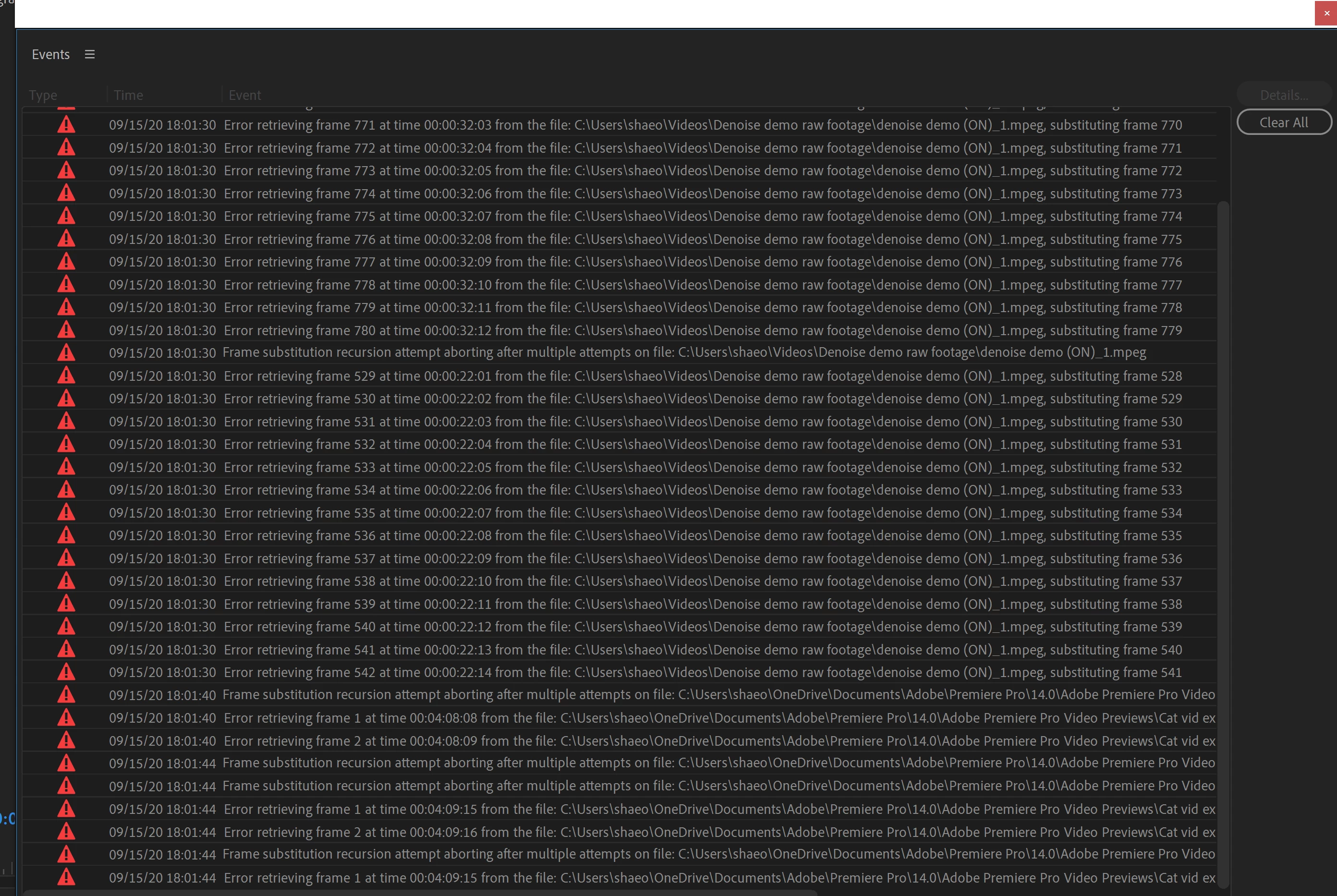
I just updated to Premiere Pro version 14.4.0, build 38, and I'm suddenly having issues with the "Error retrieving frame..." and "Frame substitution recursion attempt aborting..." errors. Though the error report lists problems with other sections (see attached picture) the real issue seems to be limited to the first few frames in several of my clips. Just yesterday they worked perfectly, but as of this PP update, these frames are just black. The clips in question are significantly manipulated (slow motion, scale and position altered, etc.). They are all from the same MPEG file, which is 23.976 fps at 1080p. This is a video file I originally exported from another sequence. This source file plays perfectly in VLC, so I don't think it's suddenly become corrupted.


I see now that when I pull this clip into the source monitor, the whole clip is black. This is in spite of the fact that most of those frames are visible in the actual sequence. I attempted to use the "Replace Footage" feature to re-link to the original media, but this isn't helping.


I've also attempted rolling back to my previous NVIDIA graphics card driver, since some of those drivers have caused issues in the past. That didn't work. So I installed the most recent graphics card driver, but the same issue remains.


Has anyone else been experiencing similar problems since this update?


[Specs:

Premiere Pro version 14.4.0, build 38

HP x360 Spectre convertible 15 inch laptop from 2019

Intel i7-10510U (4 cores), 10th gen

16 GB RAM

NVIDIA GeForce MX250 as well as Intel UHD Graphics]
This topic has been closed for replies.
Correct answer Shae S.

Kevin, I tried rolling back my graphics card driver again, this time to version 26.21.14.4292, or to use the same naming conventions NVIDIA uses on their site, version 442.92. After that, everything is working smoothly again. Thanks anyway for your help!

3 replies

crabspanner
Known Participant
October 20, 2020

We've had this issue in our facility since the frame replacment 'feature' was added in 2019. We're stuck on 2018.


There are no solutions for us except using external hard drives in place of our super fast network, or just rolling back to 2018. 

Kevin-Monahan
Community Manager
Community Manager
September 15, 2020

Shae,

Sorry for this. Can you try File > Close All Projects. Then, choose File > Preferences > Media Cache. Delete all media cache. You might also try trashing the preferences, as well. Restart Premiere Pro while pressing the alt key. Please also make sure your third party plug-ins are certified for this version of Premiere Pro. There are errors here about a "denoise demo," so I suspect that too. Hope we can help.


Thanks,
Kevin

Kevin Monahan - Sr. Community & Engagement Strategist – Pro Video and Audio
Shae S.Author
Inspiring
September 16, 2020

Unfortunately, this did not work. It just changed which sections of the video have problem frames. Do you think I should move the whole project over to an external hard drive and see if performance improves?

Shae S.AuthorCorrect answer
Inspiring
September 16, 2020

Kevin, I tried rolling back my graphics card driver again, this time to version 26.21.14.4292, or to use the same naming conventions NVIDIA uses on their site, version 442.92. After that, everything is working smoothly again. Thanks anyway for your help!

Shae S.Author
Inspiring
September 15, 2020

I'm seeing in other threads mods are asking about media storage info. For this project, I've just been working entirely with the internal storage, which is 500GB SSD.

Kevin-Monahan
Community Manager
Community Manager
September 15, 2020

Shae,

You can get much better performance when media is located on a dedicated media drive. That is actually the standard setup in the industry. That said, I don't think that is at the core of your issue. 


Kind Regards,
Kevin

Kevin Monahan - Sr. Community & Engagement Strategist – Pro Video and Audio
Shae S.Author
Inspiring
September 16, 2020

Yeah, I knew I was being naughty by doing it this way, haha. I told myself I'd set up a good file structure on the next one on an actual external drive.