


Participant
Jan 31, 2025 10:49 AM UTC
Answered

Es ist sicher einfach, wenn man es weiß. Grafik greifen können und bewegen

Ich arbeite in Premier Pro auf MAC, bis gestern konnte ich eine Grafikdatei wie ein Logo vergrößern, verschieben usw., und vor allem greifen, seit heute nicht mehr, ich habe das Gefühl, ich habe ein Tastaturkürzel verwendet, das ab jetzt verhindert, was könnte das sein? Ich danke!!!
PaulMurphyCorrect answer
Community Expert
Feb 1, 2025 1:21 AM UTC

To adjust an image’s scale and position directly in the Program Monitor, you have two options:

  • Double-click the image in the Program Monitor to activate direct manipulation.
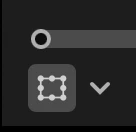
  • Select the image in the timeline, then click the Toggle Direct Manipulation button in the bottom-left corner of the Program Monitor.


Once active, you can click and drag to reposition the image or use the bounding box handles to scale it.

2 replies

PaulMurphyCommunity ExpertCorrect answer
Community Expert
Feb 1, 2025 1:21 AM UTC

To adjust an image’s scale and position directly in the Program Monitor, you have two options:

  • Double-click the image in the Program Monitor to activate direct manipulation.
  • Select the image in the timeline, then click the Toggle Direct Manipulation button in the bottom-left corner of the Program Monitor.


Once active, you can click and drag to reposition the image or use the bounding box handles to scale it.

Translate
Adobe Employee
Jan 31, 2025 12:13 PM UTC

Hi creative_whirlwind7316,


Welcome to the community! Were you using any custom keyboard shortcuts? If so, please verify that the desired preset is selected under Premiere Pro (menu) > Keyboard Shortcuts. Please also ensure that the key mapping for the Graphics and Titles commands are set properly. Let us know in case you are not able to use the Keyboard shortcut for any specific command. We will get it checked at our end.


Thanks,

Sumeet

Translate