Inspiring
January 25, 2018
Question

essential graphics not rendered in export ?

  • January 25, 2018
  • 3 replies
  • 11392 views

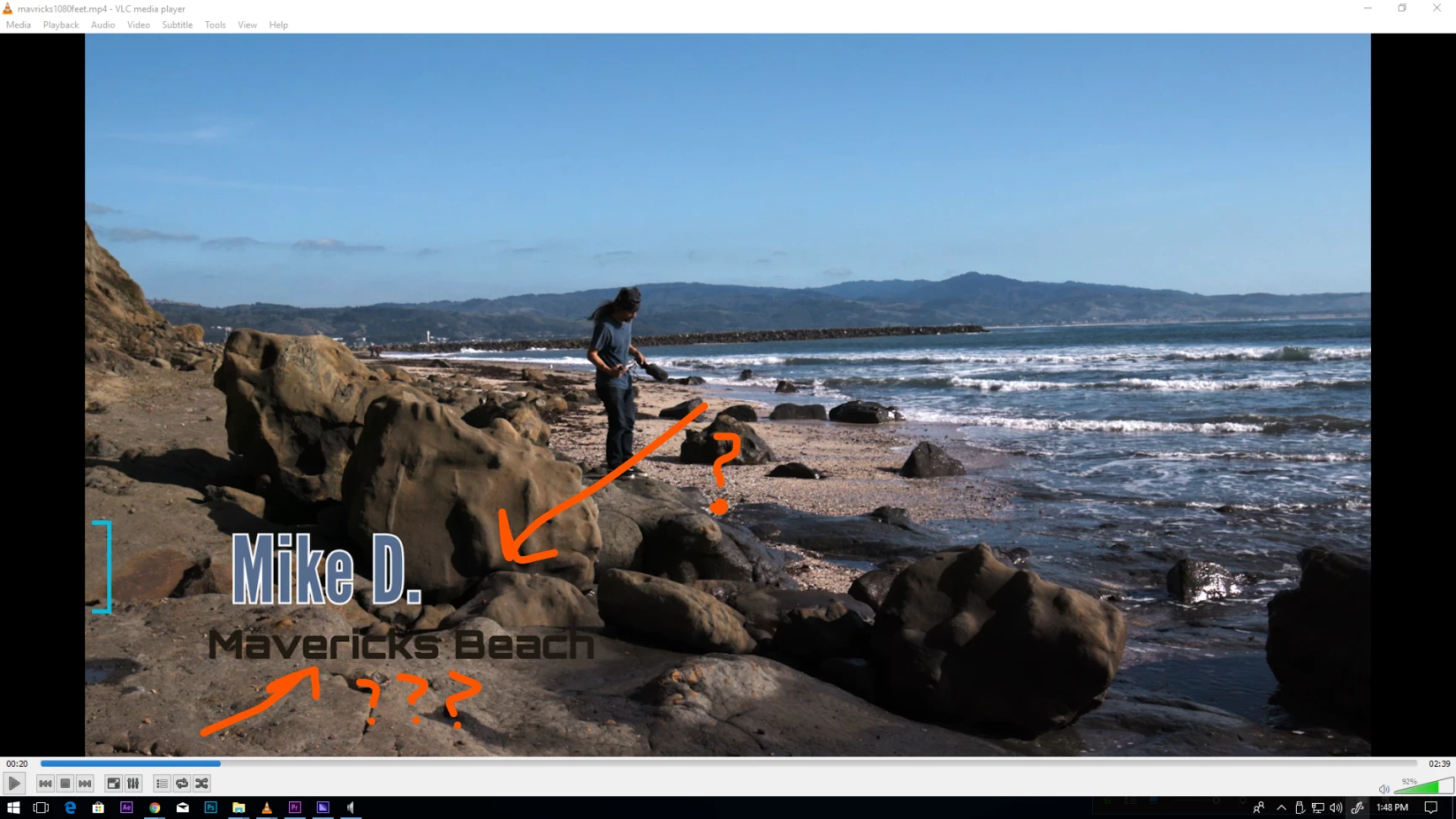
using 2018 premiere i had a lower third not exported correctly ?

weird the first image is the timeline frame save the second is the exported material in mp4!?

pc win 10
Mike D
    This topic has been closed for replies.

    3 replies

    Community Expert
    August 5, 2019

    try to switch renderers between Software Only and GPU acceleration

    maggieb2874430
    Participating Frequently
    August 5, 2019

    I did, that didn't work for me either.

    Community Expert
    August 6, 2019

    im replying to the original poster 's post not yours...

    are you the same user who posted before? now with a different problem?

    maggieb2874430
    Participating Frequently
    August 4, 2019

    Hi--I'm still having this problem. I've done all of the things - unchecking import native sequences in ME, direct exporting from Premiere, clicking every single thing that could possibly be related to why it's not working, but I've found nothing. The text is exporting fine, it's just the super important graphic that's not showing up. Please helppppp.

    R Neil Haugen
    Legend
    August 4, 2019

    Version of Premiere?

    Is it an included graphic, one you've built, or one you got somewhere?

    Neil

    Everyone's mileage always varies ...
    maggieb2874430
    Participating Frequently
    August 4, 2019

    Premiere Pro CC 2019. I built the graphic in Illustrator (it's just a freaking arrow), exported it as a PNG, then imported it to Premiere. I then created motion graphic templates for each time it was used and replaced the original edits with the templates (as advised by someone somewhere). Even so, although the rendering before I queue or export shows the graphics, the final export does not.

    R Neil Haugen
    Legend
    January 26, 2018

    Was this by any chance queued over to Media Encoder for the export? If so, in ME, in the Preferences, uncheck the "import sequences natively" option. Try again.

    If that doesn't fix, or this was exported from PrPro, what pinning options did you set in the EGP Editing panel? Try un-pinning it, and see if that works better.

    Neil

    Everyone's mileage always varies ...
    Inspiring
    January 26, 2018

    hi neil ,

    it was a template so i didnt use pinning  it was also qued to media encoder ill have to test these options ?

    mike

    jstrawn
    Legend
    January 26, 2018

    mikefromoakland  wrote

    hi neil ,

    it was a template so i didnt use pinning  it was also qued to media encoder ill have to test these options ?

    mike

    The template may have had pinning in it which was put there by whoever authored the mogrt in Pr. If it is indeed the 'AME drops pinned layers' bug, you should see that fixed in P 12.0.1 which just released publicly.
