
Participant
August 3, 2022
Question

Essential Graphics search bar not working

  • August 3, 2022
  • 3 replies
  • 1094 views

I don't know when this problem occurred, but I could imagine it had something to do with the recent update.

Basically, premiere shows that it has access to the MOGRT files that I've installed:
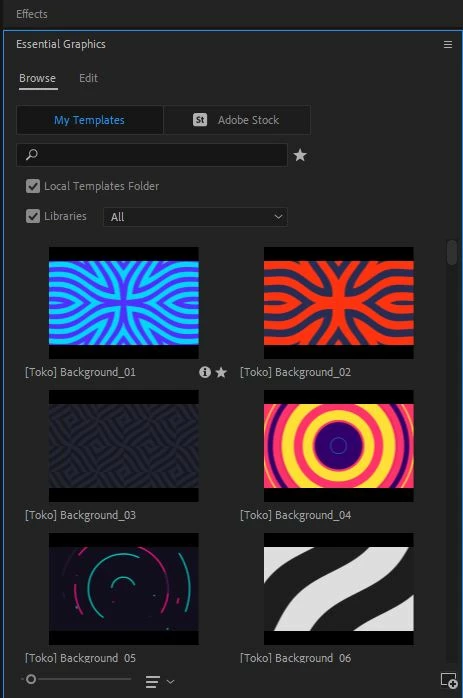
 

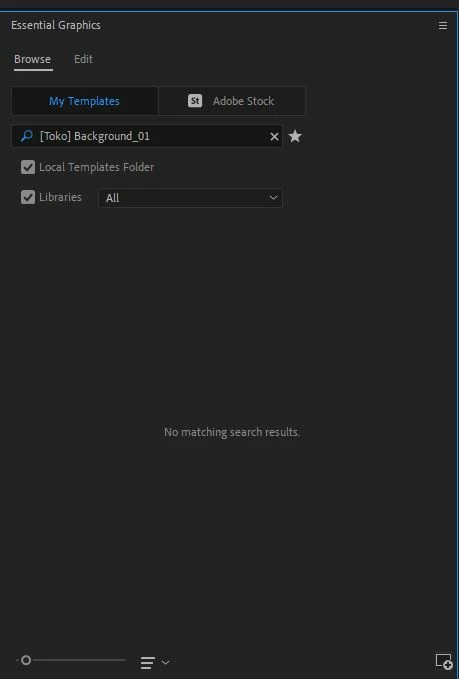
HOWEVER, when I try to look up a specific asset, the search bar doesn't work. In fact, there's not a single thing that I can type into that search bar that would pull ANYTHING up:
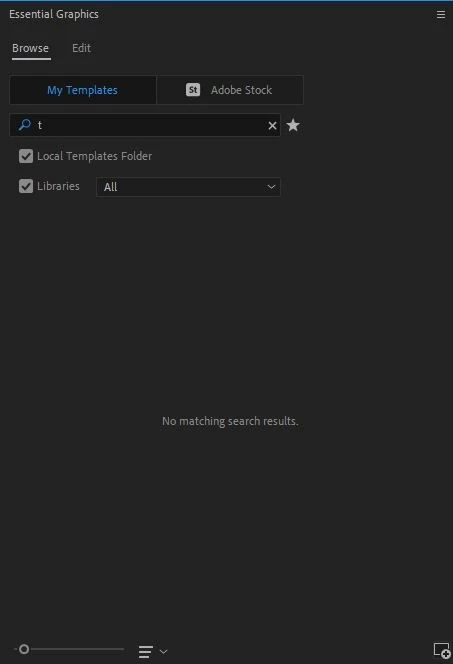
I've tried every character in the alphabet and it does nothing:
I've tried reinstalling my MOGRT pack, and reinstalling Premiere Pro. I don't know what the problem is. 

Please, how can I get this darn search bar to do the one thing its entire existence is meant to do?

3 replies

Participant
July 11, 2023

Did you fix it? I'm having the same problem I hate it... 

Participant
August 19, 2025

Did anybody figure this out?  I have Verson  Premiere Pro 25.4.0 Build 99. I removed everything Adobe then use the removal tool, went into App Data and removed everything, i've reinstalled Premier Pro along with the rest of the Adobe suite,  updated my graphic driver as well, still the same thing in either local templates or libraries under "my templates", search is still not working any help would be greatly appreciated.

Kevin-Monahan
Community Manager
Community Manager
August 19, 2025

Hi, 

I read your case notes and could not reproduce your issue. Can you try resetting preferences? Press the Shfit key at lauhch to get the Reset Options dialog box. You can reset the preferences from there. Just beware that you will lose certain customizations. Let us know if that worked for you. Sorry for the hassle.


Thanks,
Kevin


Kevin Monahan - Sr. Community and Engagement Strategist – Adobe Pro Video and Audio
Participant
May 12, 2023

I'm having the EXACT same issue .

Participant
May 12, 2023

Welcome to the club lol

Participant
October 17, 2023

omg this bug is so suck.... adobe update always throwing many diffrent bugs..
Recently, there was a bug where when moving assets from after effect to premiere pro, about 200px of the left side would be cut off and stuck to the right side. This made me very angry, and after a version roll back, the bug was fixed.

Participant
August 3, 2022

Also, I've tried checking off every combination of the two buttons:
-Local Templates Folder

-Libraries
That doesn't fix the issue

Community Expert
August 3, 2022

Please make sure that you're typing return or enter after you type in your search.

I hope that this helps.

Participant
August 11, 2022

That does not help. The screenshots I've provided are after I hit the enter key.