


Participating Frequently
November 1, 2022
Answered

Essential graphics templates changes colors once in timeline

  • November 1, 2022
  • 2 replies
  • 1921 views

Hello,


I'm fairly new to premiere pro.


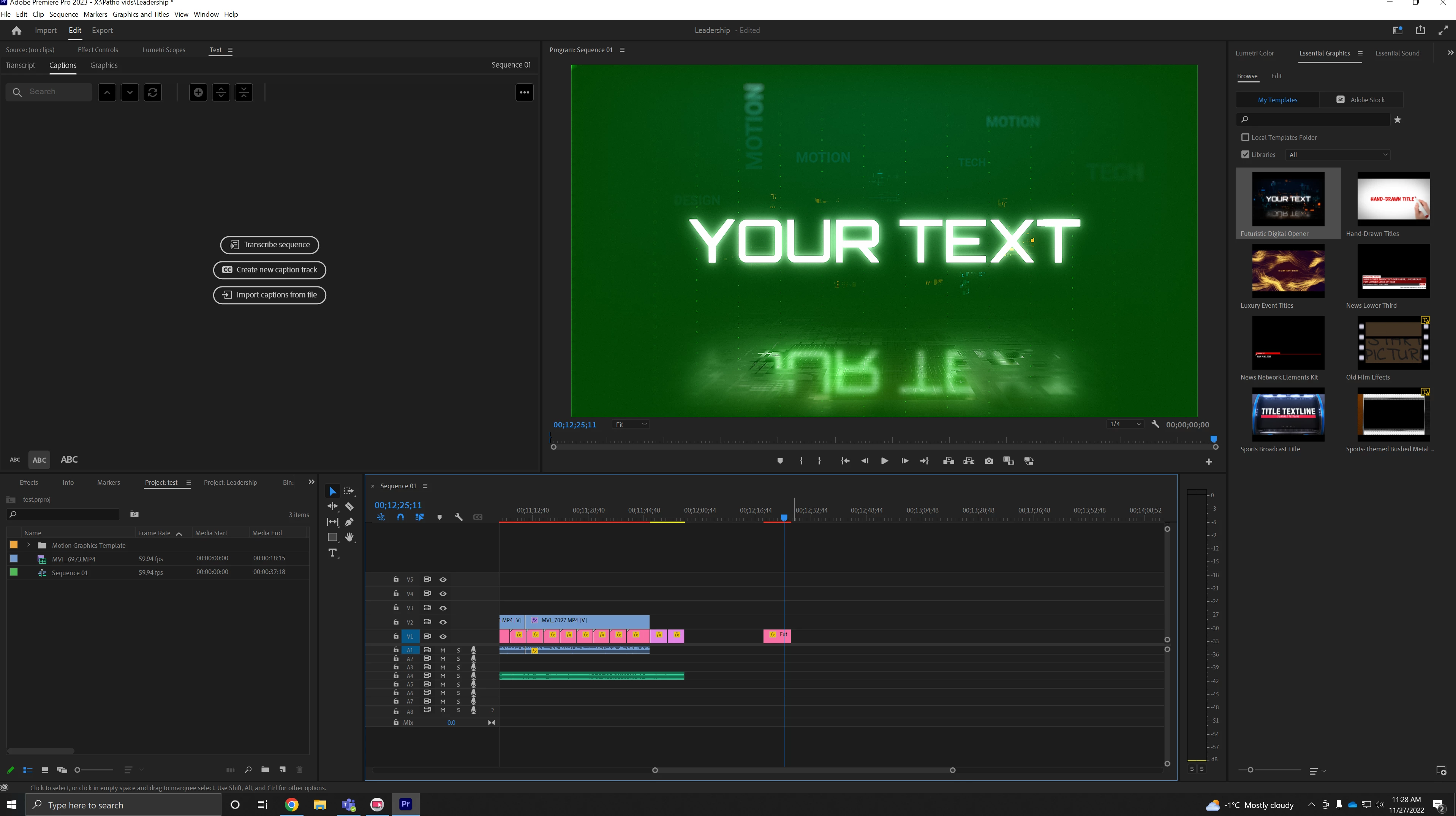
I bought a template off adobe stock called futuristic digital opener. At first the colour grading was fine and it worked as intended but then it suddenly became green after a few edits. I'm not exactly sure as to what I did wrong with it...


I've attached a screenshot of the EGP and timeline, hopefully that helps!


Thank you!


This topic has been closed for replies.
Correct answer R Neil Haugen

Hi,


Unfortunately it's still the same -- it's still rendering green for some odd reason 😞


Yea, the 517.40 driver specifically. Newer ones are causing all sorts of issues.


Neil

2 replies

Peru Bob
Community Expert
Community Expert
November 2, 2022

Delete the Media Cache and Media Cache files:
https://community.adobe.com/t5/premiere-pro/faq-how-to-clear-your-media-cache-in-30-seconds-in-premiere-pro-2020/m-p/11017257/thread-id/260446?page=1
Then try pressing Enter to render the timeline and turn the red line above the timeline to green.

Participating Frequently
November 27, 2022

Hi,


Thank you for your reply.


Unfortunately, it still hasn't worked. I'm still getting green videos on my playback for some templates...


I've tried reinstalling Premiere pro and media encoder and even set the mercury playback to software.


I'm not sure what I'm doing wrong...

R Neil Haugen
Legend
November 27, 2022

What's your computer system? Well, and does it have an Nvidia GPU?


If it does, go to the Nvidia support site, driver support, and choose the option for older drivers. Get the 517.40 STUDIO driver and do a clean install.


That might do it, Nvidia drivers are causing a ton of issues right now.


Neil

Everyone's mileage always varies ...
Participating Frequently
November 1, 2022

Also, here is my sequence settings