
Inspiring
March 15, 2024
Question

Essential Sounds Presets corrupted after upgrade?

  • March 15, 2024
  • 2 replies
  • 605 views

I'm not really sure if I'd call this a bug but my essential sound base dialogue preset which was applied on a bunch of clips in an existing project went missing after an upgrade. In fact the custom preset is still there but it has an asterisk next to it: Essential Sound Base Preset* on the applied version - see screenshot. 
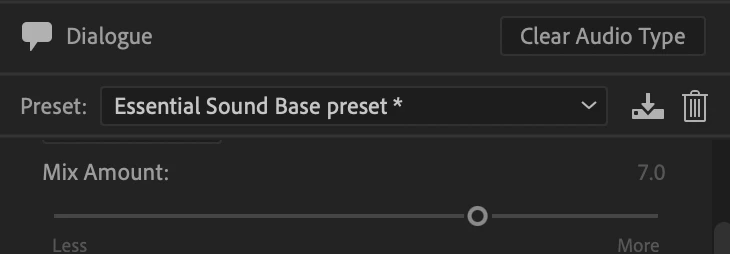
 

This project was started about 5 months ago and I've update Premiere a number of times over that period so I can't pinpoint exactly when it happened but when I opened the project today I noticed a bunch of dialogue clips were not properly EQ'd. 


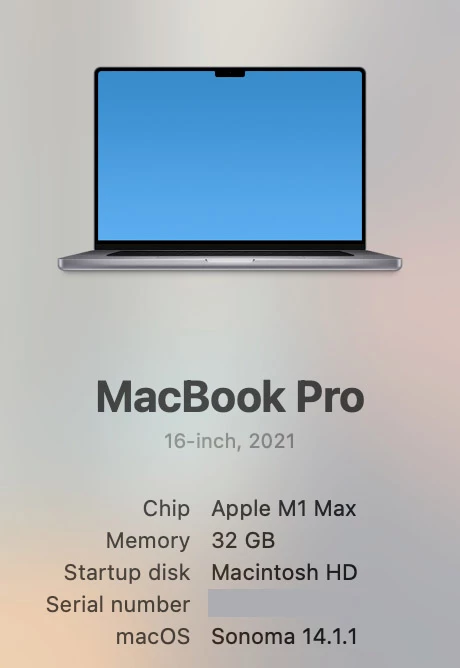
What I don't like about this behaviour is that the actual effects seem to go missing if the preset goes missing. Or at least I think that is what is happening... currently running 24.2.1 (build 2)
 

This topic has been closed for replies.

2 replies

R Neil Haugen
Legend
April 30, 2024

Have you dumped all cache files and restarted?

Everyone's mileage always varies ...
Participating Frequently
April 30, 2024

Yep. All the usual troubleshooting stuff... dumped cache, reset preferences, even uninstalled and reinstalled. I've also replicated the errors on multiple machines, so I'm pretty sure it's a software bug on Adobe's end.

David Swinehart - Media Producer - Kansas City, MO
Participating Frequently
April 30, 2024

Giving this a bump and adding that since the 24.3.0 update, my Essential Sound default presets all seem to be misbehaving. When using a stock Adobe preset for dialogue, it hangs in "Clip content analysis is in progress" and does not apply the preset. This is happening to both individual clips and when selecting multiple clips in a sequence.

David Swinehart - Media Producer - Kansas City, MO
Participant
October 7, 2024

I also have the "clip content analysis in progress" thing on about every other clip and many of the clips have the same source. Really annoying.