Participant
January 18, 2020
Question

Export as progressive for H.264 Blue Ray

  • January 18, 2020
  • 1 reply
  • 1356 views

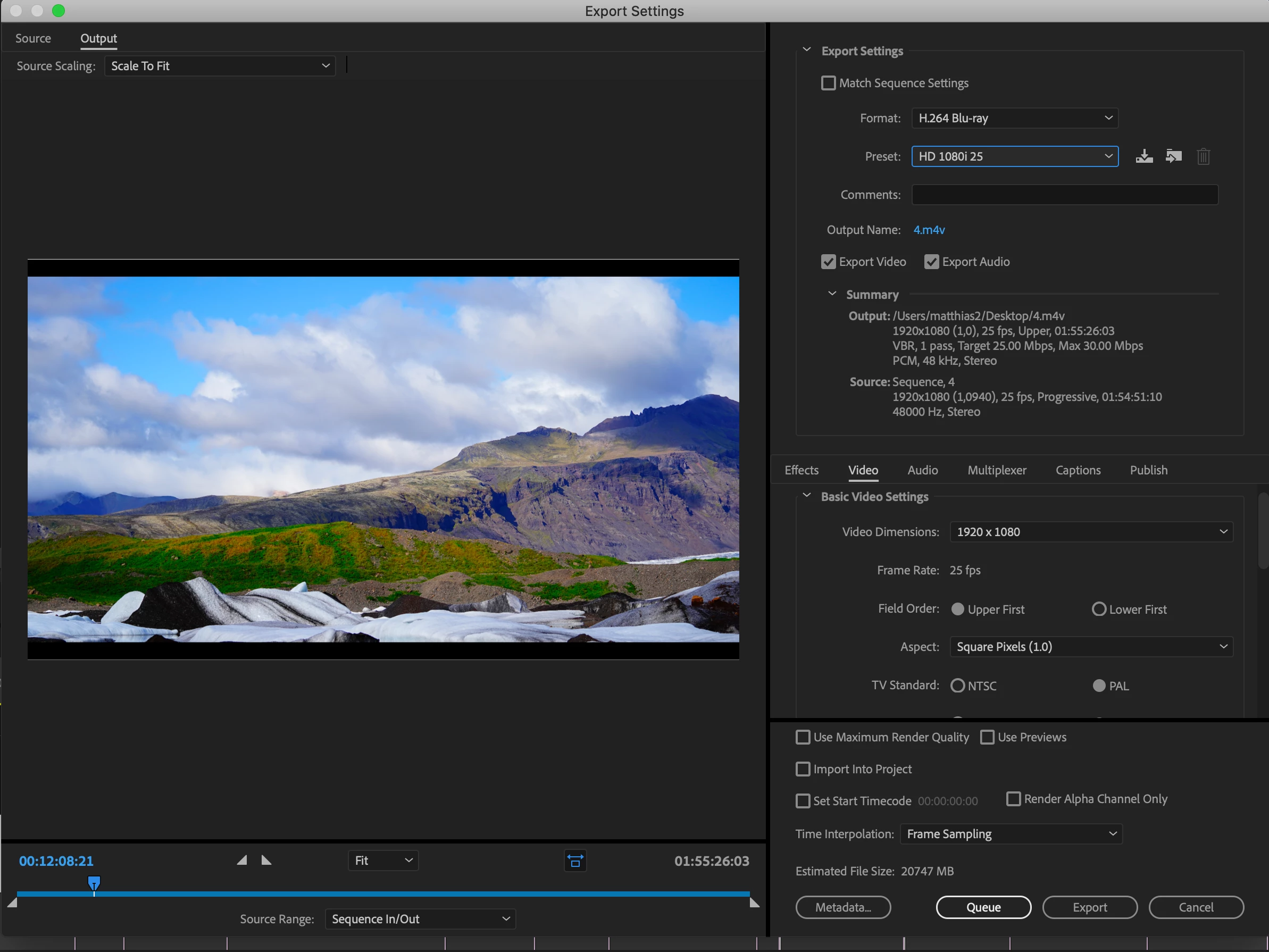
Hi,i want to export my project for creating a blue ray disc.My problem is,that i don't see an option to export with progressive scan with the H.264 codec at 25fps.

The source material from a sony alpha 7,so i guess there is no point in exporting it as an interlaced video.

Or doesn't it make any difference if i export the progressive scan source material as an interlaced video? (i guess it does)

So,sould i export at 1080i @25fps or 1080p @17196248,976?

What's the best option for me here?

I attached a screenshot so you can see the settings of my source (sequence)

cheers
This topic has been closed for replies.

1 reply

Legend
January 18, 2020

Premiere, like ALL other editing software, MUST comply fully with the Blu-ray standards when exporting. This means that at 1080 resolution, the base Blu-ray standard only supports 24 (23.976) fps if progressive video is output. Premiere does not currently comply with later versions of the Blu-ray standard, which officially support higher progressive frame rates and higher resolutions.


With the currently implemented standard Adobe uses, you must convert 25p video to 50i before you author this onto Blu-ray. 25p native requires the HEVC (UHD) Blu-ray format, which Adobe does not currently support on export.


Randall

Participant
January 18, 2020

Hi Randall,

Thanks for the insight even though it doesn't make me very happy.

So how can i solve this in the most simple fashion? How do i convert my 25p footage (mainly photos) into 50i?

Or should i just export at 1080i @25fps and it should be fine?

Ann Bens
Community Expert
Community Expert
January 18, 2020

Best option is to use a preset 1080i25.

Premiere will export 2 files which need to be authored for disk.


But do you have authoring software such as Encore?