adamb89690903
Participating Frequently
July 27, 2019
Question

Export Credits on it's own timeline then ingest back in with same settings

  • July 27, 2019
  • 2 replies
  • 1174 views

Hi.

I am working with Premiere Pro CC 2018

I made rolling titles in Premiere. They start off screen, but I want them to start on-screen towards the bottom.

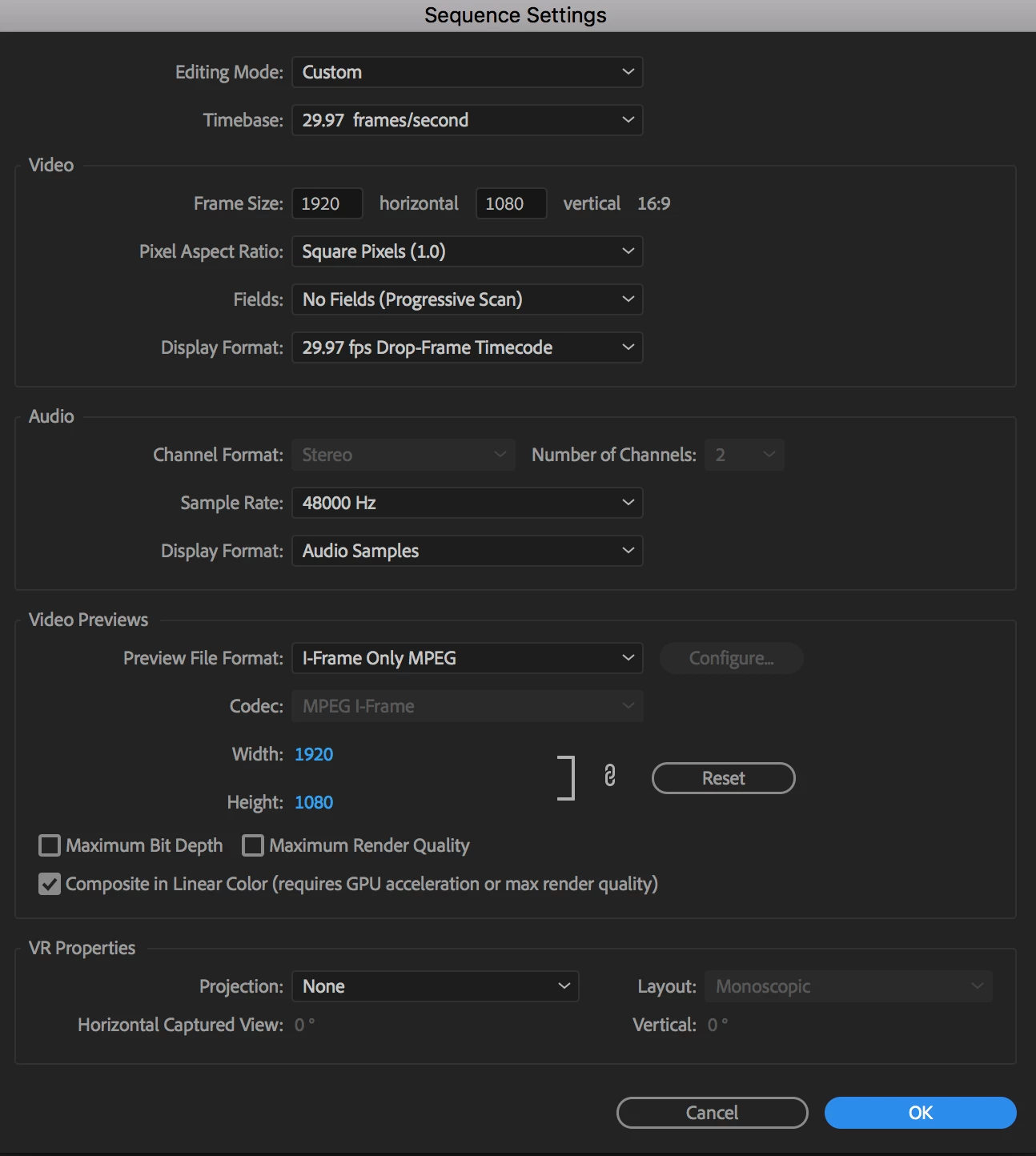
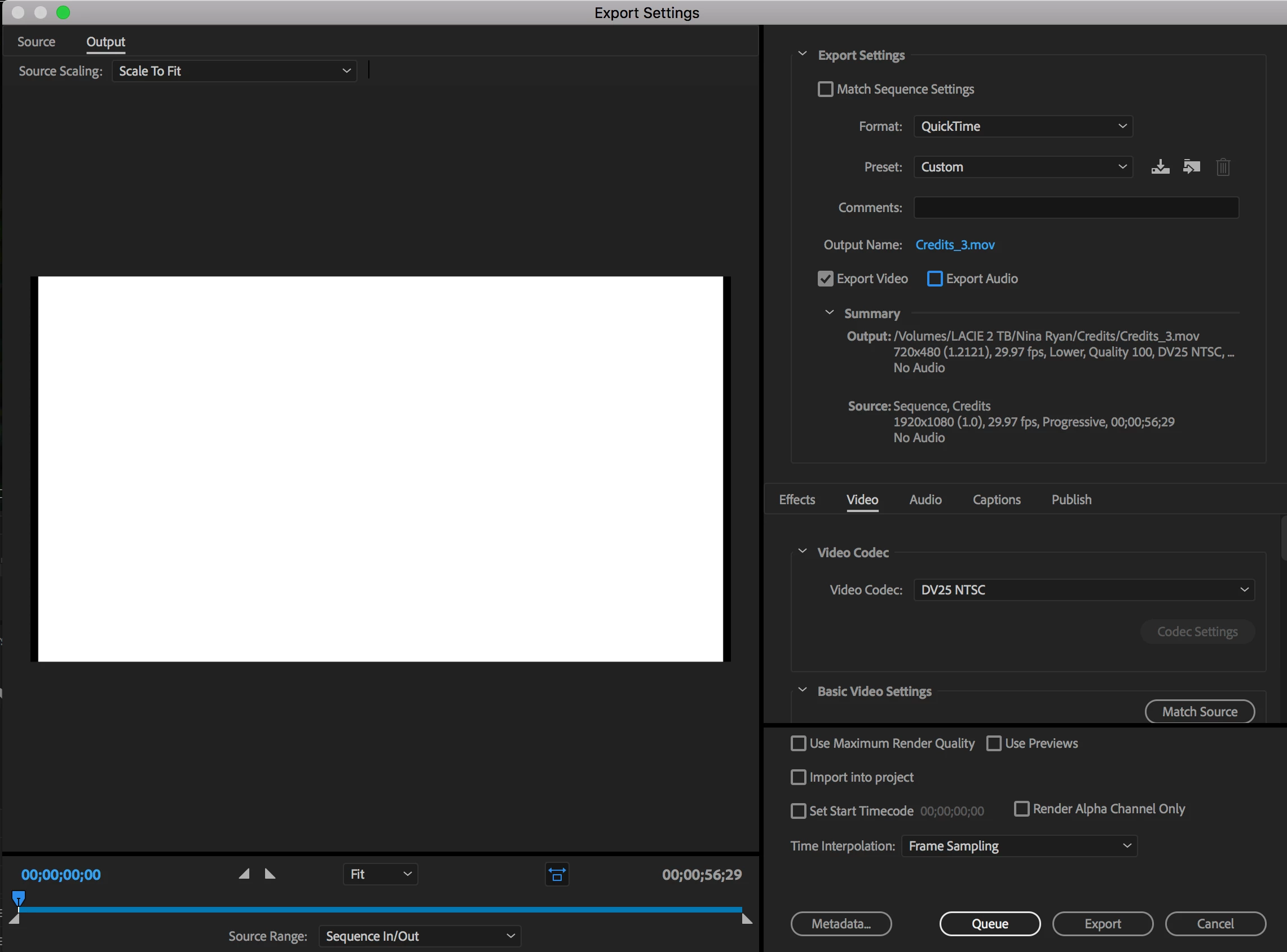
How can I Export just the rolling credits in the same settings (See Pictures) as the timeline and the rest of the project (1920 x 1080 Pro Res 422 LT) onto my hard drive then import them right back into the project?

I've tried, but when I put to back in the timeline and play it back, it skips and stutters.
Thanks in Advance

    This topic has been closed for replies.

    2 replies

    Inspiring
    July 28, 2019

    In your export settings, note that you are exporting a DV25 NTSC file that is 720 x 480 pixels in size. Is this your intention?

    If you bring that file back into Premiere and use it on a 1920 x 1080 timeline, it will need to be resized and will likely look pretty bad - as well as likely requiring rendering to play back smoothly.

    You would normally want to export at the same size you intend to use the file.

    MtD

    adamb89690903
    Participating Frequently
    July 28, 2019

    Thanks,

    What settings do I need to set to make it the same exact as my timeline? I've exported a few different times at a few different settings  and when I import it back into the timeline it stutters when it plays back.

    What export settings do I need to export it out so when I import it back in so during playback to does not stutter?

    The timeline for this is 1920 x 1080 29.97 FPS Square Pixels.

    Thanks

    Legend
    July 28, 2019

    As Jim suggested... can do in photoshop. Can make really nice titles and rolling credits using photoshop. In your case, using white background, your psd image will need some extra white on top so you can start down on your early text at bottom... because the background defaults to black when there's nothing in the frame.

    The image in photoshop looks kinda like this ( small size cause I made the real one 1920 wide and really big in height.

    THIS IS WHat it looks like in old CS6 version of PPro

    This is what it looks like in Vimeo

    SAMPLE CREDIT ROLL on Vimeo

    good luck !

    Legend
    July 27, 2019

    Create the credits in Photoshop, then keyframe Position to simulate a roll.