


Participating Frequently
September 14, 2019
Answered

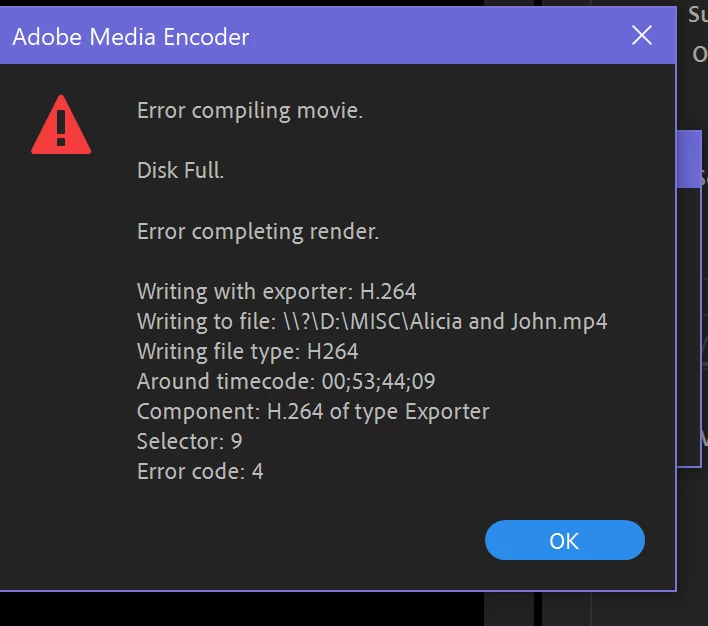
Export error compiling movie disk full

  • September 14, 2019
  • 14 replies
  • 28278 views

I have been getting an error message when trying to export my project out of premier. The rendering progresses to about 50% then the error message appears. I know I have enough disk space as i have tried exporting to several different places, all that have more than enough space. I was able to successfully export the project once as a rough cut but after making changes have not been able to export it. The only major change from the original export is that i applied warp stabilizer to several clips. There seems to be one clip that is causing the prolem. I am able to export clips before and after the clip in question but if i try to export this clip, the progress bar does not show and change even if I let it render for a whole day. Ive tried removing the warp stabilizer from the clip, changing export settings, deleting and adding the clip back to the sequence, and opening the sequence in a new project but nothing has worked. Short of scrapping the whole project and starting from scratch I dont know what else to do. Help!

    Correct answer Kevin-Monahan

    AKG24,

    Sorry. The error at the top of the dialog box indicates the disk is full. Error code: 4 is a "Disk Full" error. My diagnosis is that there is an issue with the disks and that Premiere Pro seems to think that the one selected for export is full. I hope you solved your issue.


    Thanks,
    Kevin

    14 replies

    Peru Bob
    Community Expert
    Community Expert
    September 14, 2019

    In addition to what was previously said, you need to have enough free space on your operating system disk in order for the system and applications to work properly.

    AKG24Author
    Participating Frequently
    September 14, 2019

    I have close to 200GB of storage available, Project size is 184MB and the estimated export size is 6GB so I should have plenty of storage space. Any other troubleshooting suggestions?

    R Neil Haugen
    Legend
    September 14, 2019

    Premiere often needs 4-5 times the "end" size of the file free on disc to be able to complete an export. So if this is going to be say a 1.1 Gb final file, you would need at least 5Gb free on the disc before exporting.


    As a minimum.


    Neil

    Everyone's mileage always varies ...
    Ann Bens
    Community Expert
    Community Expert
    September 14, 2019

    How to fix issues that cause errors when rendering or exporting


    Exporting a file means it needs minimal twice the space on a disk.

    A disk should not be filled more then 75%