


Export Errors/Can't change video renderer
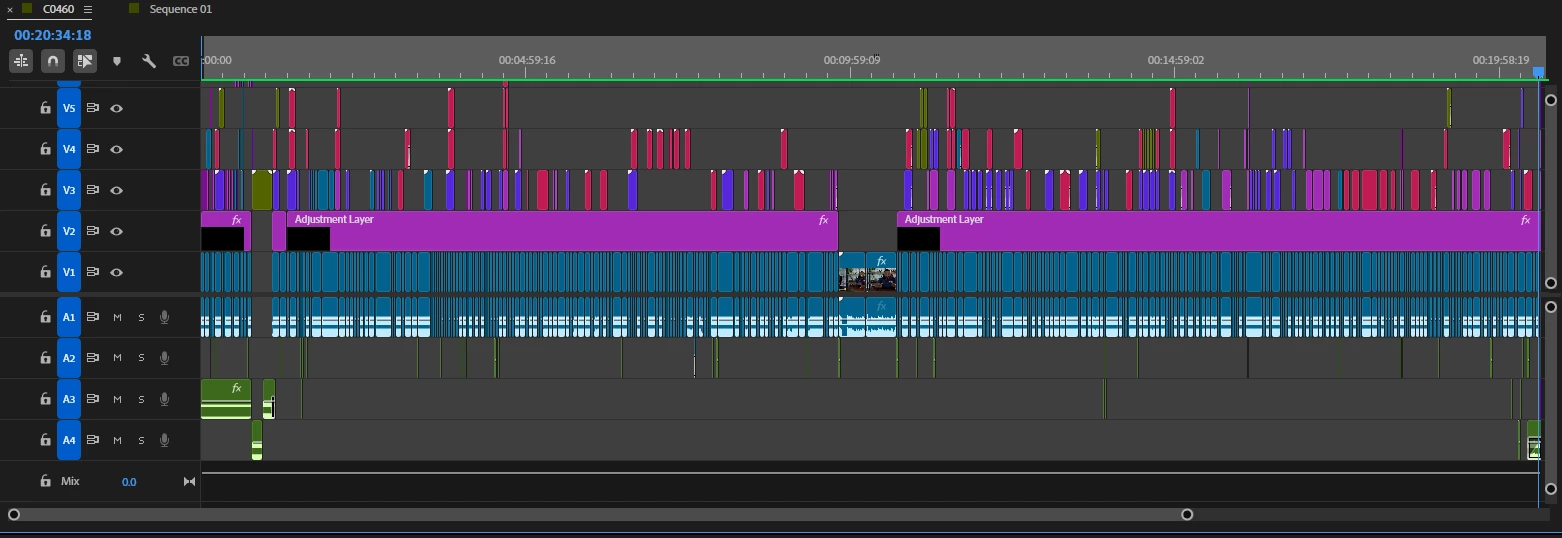
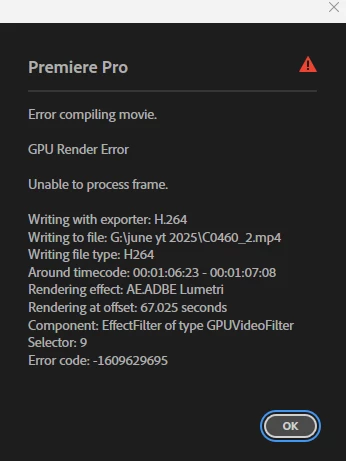
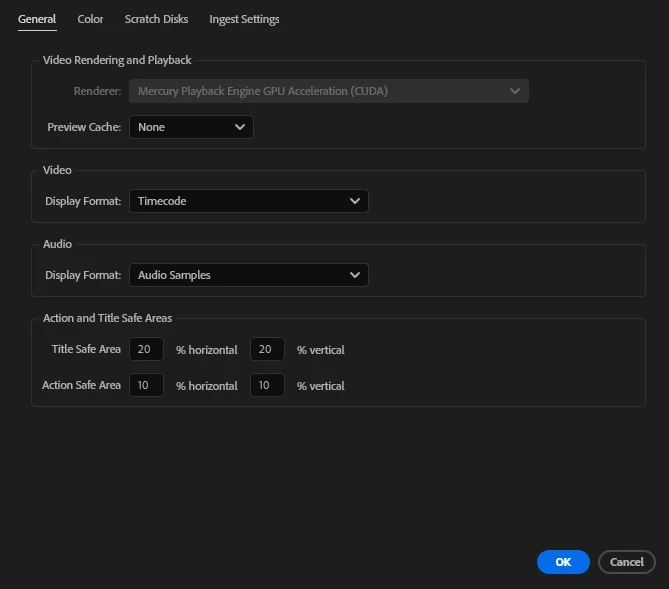
I edit 10-20 minute videos for someone where I use many graphics, effects, and transitions. And almost every time, I have an issue with exporting. I have a pretty powerful PC for video editing, so it's very frustrating that this is always a problem. Even when my entire timeline has been rendered and shows green, it still can't export. I've tried both hardware and software encoding, but neither work. And I can't change the video renderer either. It is grayed out, and stuck on "Mercury Playback Engine GPU Acceleration (CUDA)". I had adobe take virtual control over my PC to try and fix this before, but the only fix was to revert back to a much older version of premiere pro, where the option wasn't grayed out. We were able to switch renderers and it would finally export.
I guess I made the mistake of keeping my Premiere up to date, and should just stay in an older version forever if I want it to work, but if anyone knows how to make it so I can change the renderer, I'm sure that would fix the problem. I would love to be able to use the most recent version of Premiere without a fear of it not being able to export.
PC Specs:
Windows 11 Home 64-bit
Intel(R) Core(TM) i7-14700KF 3.40 GHz
64.0 GB RAM
NVIDIA GeForce RTX 4070

 AdChoices