
Export file size is the same regardless of length of video??
This is the order I've done my work...
- . Received a mp4 video [Let's call it "video original"] size: 631MB; 2:03:59 length in time
- Chopped off intros and outros and added my own png slides and a bit of music both ends.
- intro added 3 x png slides, 11 secs total
- outro 3 x png slides, 13 secs total
- [video edited 1]
- size 1.01 GB , length 2:03:00 ( I didn't take much notice of this at the time, that it had almost doubled in size!)
- Compressed the video using Premiere Pro by dialling down the bitrate
- size 457 MB, length 2:03:00
- [video compressed]
- The membership software I use requires videos less than 200MB, and I didn't want to lose the intro and outro editingI had done the "video original" so I want to use the "video compressed" version, which I presumed I could chop into 3 parts and get videos around 150MB each. NOT SO!!! This is where the problem starts...
- "Video compressed" is put into Premiere Pro,
- chopped off two thirds of 'video compressed"
- chop off the old intro,
- insert new intro,
- add new outro,
- add music at both ends
- Export tells me that the new video will be 1.6 GB; length 44:4:23
- WTF????
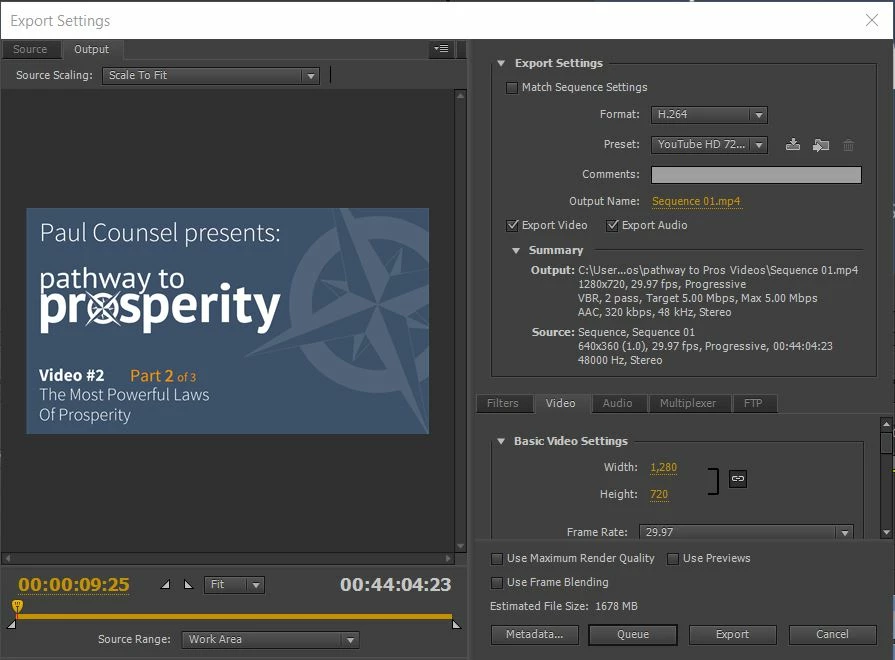
I realise I could have made some mistakes at step 2 conversion, presets and export, but I'm happy to work with "video compressed" chopped into 3 parts.
6. I've now gone into Premiere Pro to try all sorts of variations: could it be my png slides? the music?Change to different presets, legnth of video? but this is what happens:- ( now using preset Youtube SD 480 to match source sequence frame size)
A> Export with full length video compressed
Size 1.567 GB length 1:42:51:26
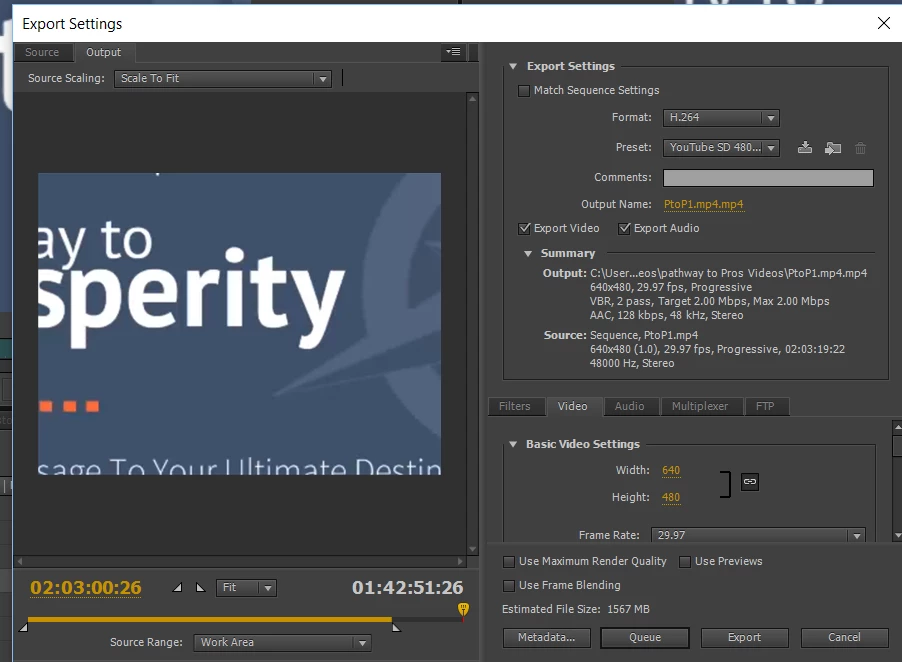
B> Get rid of music and pngs
Size 1.567 Gb , length 1:42:51:26
C> chop video to one-third size
Size 1.567GB length . time is still 1:42:51:26 What???
There is a yellow time to what I had cut it to marked on image below in red.
Is the export still reading the whole clip???? Even when I cut down the clip to 16secs the export reads 1.567GB. What is going on??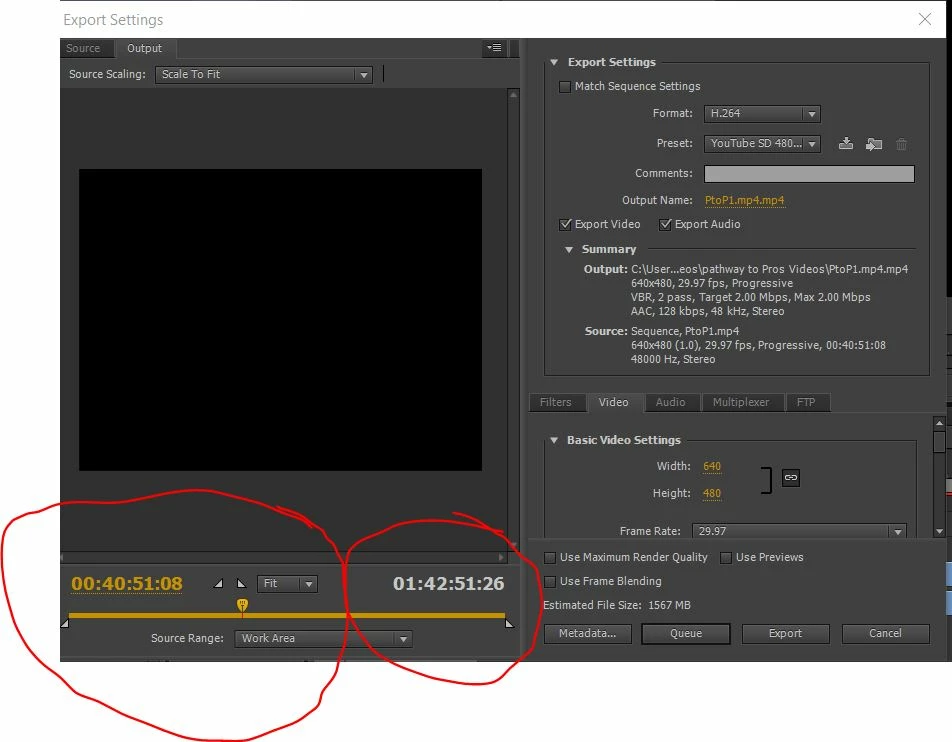
I cut the clip with the razor blade and "clear:" the portions not needed. Is that not enough?
thanks for your help in advance...
Frustrated..
Linda
 AdChoices