Participant
September 28, 2021
Question

Export issue makes program unusable

  • September 28, 2021
  • 3 replies
  • 127 views

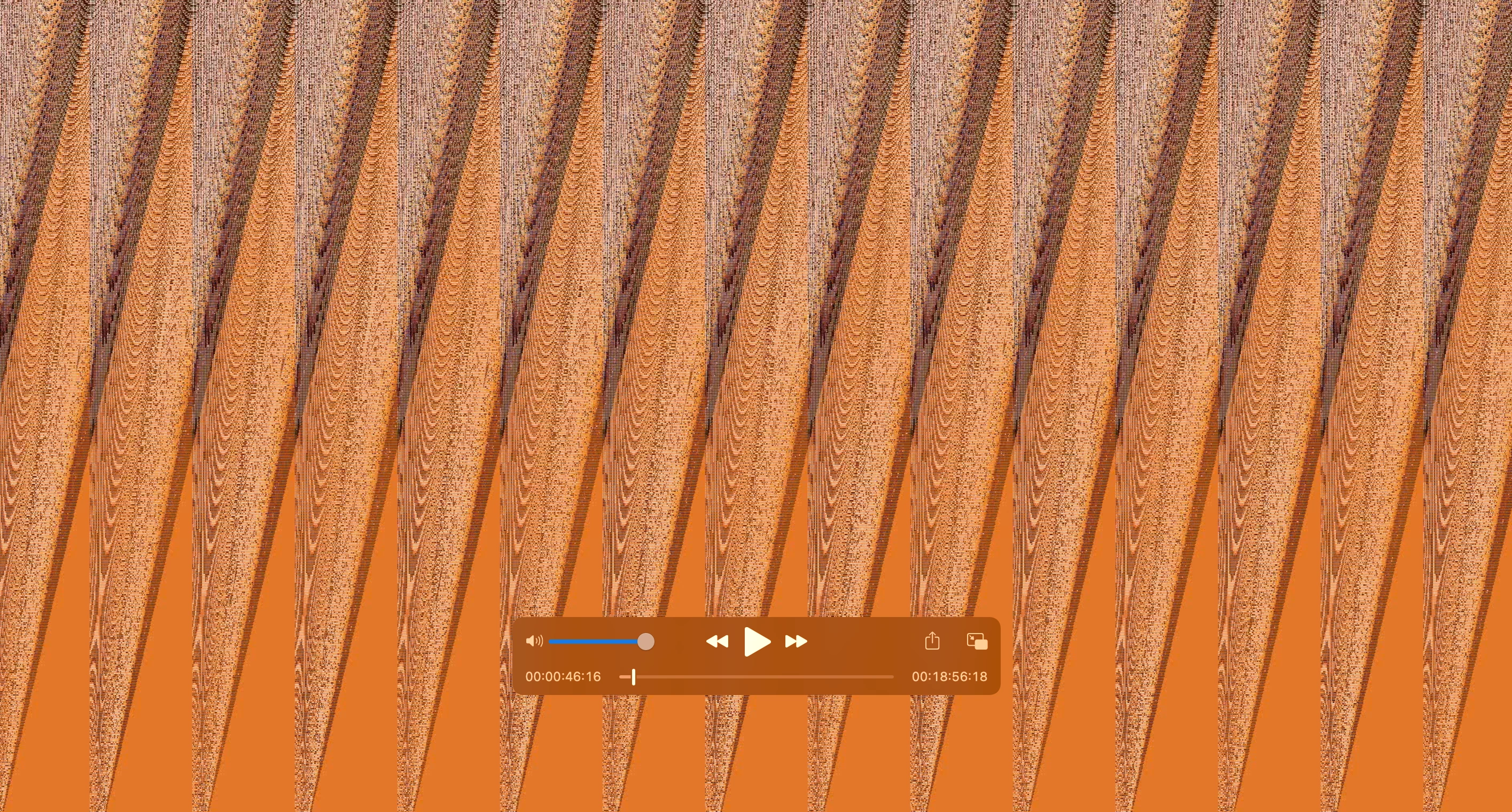
This has been an issue for over a year now.  Before I thought it was becasue I was using angles from several different cameras but this one is all the same camera and the same memory card.  When I export I get colors and jagged lines across the entire video and flashes of my actual video.  Cannot figure out how to fix this.  Attached is a picture of a frame.  The entire video does this every time I export.


Never had the problem before last fall when I updated and now it is on every video I try to create.  Please help me get rid of this.
This topic has been closed for replies.

3 replies

nishu_kush
Legend
October 1, 2021

Hi vonh16444957,


Sorry for your issue.

Could you try exporting with the Software Only renderer and see how it goes. Here's how to switch: https://community.adobe.com/t5/premiere-pro-discussions/faq-how-to-change-the-video-renderer-in-premiere-pro-and-adobe-media-encoder/td-p/9851383

Let us know the results.


Thanks,

Nishu

Kartika Rawat
Community Manager
Community Manager
October 1, 2021

Hi vonh16444957!

Sorry for the export issue. Can you share the following information? 

  • What are your system details (OS, CPU, RAM, GPU)?
  • Which device did you use to capture footage?
  • Could you provide the screenshot of the Export Settings?


Let us know.

Thanks,

Kartika

Peru Bob
Community Expert
Community Expert
September 28, 2021

Delete the Media Cache and Media Cache files:
https://community.adobe.com/t5/premiere-pro/faq-how-to-clear-your-media-cache-in-30-seconds-in-premiere-pro-2020/m-p/11017257/thread-id/260446?page=1

If that doesn't work,try resetting the preferences:
https://community.adobe.com/t5/premiere-pro/faq-how-to-reset-trash-preferences-in-premiere-pro/td-p/8236158?page=1

If that doesn't work, try resetting the Workspaces:
Reset a workspace
Reset the current workspace to return to its original, saved layout of panels.
1. Do one of the following:
• Click the Workspace menu icon and select Reset to Saved Layout.
• Choose Window > Workspace > Reset to Saved Layout.
from here:
https://helpx.adobe.com/premiere-pro/using/workspaces.html

If that doesn't work, try Preferences > Audio Hardware and set Input to None.

If that doesn’t work, try updating or rolling back your graphics driver directly from the video card manufacturer’s site. If NVIDIA, do a clean install of the latest Studio Driver (NOT the Game Driver)

If that doesn't work, try creating a new project and import the old one into it.

Also, please help us help you:
https://community.adobe.com/t5/premiere-pro/faq-what-information-should-i-provide-when-asking-a-question-on-this-forum/td-p/3929027?page=1