
Participant
September 20, 2023
Answered

Export Length Longer Than Timeline

  • September 20, 2023
  • 4 replies
  • 7256 views

Hi All,


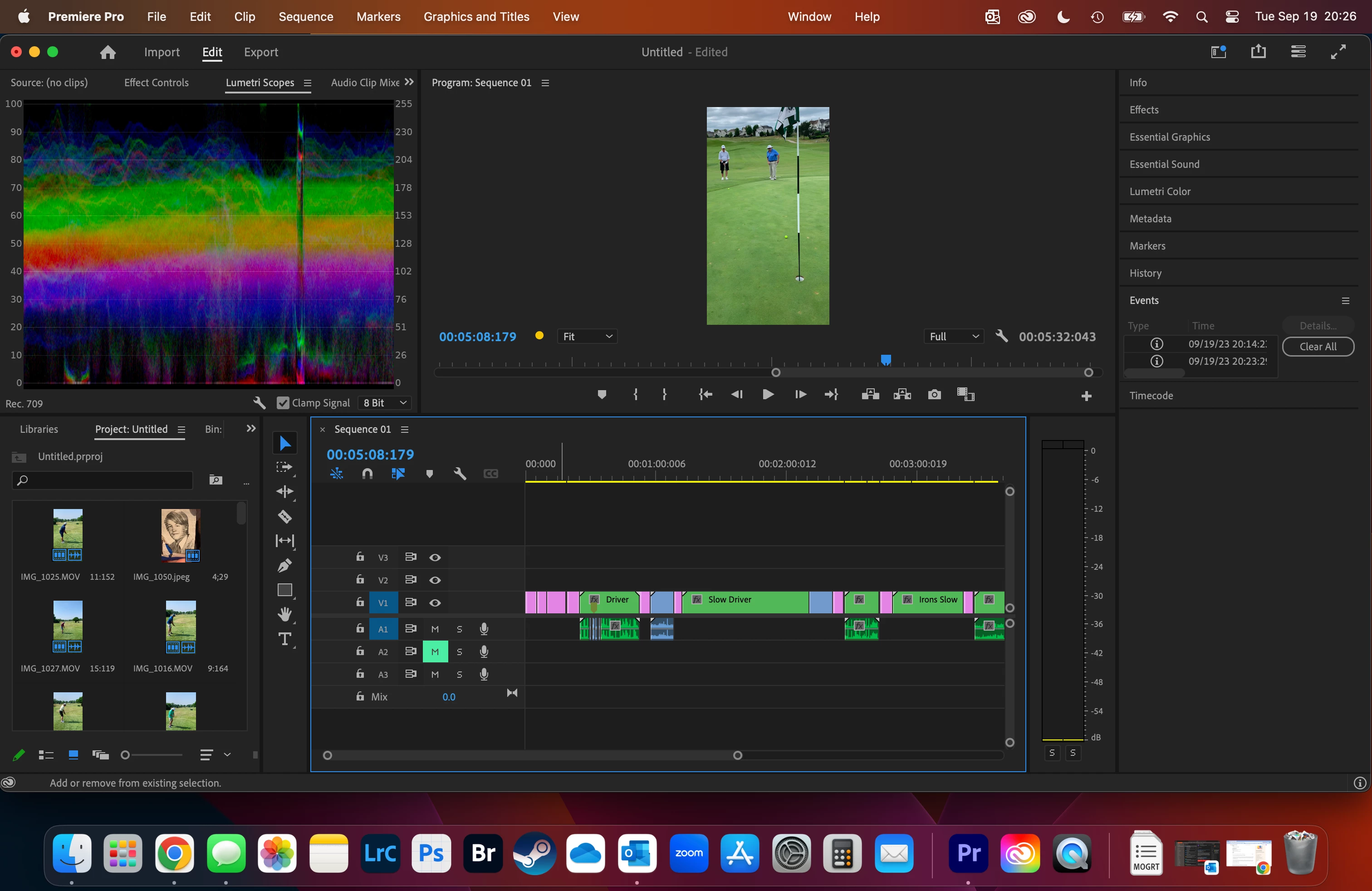
A little background, my father-in-law plays golf with his friends and took video on his phone and sent them to me. I added them to the timeline and shrunk them down to get all the footage down to 5min and 32 seconds. Some of the sections replay (driver and iron shots) at 75% speed.


When I export it turns into 35min, I saw a video posted here about hitting the backslash button to find hidden video but there is none there, I even selected the area from the end of my video to the end of the space and pressed delete just in case. 


I found another video that talked about dropped frames or hidden frames and there are alot, but I'm not sure how to get ride of them or remove them. If someone can help me out it would be greatly appreciated. 


This topic has been closed for replies.
Correct answer Ali Jaber

What happens if you import the rendered movie into PPro: what's the duration of that movie? I suspect that the video player you use maybe doesn't support that frame rate.
You can try to export using 30 fps instead of 240 and see if that fixes the problem.

4 replies

Community Expert
September 21, 2023

You could try playing your exported video in another video player, as suggested by Ali.

Byron.
R Neil Haugen
Legend
September 21, 2023

Ahh ... that looks like high framerate and variable framerate thrown together.  From seeing the 240.108FPS of the original clip, which is not a "normal" framerate. Still puzzling about the total run length though.


Is the playback you're seeing at that 240fps figure?

Everyone's mileage always varies ...
Participant
September 21, 2023

Slowed down the FPS, thank you for your input! 

Community Expert
September 20, 2023

Your sequence duration looks right (you can know from the number at bottom right of the program monitor), but the number of frames looks strange (043 and 179), post a screenshot of your sequence settings: Sequence menu > Sequence Settings, and of your export settings.

Participant
September 20, 2023

Ali JaberCommunity ExpertCorrect answer
Community Expert
September 21, 2023

What happens if you import the rendered movie into PPro: what's the duration of that movie? I suspect that the video player you use maybe doesn't support that frame rate.
You can try to export using 30 fps instead of 240 and see if that fixes the problem.

R Neil Haugen
Legend
September 20, 2023

First, we can't see your whole sequence there. Hit the \ key  which makes the entire sequence fit within however big the timeline panel is at the moment, as that would show the entire sequence. Post a pic again.

Everyone's mileage always varies ...
Participant
September 20, 2023