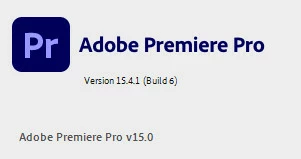
shellkursk
Inspiring
October 1, 2021
Answered

export my video from Premier Pro to Youtube

  • October 1, 2021
  • 3 replies
  • 614 views

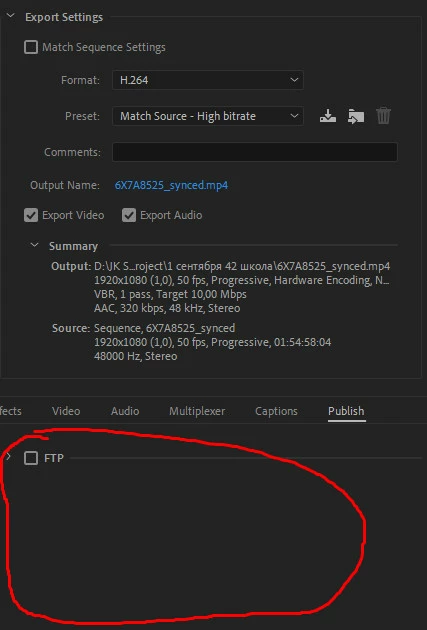
there is no possibility to export video from the premiere directly to YouTube. There is no this item in the settings.


Also, there are no export presets for all popular video services that were previously supported


There is nothing in the settings except FTP. How to fix it?


This topic has been closed for replies.
Correct answer shellkursk

I don't understand why adobe support representatives are silent. They are a big minus. The solution is very simple. You need to log in to adobe !!!!


3 replies

shellkursk
shellkurskAuthorCorrect answer
Inspiring
October 2, 2021

I don't understand why adobe support representatives are silent. They are a big minus. The solution is very simple. You need to log in to adobe !!!!


Stan Jones
Community Expert
Community Expert
October 2, 2021

Thanks for reporting back. That will help someone else. I'm always signed in, so never saw that.


Stan


Adobe Employee
October 1, 2021

Hi shellkursk,


Sorry about the poor experience. As Stan suggested try resetting app preferences & let us know if it helps.

Also, in the screenshot, it seems that the drop-down for FTP is not expanded. Please ensure that the drop-down is expanded to see all the options.


Thanks,

Sumeet

Stan Jones
Community Expert
Community Expert
October 1, 2021

They're all there for me. Same PR version. Trying resetting your preferences.


Stan