

Export > Preset does not actually use the preset settings but something entirely useless and random
PPro version 23.6.0 Build 65
Windows 10, with graphics drivers bang up to date.
Sometimes, if I export something, even though the desired Preset is showing in the Preset pop-up, rather alarmingly, this preset won't actually be used for the export. For example, earlier today I set up a preset for H.265, to "Match Source". I just did a ctrl-M on a ~30sec long, 25fps 4K sequence, and PPro switched to the Export tab, and the desired preset is already selected. Nice. Exactly what I want:
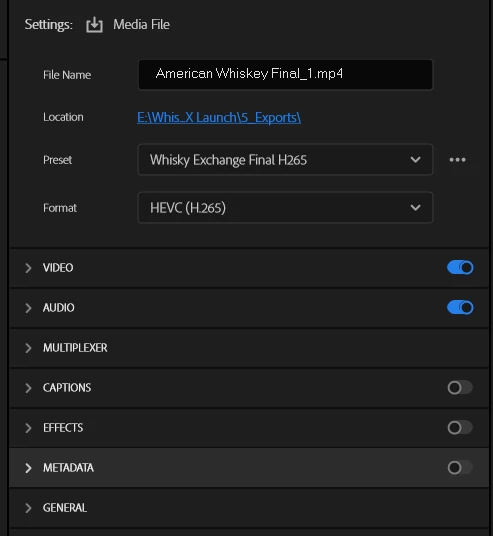
...but hold on a minute, what's this at the bottom of the export screen?
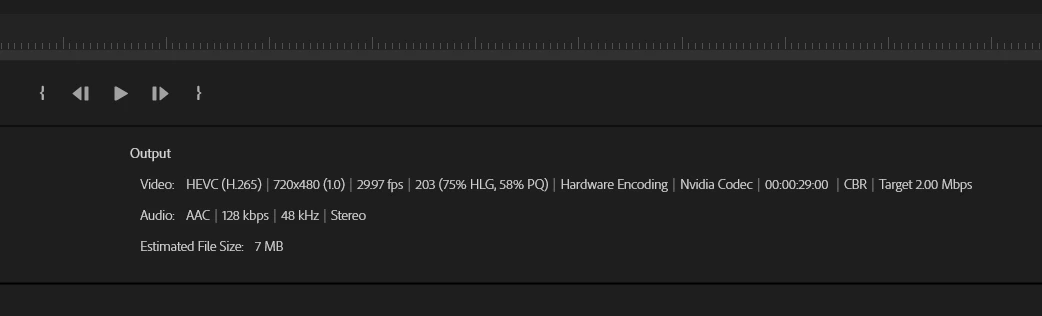
Huh? Why is the export only 7MB? All my previous ones have been over 100MB! Waaaait a minute...I'm in England, and obviously have no use that ludicrous, 1950s-era "29.97fps" joke of a framerate! And 720x480?? Let's look at my "preset's" settings...
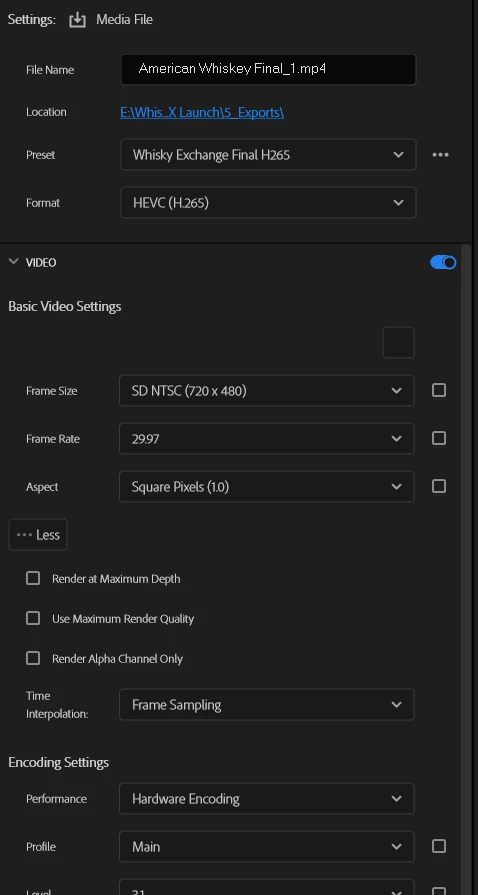
What in the wide, wide world of sports is all that nonsense?? Ooh, and what's that mysterious, unlabelled large box on the right, just under "Basic Video Settings"? Isn't that where rthe "Match Source" button should be? Let's click it, shall we? ...oops:
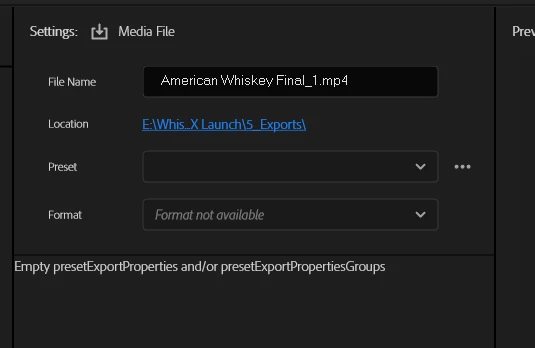
...Okaaaaaay....I'll now select "H.265" in the Format menu, and now I can choose my correct H.265 Preset, and all is well:
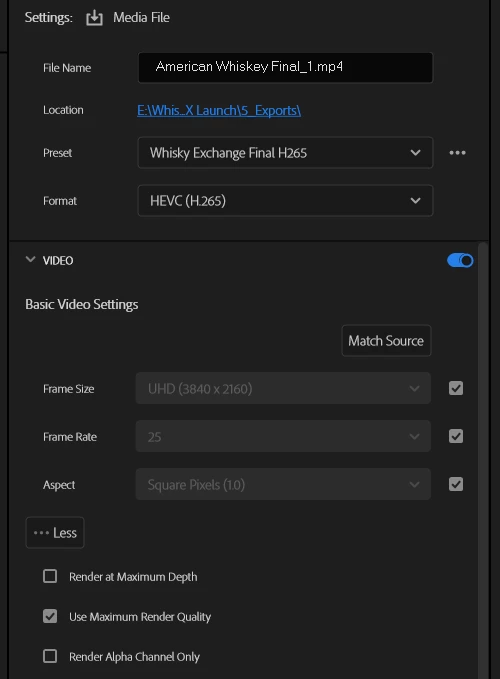

This error does not always happen, but I know to ALWAYS check the output details at the bottom of the screen because I have been caught out once or twice by it. I won't go on about how much better (and more reliable) the old Export screen was, and how it has been ruined by this silly, pointless workflow, because we all know that's exactly the case.
 AdChoices