
Participant
September 6, 2023
Answered

Export preview is not matching timeline

  • September 6, 2023
  • 1 reply
  • 356 views

Hello, I am using Premiere Pro Version 23.6.0 (Build 65) on an M1 Mac Mini.


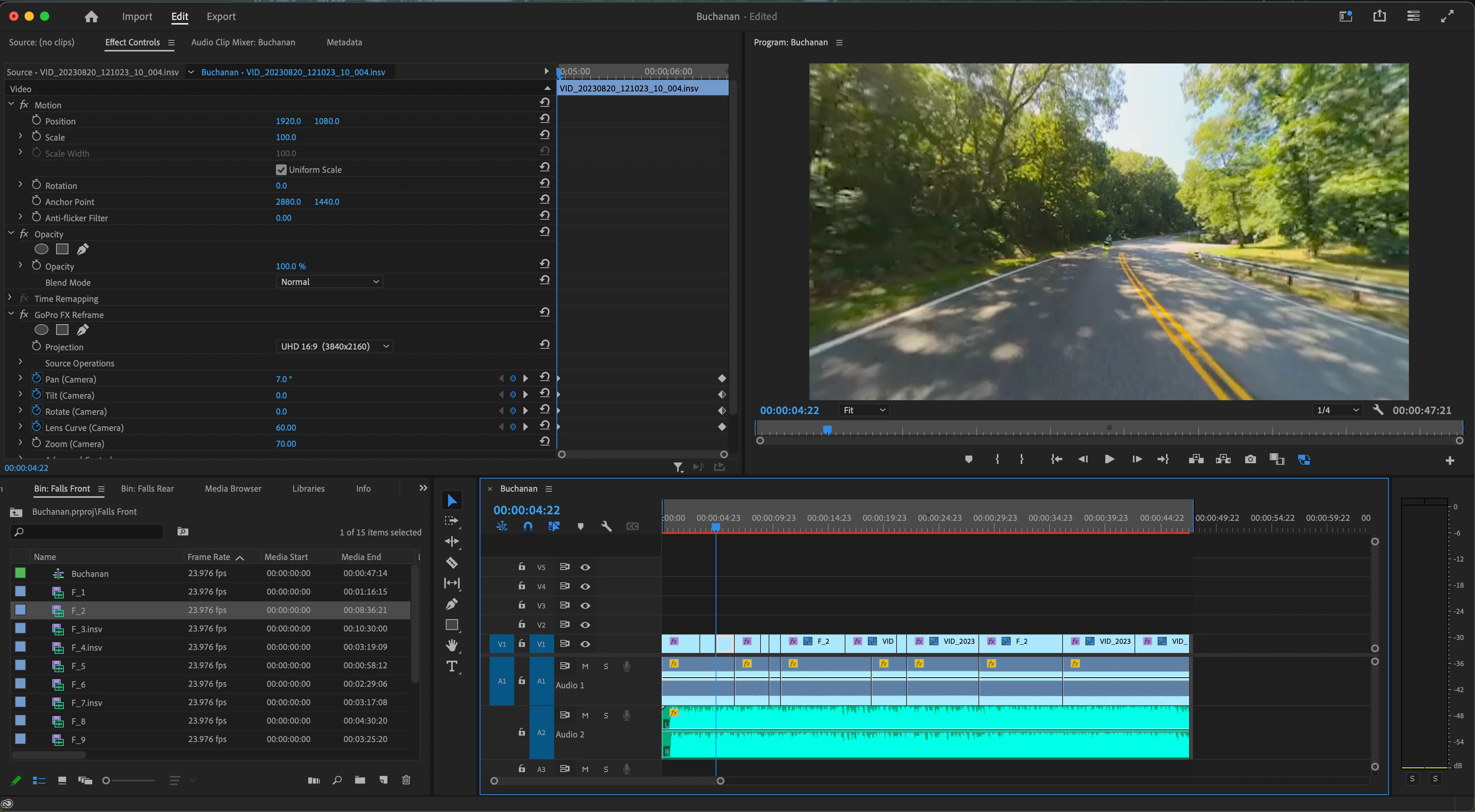
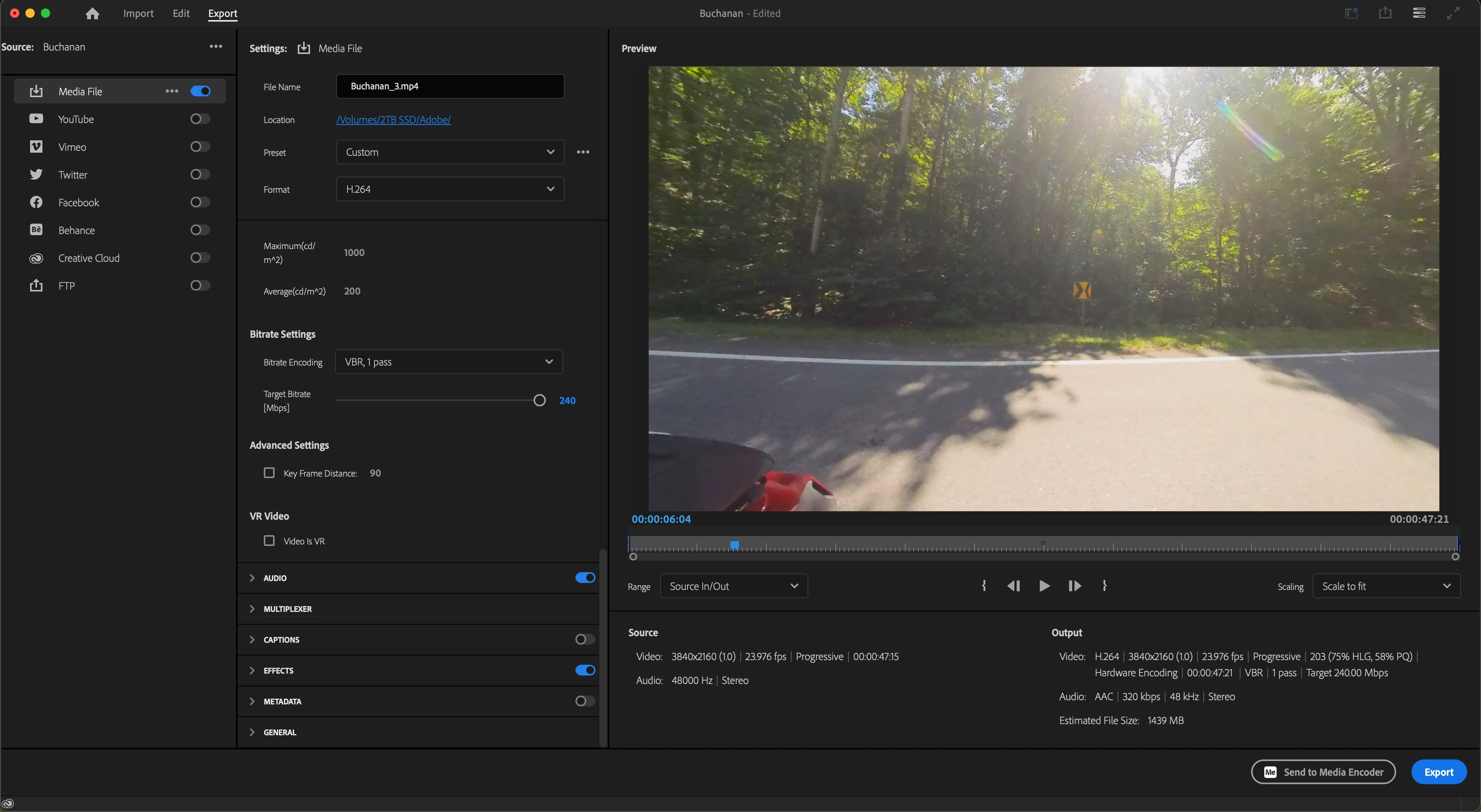
I am reframing Insta360 video using GoPro FX Reframe. When I am ready to export, the export preview (and exported video) does not match the keyframes I made while reframing. The keyframes plaback correcting when previewing my timeline. I have included screenshots showing what the timeline show vs the export preview. The timeline is the correct one.


Thank you
This topic has been closed for replies.
Correct answer Christoph27852411lbpb

I found the problem. Please keep in mind that this is my forst time using Pr. I reframed everything with the proxy files. On two clips, the keyframes did not transfer over to the original file for some reason. even though i could see the keyframes. I cleared the keyframes and tired again to no avail. I reframed on the original file on both clips and they took and was able to export.


Now my final question is.

Why would something like this happen?

1 reply

Christoph27852411lbpbAuthorCorrect answer
Participant
September 6, 2023

I found the problem. Please keep in mind that this is my forst time using Pr. I reframed everything with the proxy files. On two clips, the keyframes did not transfer over to the original file for some reason. even though i could see the keyframes. I cleared the keyframes and tired again to no avail. I reframed on the original file on both clips and they took and was able to export.


Now my final question is.

Why would something like this happen?