Inspiring
December 8, 2025
Answered

Export problem...

  • December 8, 2025
  • 3 replies
  • 1807 views

Dear Adobe...
I have a problem when exporting...

PP 25.6.3
Win10 22H2 for workstation
Nvidia 591.44

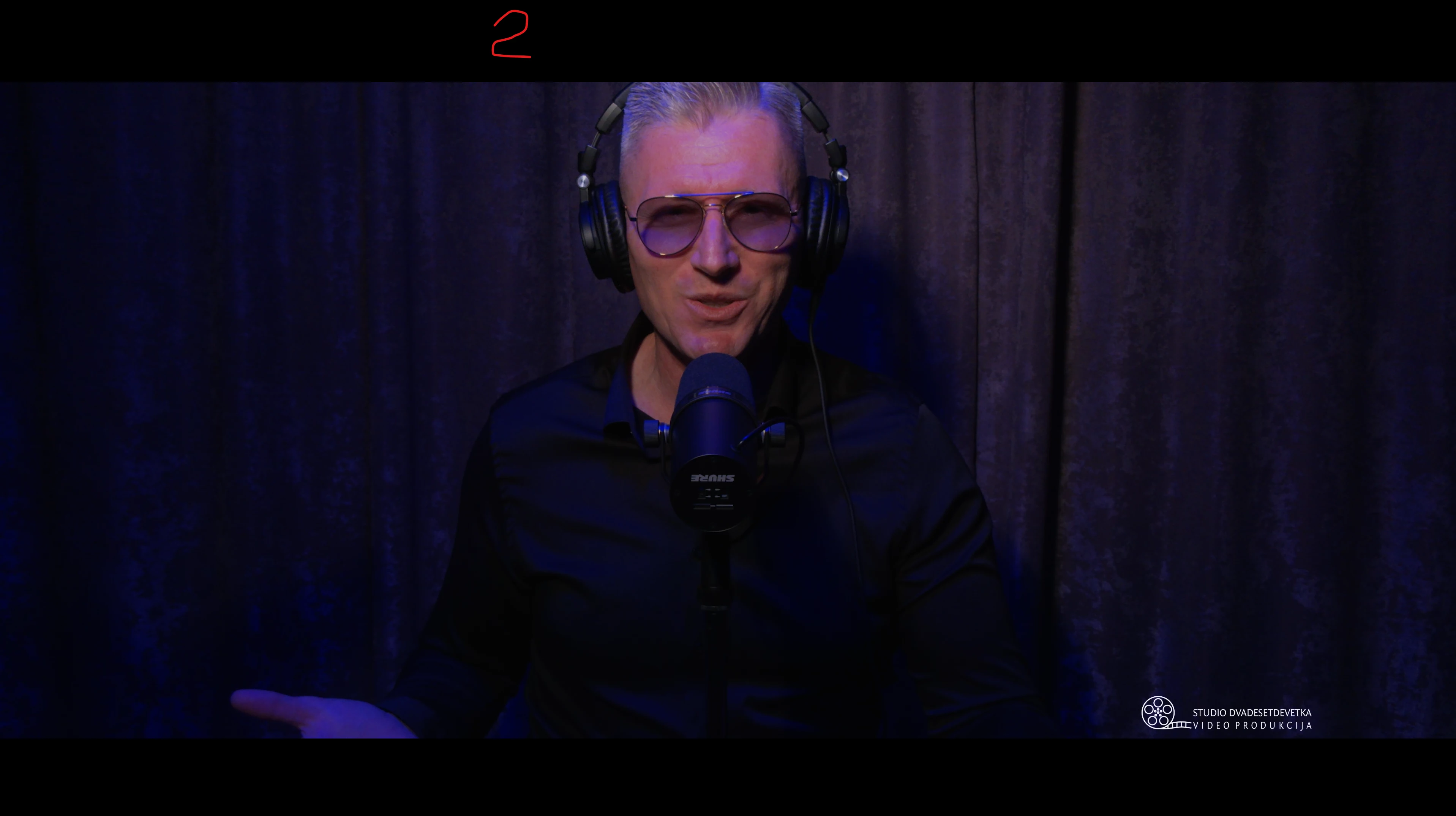
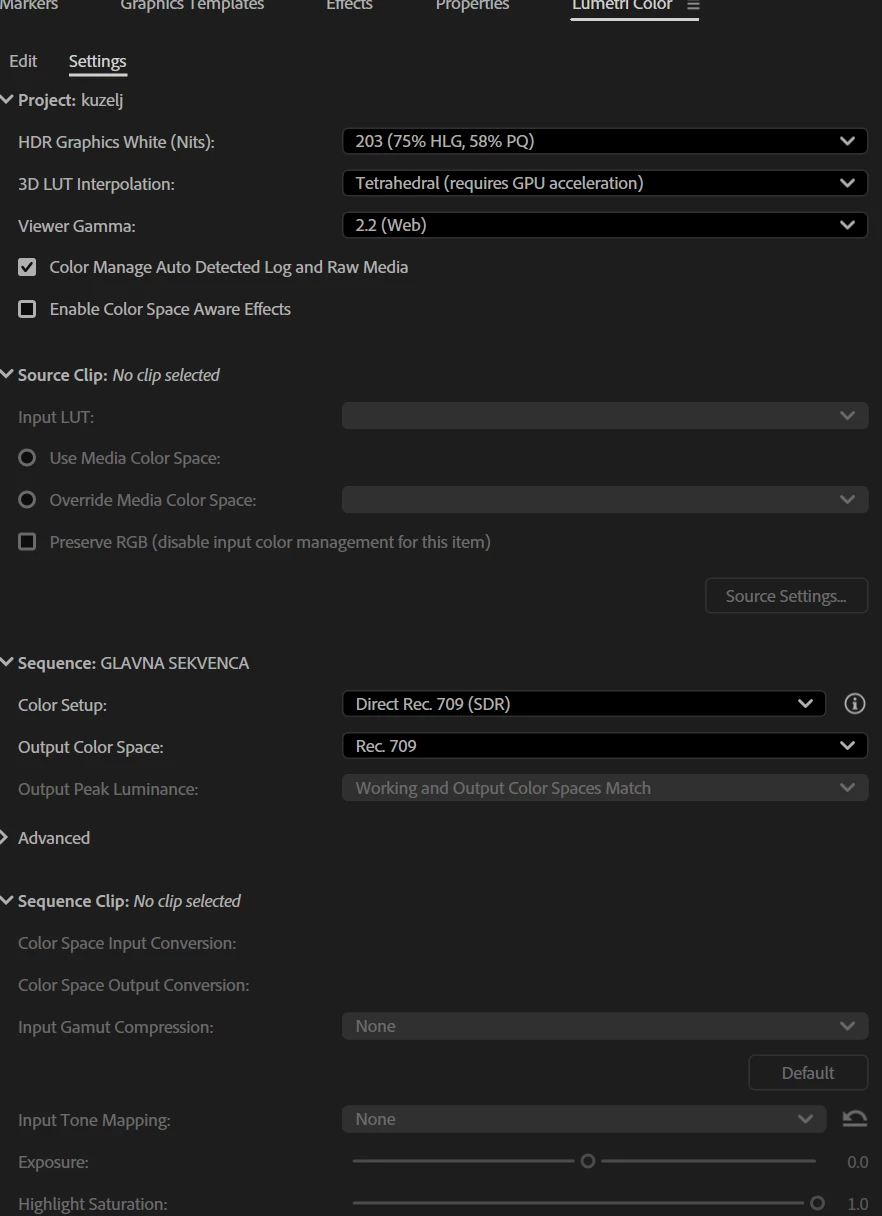
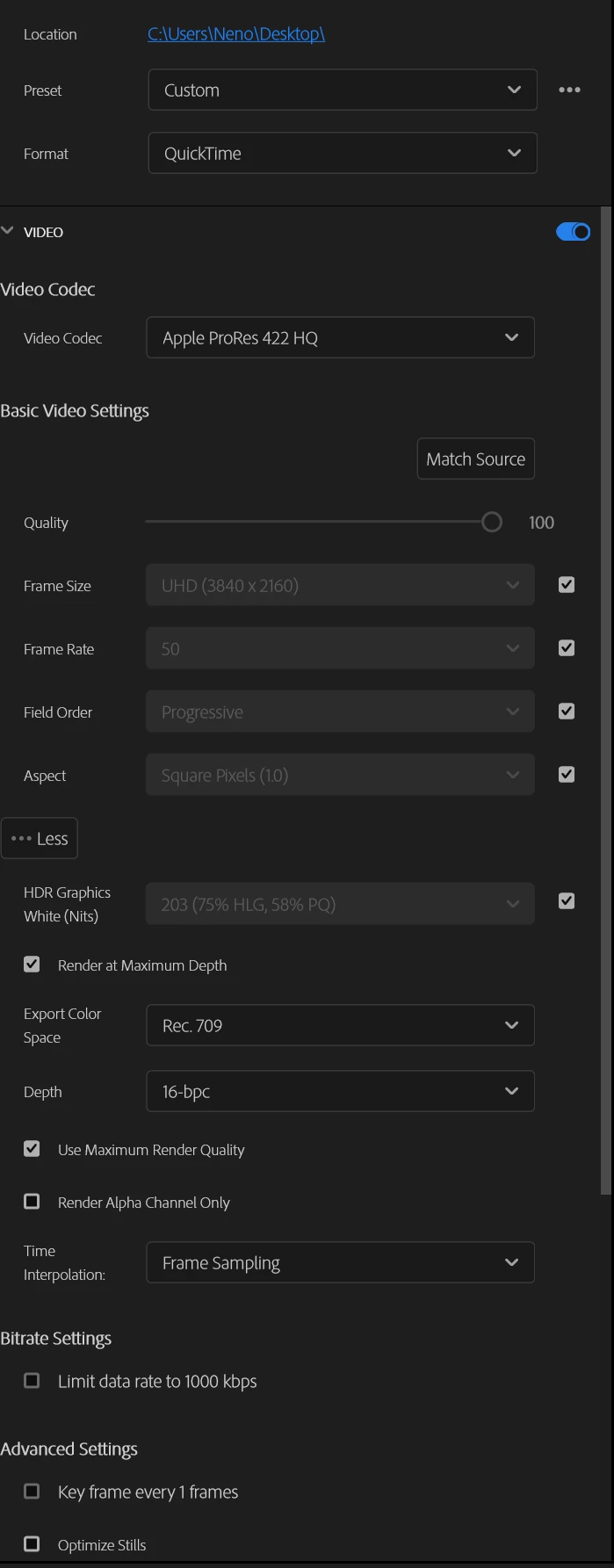
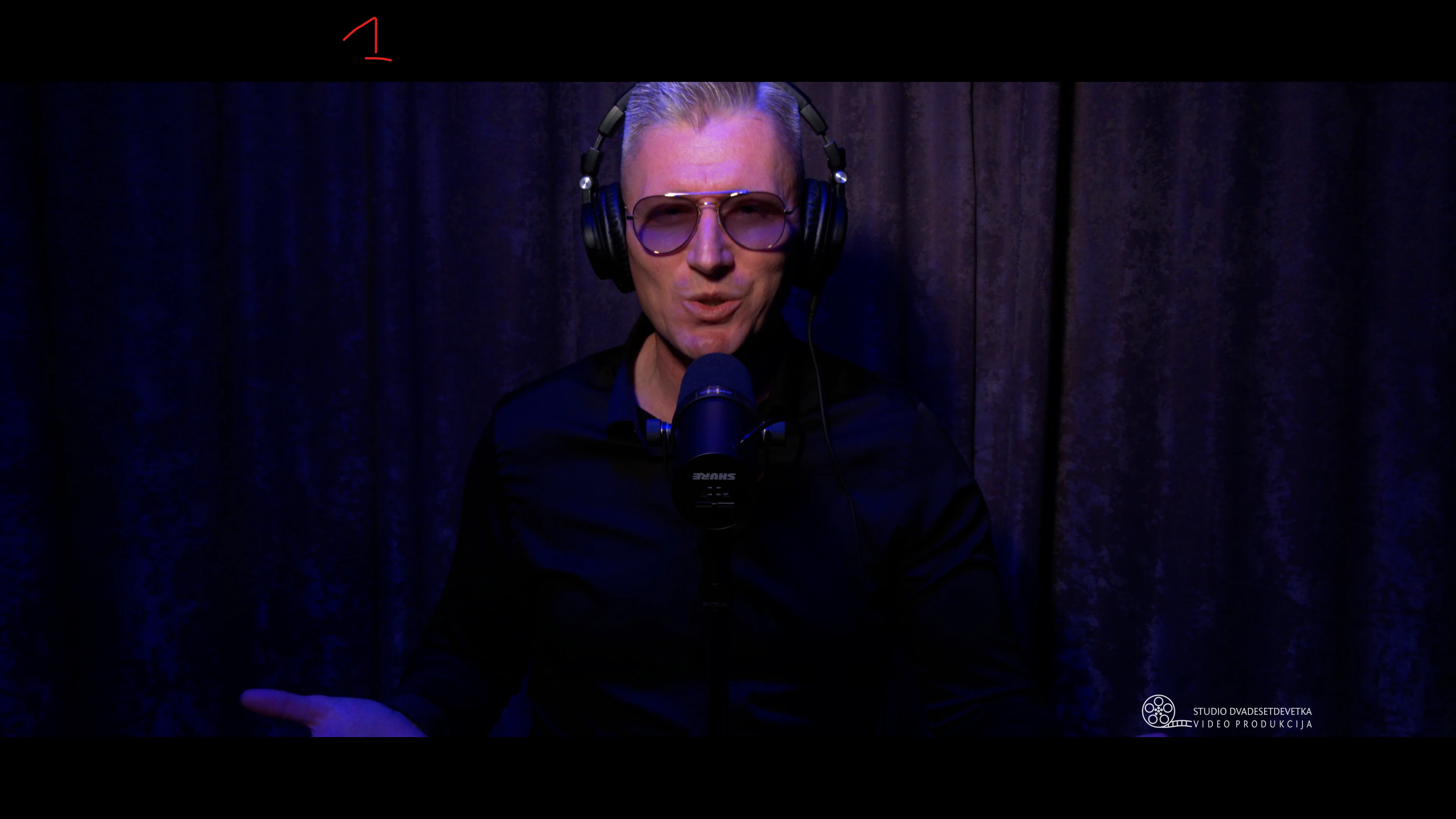
the exported video is somehow washed out and paler compared to the original, there is no color correction, only a few simple transitions... the video was recorded with a Panasonic CX 350 in HEVC LongGOP format... I would like the exported video to be like picture 1, but it is not... picture 1 is taken from Pp and picture 2 from the exported video (and the original raw video is as in picture one)... what am I doing wrong... here are the other pictures from the settings... thank you...I export the sequence to QuickTime (prores 422 HQ)


compare the curtains from pictures 1 and 2...that's where you can see the difference the best...and I would like my exported video to be like in picture 1, the raw video looks like that...picture 1 is taken from Pp from the timeline and the same raw video when I look at it from the player looks like that...it means that everything is fine as far as Pp and the video are concerned, but that's why the export is a bit paler and I wouldn't want it to look like that, the difference is best seen on the curtains......


please...double click on the image and watch full screen...thanks
 

Screenshot 2025-12-08 233325.png


Screenshot 2025-12-08 235353.png


Video
ID : 1
Format : HEVC
Format/Info : High Efficiency Video Coding
Format profile : Main 10@L5.2@High
Codec ID : hvc1
Codec ID/Info : High Efficiency Video Coding
Duration : 5 min 15 s
Bit rate : 192 Mb/s
Width : 3 840 pixels
Height : 2 160 pixels
Display aspect ratio : 16:9
Frame rate mode : Constant
Frame rate : 50.000 FPS
Color space : YUV
Chroma subsampling : 4:2:0
Bit depth : 10 bits
Bits/(Pixel*Frame) : 0.463
Stream size : 7.05 GiB (98%)
Language : English
Encoded date : 2025-11-04 15:47:13 UTC
Tagged date : 2025-11-04 15:47:13 UTC
Color range : Limited
Color primaries : BT.709
Transfer characteristics : BT.709
Matrix coefficients : BT.709
Codec configuration box : hvcC
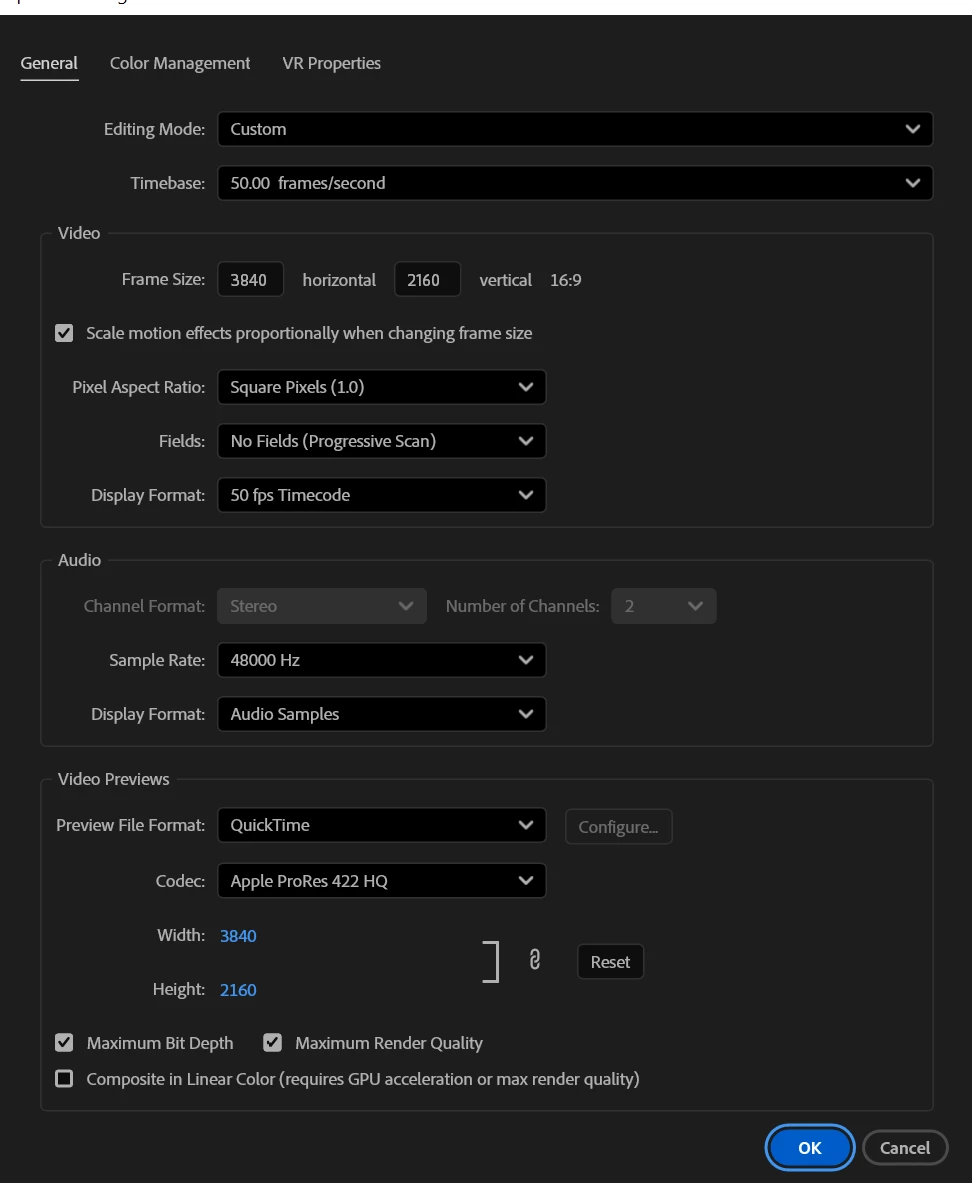
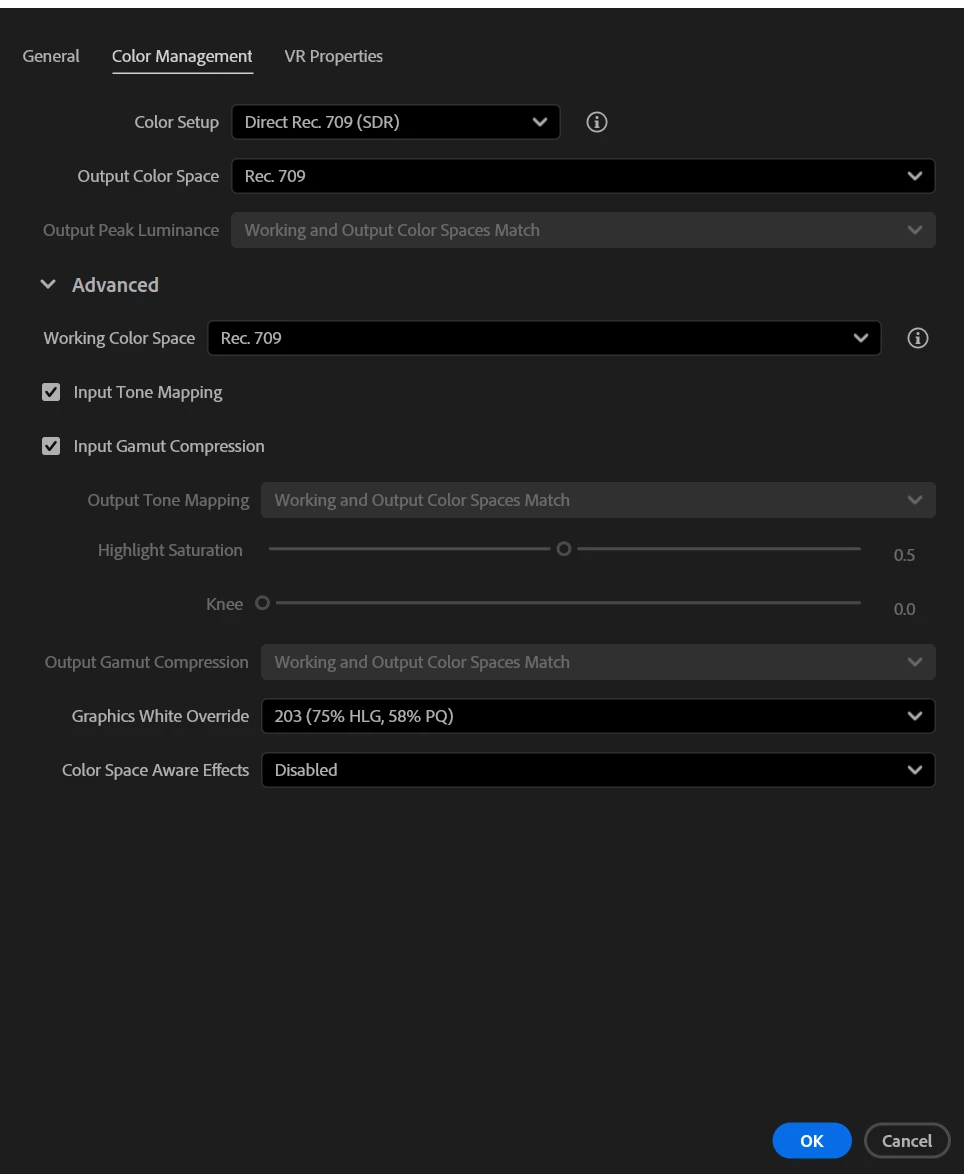
 

Screenshot 2025-12-09 002158.png


Screenshot 2025-12-09 001926.png


Screenshot 2025-12-09 002001.png


Screenshot 2025-12-09 002547.png


Screenshot 2025-12-09 002609.png


Correct answer R Neil Haugen

@R Neil Haugen 

I tried today these settings that you recommended....I have the same problems as in the pictures....I tried the export and it's the same in Potplayer, a little washed out image than in Pp...I forgot to say that I'm doing multi-cam with 15-16 videos at once, of course in (proxy ProRes QuickTime 1080p)...it doesn't matter, if I don't succeed, the video will go a little washed out and that's it...
Another big thank you for your effort and enthusiasm, I know I'm not the only one in the Adobe community and I admire how you achieve everything and try to help everyone, even the rude ones...


picture 1.png


picture 2.png


picture 3.png


As to the later questions ...


1) With a clip selected on a sequence, you should be able to set both the Source Clip and Sequence settings. I can on my rig. You can also get to the Source clip only settings by clicking on a clip in the bin.


2) Correcting clips in a multicam is different than a 'normal' sequence, as a PrPro multicam is a quasi-mashup of a clip and a sequence. I do not ever color correct multicams on that sequence.


I create a short sequence with each of the clips, cut to just a few frames of something as 'similar' to the other clips as possible. Then I start with the most 'important' clip, doing the corrections for that. Which becomes the Reference clip after going into Reference mode for that sequence.


I then correct the other clips to match that first reference clips. Now I have the Lumetri corrections for each clip ... and I copy each clip's Lumetri effect from the ECP and right-click/paste onto that clip in the bin.


When that's done I simply delete the color correction sequence.


And the ONLY place I do color management is on the Lumetri panel Settings tab, as everything is there, and I never use the other places you see only bits of the CM settings.


3 replies

R Neil Haugen
Legend
December 11, 2025

I just did tests of the clip. In Premiere and viewing the exports outside in PotPlayer, as VLC is acting nutso at the moment on my desktop. Which is a 24 core Ryzen, 128GB of RAM, 2080Ti GPU.


I set the following color management up in Premiere ...

RNeilHaugen_0-1765411875454.png

And then exported a short section. In both standard ProRes 422, and ProRes 422 HQ, and both in mov (QuickTime) format.


I could view them on my transmit out monitor in Potplayer full-screened, to the same frame on Potplayer and Premiere using the TO setting. So just by tapping the shortcut I was viewing transmit out or Potplayer.


I was getting no difference in the shadow area curtains at all visually. And comparing the frames when re-imported into Premiere, the scopes didn't move whatever. Identical images.


So I couldn't get a difference between the two in and out of Premiere.


Everyone's mileage always varies ...
Victor5CD3
Known Participant
December 11, 2025

Neil, your knowledge is very useful. In your settings, 100 nits of brightness doesn't lose much color, and newer monitors and TVs... My LG 4K monitor has 319 nits of average brightness and a contrast ratio of 1140:1. I don't have as much knowledge of colorimetry as you demonstrate. Will 100 nits of brightness be sufficient to reproduce the video with quality on various screens like TVs, monitors, and cell phones? I've never tested it at 100 nits. Any comment from you would be greatly appreciated. Thank you.

Build CPU Ryzen 5700X,64 GB ram,Nvidia geforce 5060 Ti 16 Gb,SSD nvme 1tb + ssd sata 2Tb HD Disc 2Tb Win11 24h2
R Neil Haugen
Legend
December 11, 2025

Rec.709 is always displayed at the 'full' brightness of the TV, and as most of what you watch on that TV is stock Rec.709, there hasn't been a problem, has there?


The 100 nits thing is actually the specification for grading in semi-darkened room under very specific and pretty dark environment. And there's a reason for that. It's not about the viewing environment, which is assumed to be much brighter most of the time.

Everyone's mileage always varies ...
Victor5CD3
Known Participant
December 9, 2025

I confirm this export error has been occurring since the release of version 25.6. I have a Canon XA 55 camera, and the files are very similar to the Panasonic ones. I found this error in AVCHD. I installed update 25.6.3 yesterday, and after spending the morning testing, I reverted to 25.5. I suggest you do the same.

Build CPU Ryzen 5700X,64 GB ram,Nvidia geforce 5060 Ti 16 Gb,SSD nvme 1tb + ssd sata 2Tb HD Disc 2Tb Win11 24h2
STUDIO29KAuthor
Inspiring
December 10, 2025

I tried with gamma 2.4..same story...tried in Pp 25.5, same...only to try some version before 25.5, I just forgot which one is the most stable...there are so many.........I will try some color correction to get a video like in picture 1...

R Neil Haugen
Legend
December 10, 2025

I would love a file to check on my system ... anyway you could upload a file on a dropbox type site?

Everyone's mileage always varies ...
R Neil Haugen
Legend
December 8, 2025

What is the 'outside' image viewed on, for app?


And your monitor ... is it calibrated correctly for Rec.709? Or have you done anything with the settings, like ... set it to Full range rather than auto/legal?

Everyone's mileage always varies ...
STUDIO29KAuthor
Inspiring
December 9, 2025

respect Neil
The 'outer' image (number 2) is from Potplayer...if I understand the question correctly

And my monitors are ASUS ProArt 2x32"...they are a bit older and are set to sRGB...in correspondence with Asus they told me that sRGB corresponds to the Rec. 709 standard...
and one more question...what does "Enable Color Space Aware Effects" mean...because I didn't check that option...or I should have...thanks


Screenshot 2025-12-09 002001.png


Community Expert
December 9, 2025

What happens if you change the viewer gamma to 2.4?