
Participating Frequently
August 18, 2024
Question

Export screen is not the same as the playback screen while editing.

  • August 18, 2024
  • 1 reply
  • 336 views

Hello all.


I was going to export my video and noticed that it doesn't look the same as when it is in the 'edit' playback section. It fills up the full screen while in the playback section.


When it's in the export part it is smaller and has black vertical spaces on the right and left sides and won't fit all the way to the screen like it does in the playback section. 


I've attached screenshots of both views. TThe format I want is in the first picture but it doesn't end up that way when I go to export (2nd picture).

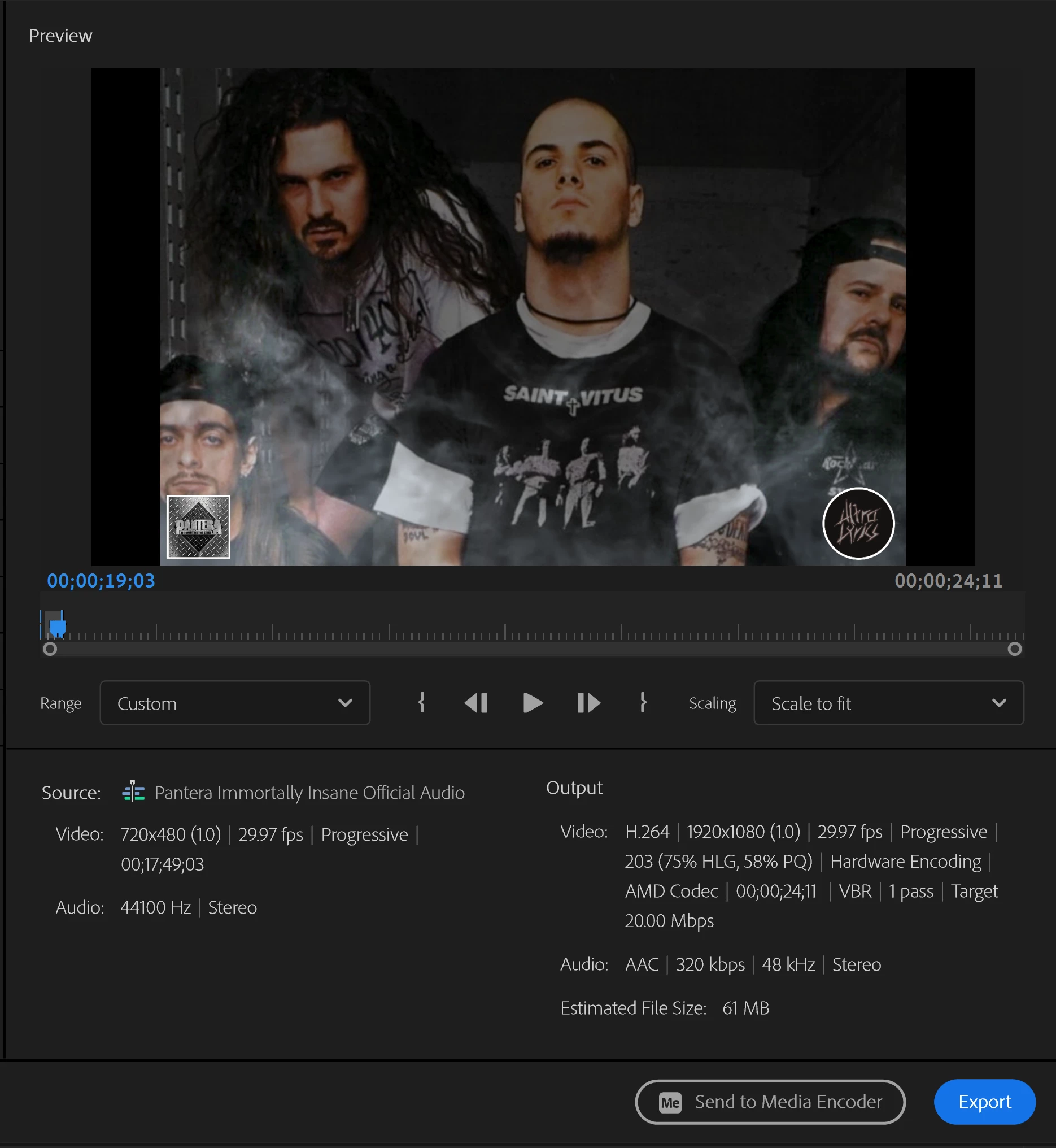
 

I was wondering if anyone knew how to fix this, any help is greatly appreciated. 


This topic has been closed for replies.

1 reply

R Neil Haugen
Legend
August 18, 2024

You have a very small sequence framesize ... 720x480 ... and you are exporting to a 1920x1080 framesize.


So your image is only the smaller, 720x480 part of the center of the larger framesize.

Everyone's mileage always varies ...
Participating Frequently
August 19, 2024

Thank you for your response @R Neil Haugen 


Is there any way to fix this and export it in HD and filling the whole screen without re-doing the whole video?


Thank you.

R Neil Haugen
Legend
August 19, 2024

What's the framesize of the original media? As if there are 720 clips there, upscaling in editing has not been such a great thing. The automatic upscaling by playback devices is normally the better image.


That said, Topaz now has an amazing new program, that can be acquired as a plugin also, that can do one-size upscaling pretty nicely.

Everyone's mileage always varies ...