


Export Settings Effects tab - Clip Name Overlay
Effects can be added to the sequence in the export settings in Premiere Pro.
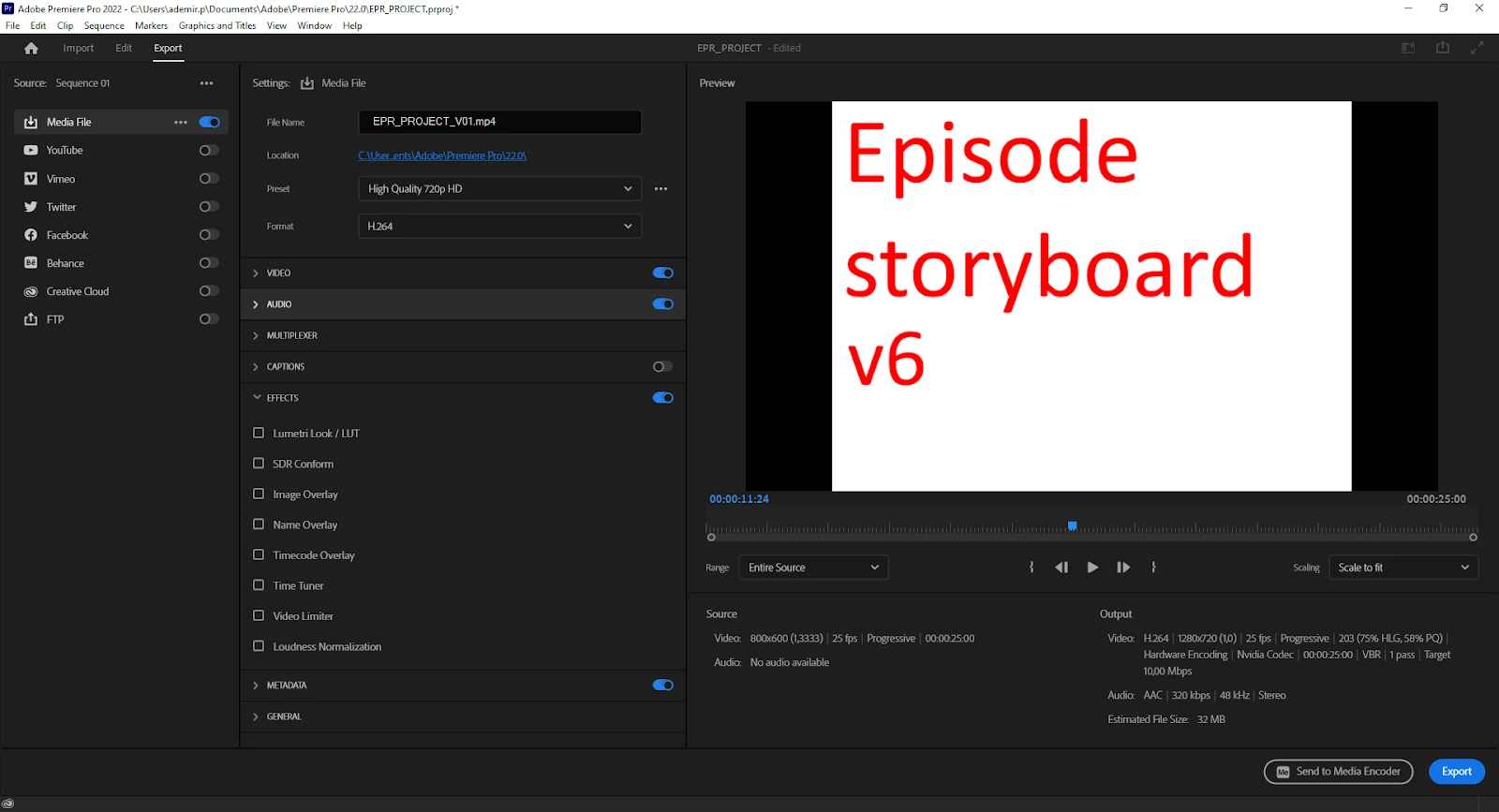
There are only 8 effects. There can’t be multiple instances of the same effect enabled at the same time, e.g. 2 Timecode overlays (1 for SMPTE and 1 for frames), unless you export a preset (.epr file) and modify its underlying XML code.
I’ve customized such a file to enable 2 Timecode overlays and 3 Name overlays:
- Timecode Overlay: SMPTE (upper left)
- Timecode Overlay 1: Frames (lower right)
- Name Overlay: Output filename (lower left)
- Name Overlay 1: Clip name (upper right)
- Name Overlay 2: Disclaimer (upper center)
This is the result:
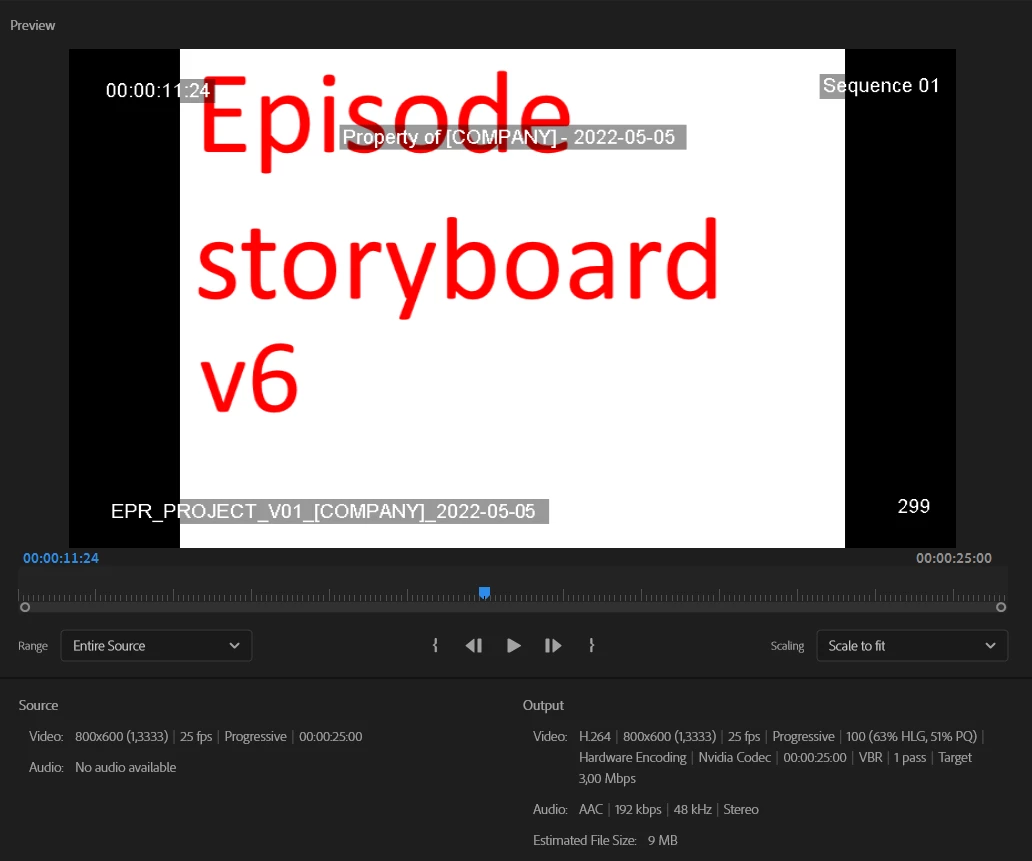
Everything works great except the ‘Name Overlay 1: Clip name (upper right)’ effect. It’s only possible to choose between the following formats:
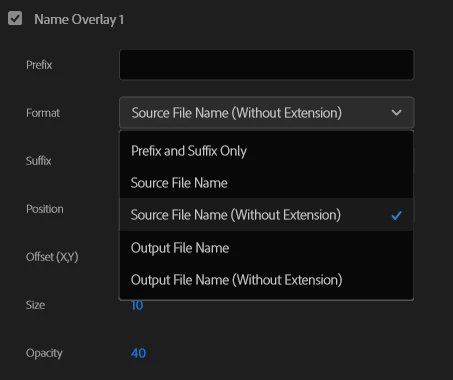
Output File Name is the name of the exported file. Source File Name is the name of the sequence to export.
There is no option to choose ‘Clip Name’ to display the name of the clips in the sequence to export. I'm really missing this option. This should work exactly like the ‘Clip Name’ effect from the ‘Effects’ window.
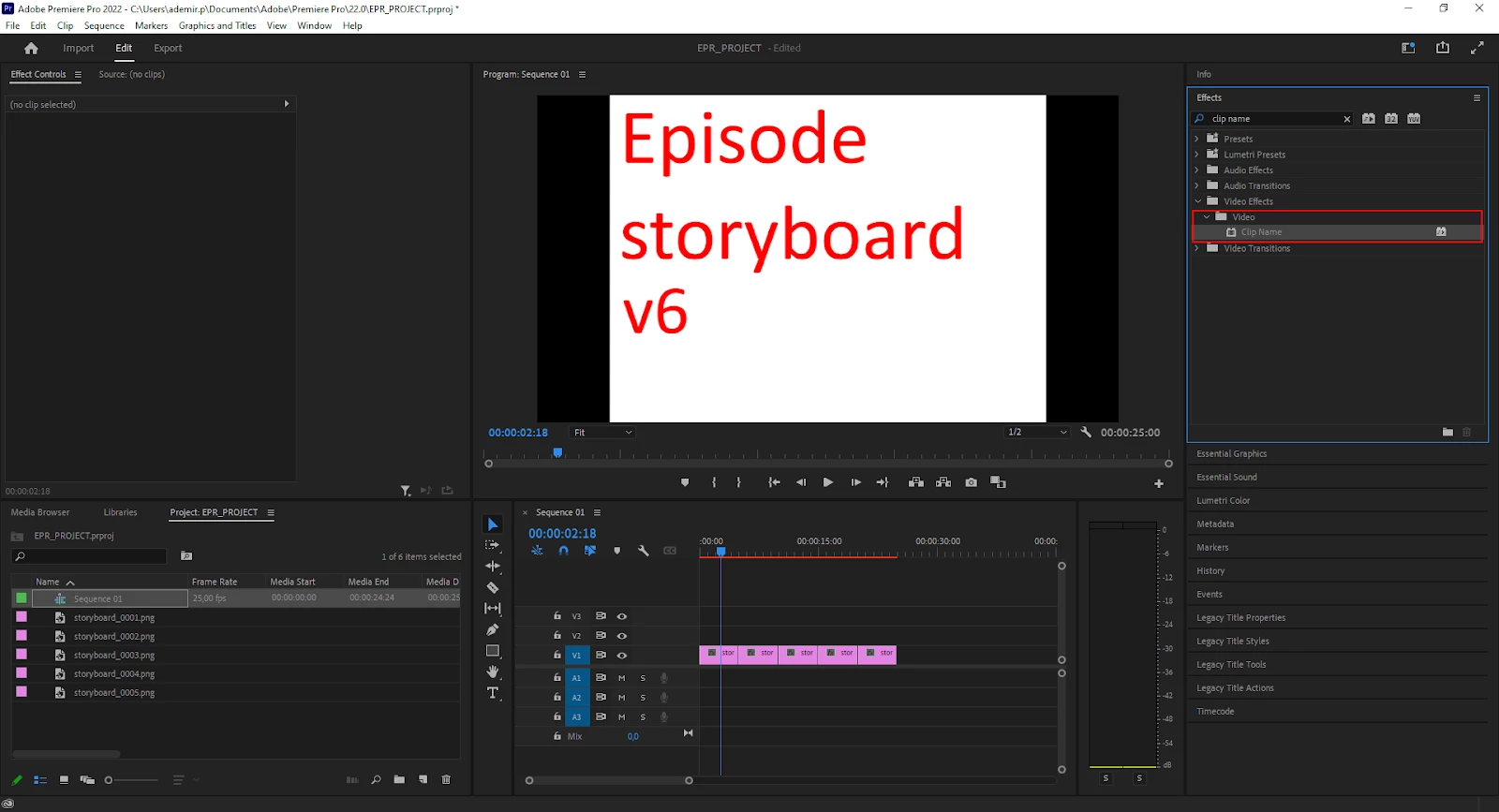
So my questions are:
- Is it possible to enable ‘Clip Name’ in this drop down list somehow?
- Is it possible to add a ‘Clip Name Overlay’ to the ‘Effects’ tab in the Export Settings like I added additional ‘Name Overlay’ and ‘Timecode Overlay’ items?
 AdChoices