Inspiring
April 1, 2021
Answered

Export Settings page no options

  • April 1, 2021
  • 4 replies
  • 1134 views

I lost the ability to choose my export settings in Premiere 2021. How do I get this back? What setting is wrong?
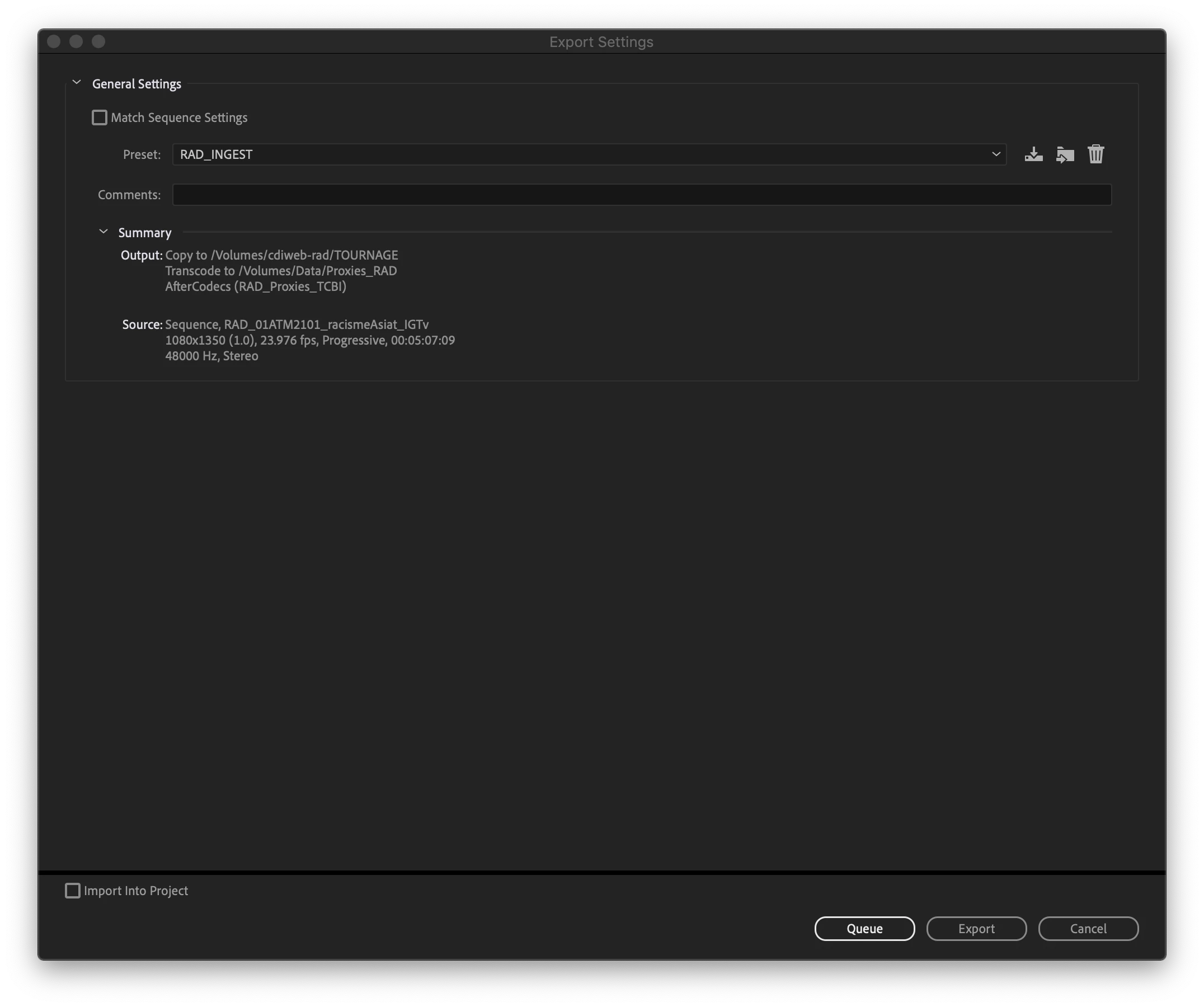
 

This topic has been closed for replies.
Correct answer Jean-Philippe Gagnon

Uninstalled everything, didn't kept the settings. Restarted, re-installed it and it works...
Weird!

But thanks everyone for the help.

JP

4 replies

Jean-Philippe GagnonAuthorCorrect answer
Inspiring
April 2, 2021

Uninstalled everything, didn't kept the settings. Restarted, re-installed it and it works...
Weird!

But thanks everyone for the help.

JP

Jeff Bellune
Legend
April 2, 2021

Is it only that sequence that has a problem?

Can you export other sequences from other projects?

What about a brand new project with new or different media? Can you export a sequence from a new project created in Pr 2021?

Inspiring
April 2, 2021

Every type of sequence that I try to export... It's always this and this only.

Averdahl
Community Expert
Community Expert
April 2, 2021

Does your computer meet the system requirements for Premiere Pro, take a close look at Monitor resolution. Too low monitor resolution tends to mess up dialogs. 


If yes, un-install and re-install Premiere Pro.

Inspiring
April 2, 2021

iMac Pro 2018, it's ok and uninstall and re-install, still the same thing.

Averdahl
Community Expert
Community Expert
April 2, 2021

I am not a Mac guy but it may be a Premission issue, iow that Mac OS don´t give Premiere Pro correct premissions to certain folders. More: Preferences folder read-only error (adobe.com)


Worth doing as well: Repair a Mac disk with Disk Utility

Jeff Bellune
Legend
April 2, 2021

Restart your computer.

If that doesn't work, reset your preferences.

Inspiring
April 2, 2021

Nop, didn't work.

Jeff Bellune
Legend
April 2, 2021

Did you try ticking the "Match sequence settings" checkbox?