
Participant
July 31, 2018
Answered

Export troubles - flashing green frames?

  • July 31, 2018
  • 3 replies
  • 12712 views

Still relatively new to Premiere Pro so hoping this is an easy fix!
After exporting, stock footage that I've downloaded along with transitions flashes with green frames as bellow.
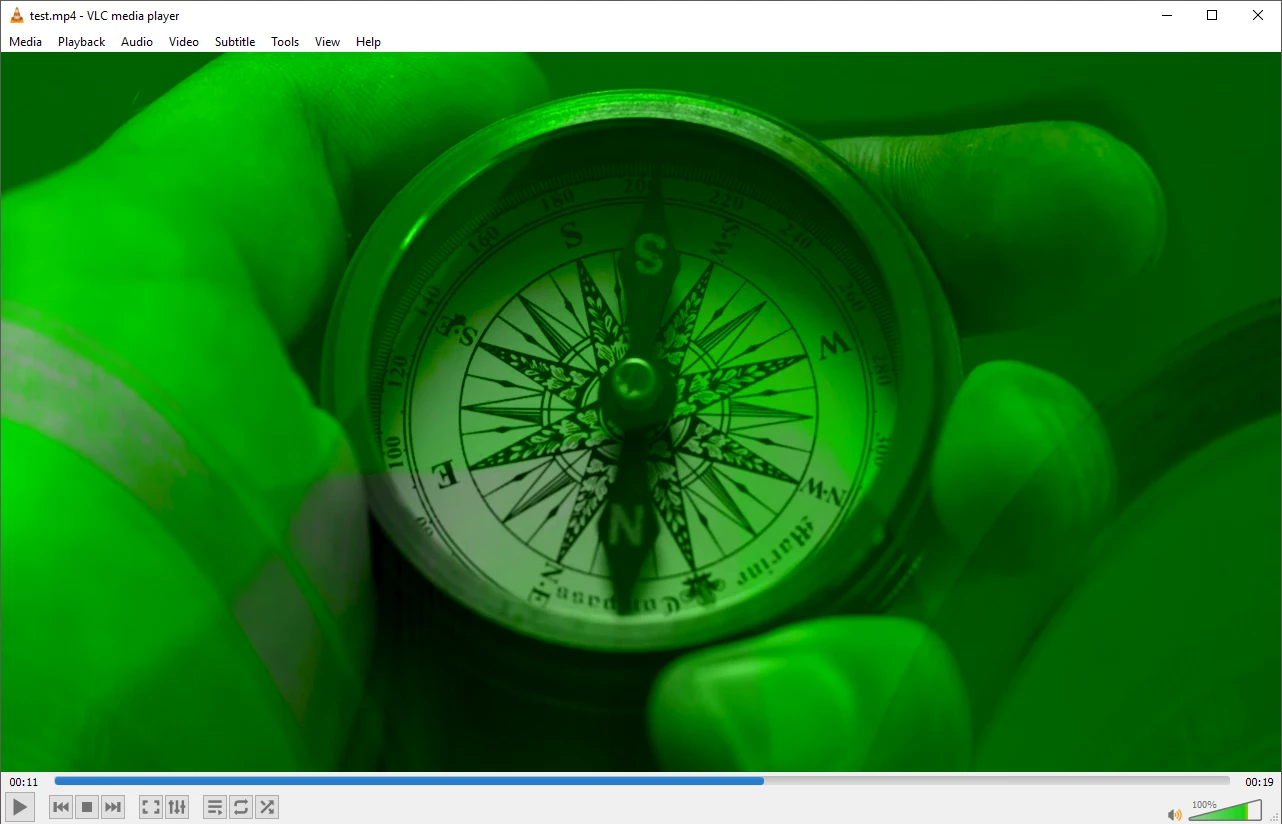

As far as I'm aware I haven't changed any export settings, so I've tried uninstalling and reinstalling both the current version and older versions to no avail.

Also including a screen cap of export setting used in case there is an issue there.
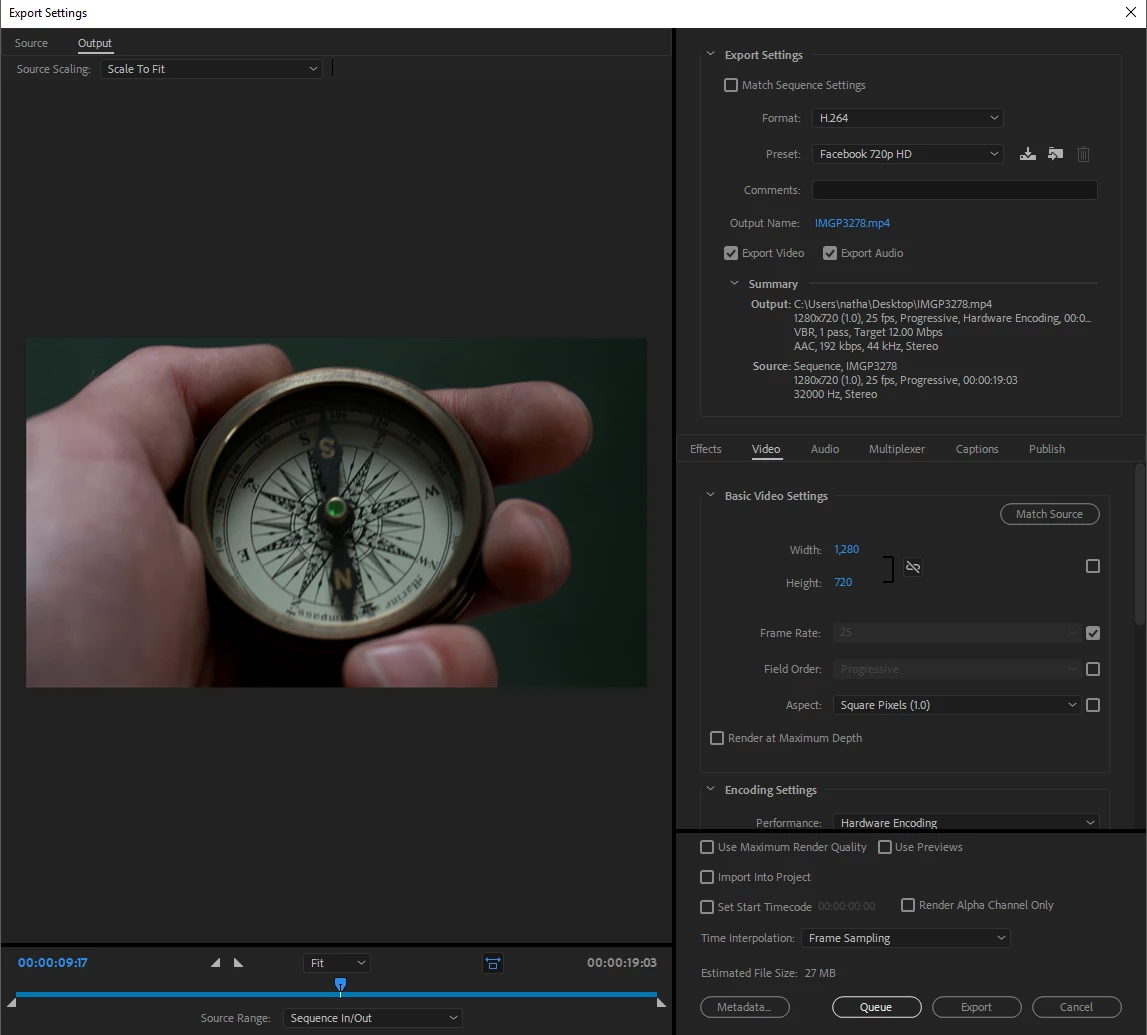
Any help or advice would be greatly appreciated!
Cheers,
Nate

This topic has been closed for replies.
Correct answer Kevin-Monahan

Hi NatevD,

This doc should help you solve your issue: Green or purple streaks appear in the Source and Program monitors

Thanks,
Kevin

3 replies

Kevin-Monahan
Community Manager
Kevin-MonahanCommunity ManagerCorrect answer
Community Manager
July 31, 2018

Hi NatevD,

This doc should help you solve your issue: Green or purple streaks appear in the Source and Program monitors

Thanks,
Kevin

Kevin Monahan - Sr. Community and Engagement Strategist – Adobe Pro Video and Audio
NatevDAuthor
Participant
August 1, 2018

Thanks Kevin, worked a treat!

Kevin-Monahan
Community Manager
Community Manager
August 2, 2018

Cheers, NatevD.

Kevin Monahan - Sr. Community and Engagement Strategist – Adobe Pro Video and Audio
Peru Bob
Community Expert
Community Expert
July 31, 2018

Try updating or rolling back your graphics driver directly from the video card manufacturer’s site.

Participant
July 25, 2021

Hey Peru ... bro that really worked.. uninstalled the graphics driver and its perfectly fine now...buttery smooooooth .. Thanks mate


Waldorf & Statler
Inspiring
July 31, 2018

Do you have make a other export to a code like ProRes, DNxHD or Quicktime uncompress 422?