
rfank
Participant
December 3, 2021
Question

export video hot

  • December 3, 2021
  • 1 reply
  • 1220 views

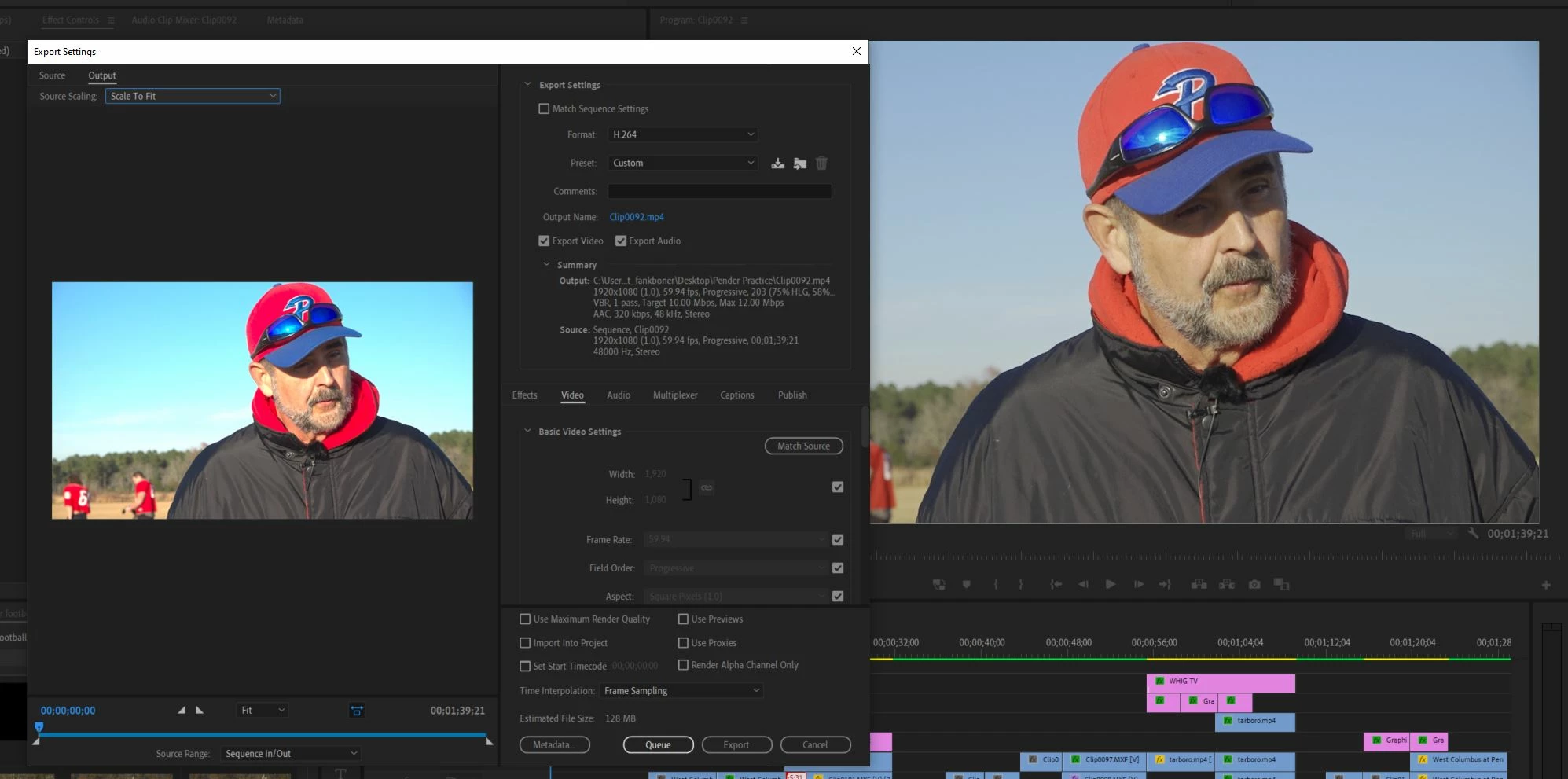
Any input on why my media when exporting is much hotter than the video on my timeline? Before I can choose settings the video looks different (pic attached) and as I change settings the quality doesn't. I typically export H.264 (YouTube 1080 full) but regardless of what I select the video exports hot.

Thank you for any help.
This topic has been closed for replies.

1 reply

R Neil Haugen
Legend
December 3, 2021

They changed most of the color management practices and default behaviors in Pr2022. I've got a FAQ on the changes that lists what has changed, why, and how to work with the new processes and defaults. This might help with understanding what is going on.


PrPro 2022 Color Management FAQ


As to the specifics of your situation. Check the Sequence CM (color management) settings in the Sequence Settings. Check the clip's color management settings in the bin ... right-click, Modify/Interpret footage. If your clip is say HLG this can and probably will happen.


So if the Sequence is Rec.709, ALL clips on that sequence should be set to override to Rec.709 in their Interpret Footage CM options at the bottom of that dialog.


Neil

Everyone's mileage always varies ...
rfank
rfankAuthor
Participant
December 3, 2021

Thanks Neil. In 'interpret footage', Use media color space from file: Rec. 2100 HLG is checked. I see there is an option below it for color space override, would an option be to select something from the dropdown or change settings within the camera? Again, thank you for your help.