
Participant
June 30, 2017
Question

Exported H.264 looks undersaturated, colour loss when using Media Encoder vs Premiere

  • June 30, 2017
  • 3 replies
  • 4578 views

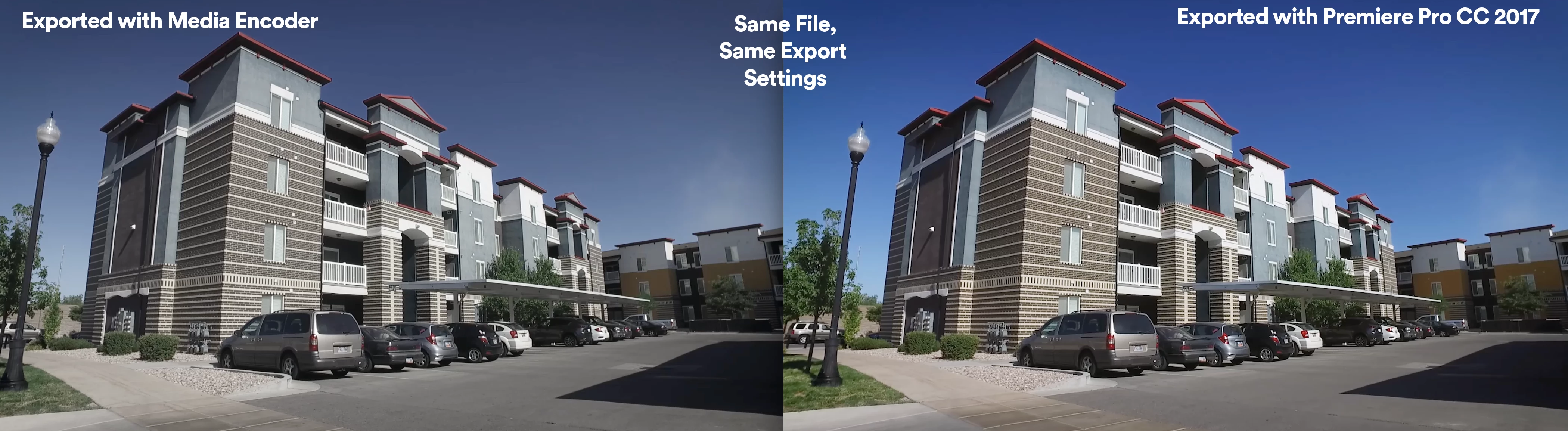
My video looks completely different when exporting with Media Encoder vs exporting directly with Premiere.
When using Media Encoder, there is a significant loss in saturation and contrast. The premiere export suffered a little loss, but not nearly as much as the export done with AME. It almost looks like my lumetri effect didn't even export.

I have searched the web to find a lot of people are having the same problem, but there was no universal solution.
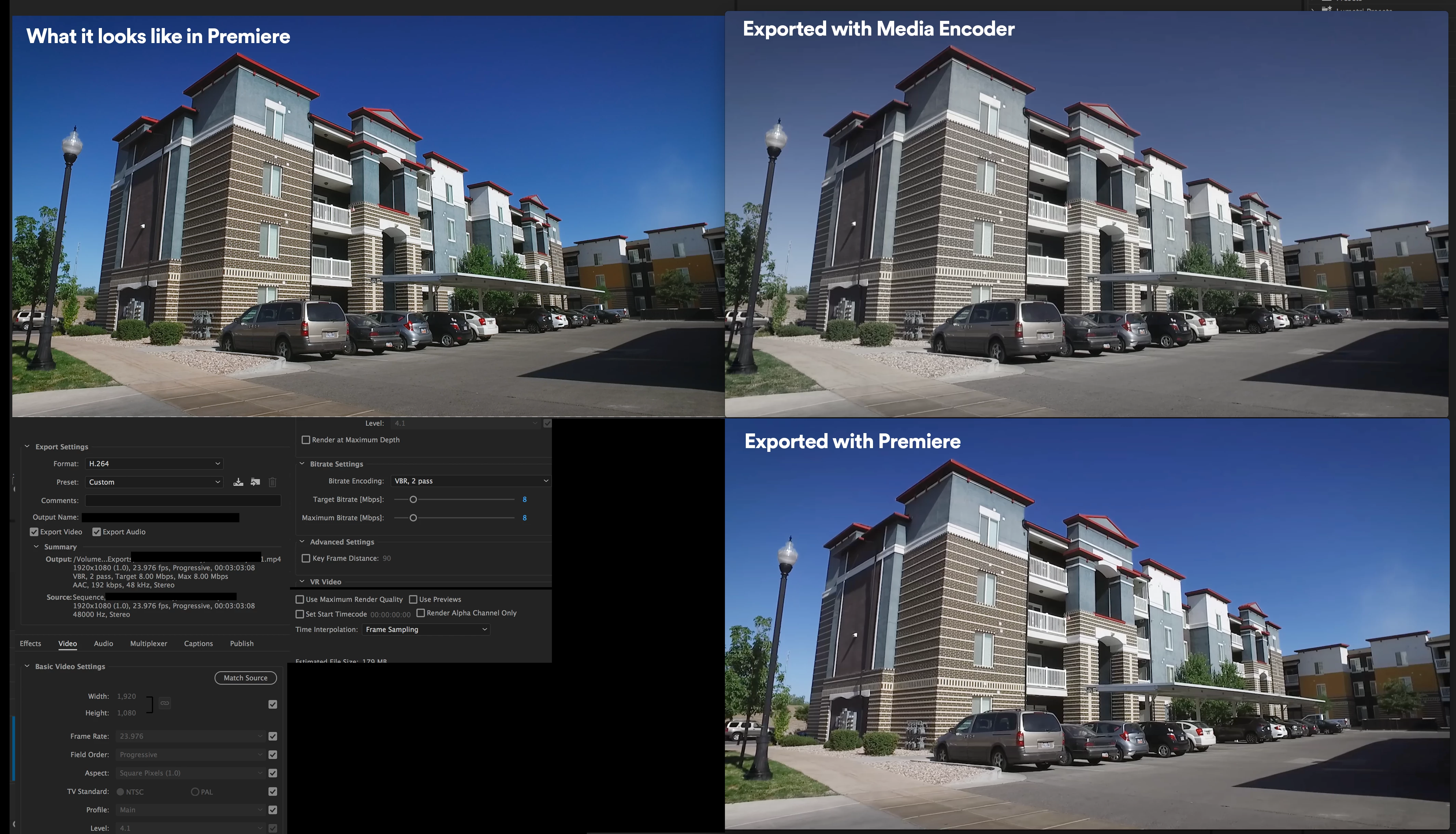
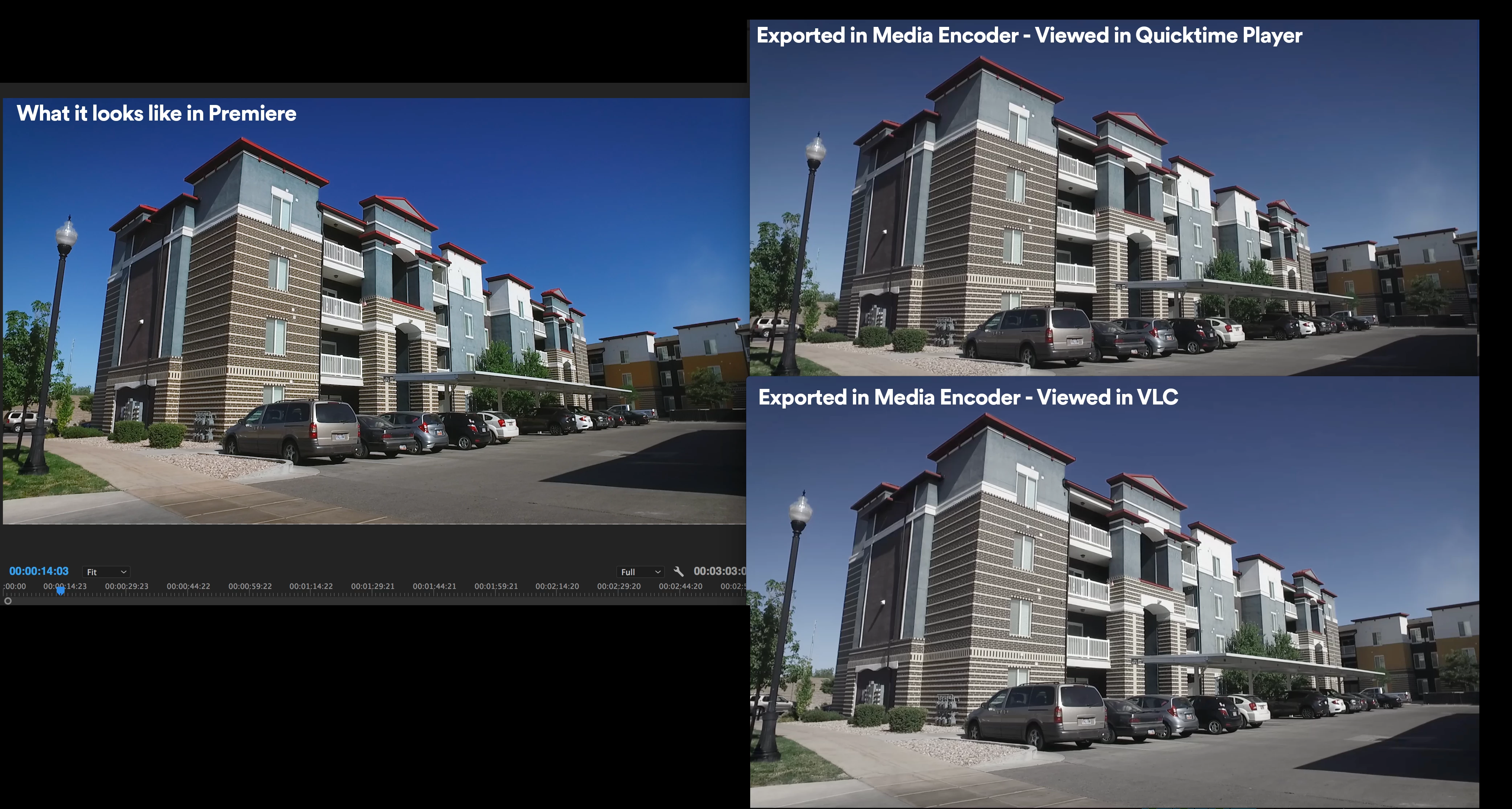
The most common response in forums was a problem with Quicktime player itself, however, when comparing to other media players such as VLC, it also showed a significant colour loss:
Some notes:

- While I did use a creative LUT in lumetri, I didnt use on every clip. Colour was still undersaturated in AME export. No LUTS were applied in the export settings.

- Exported using the same export settings

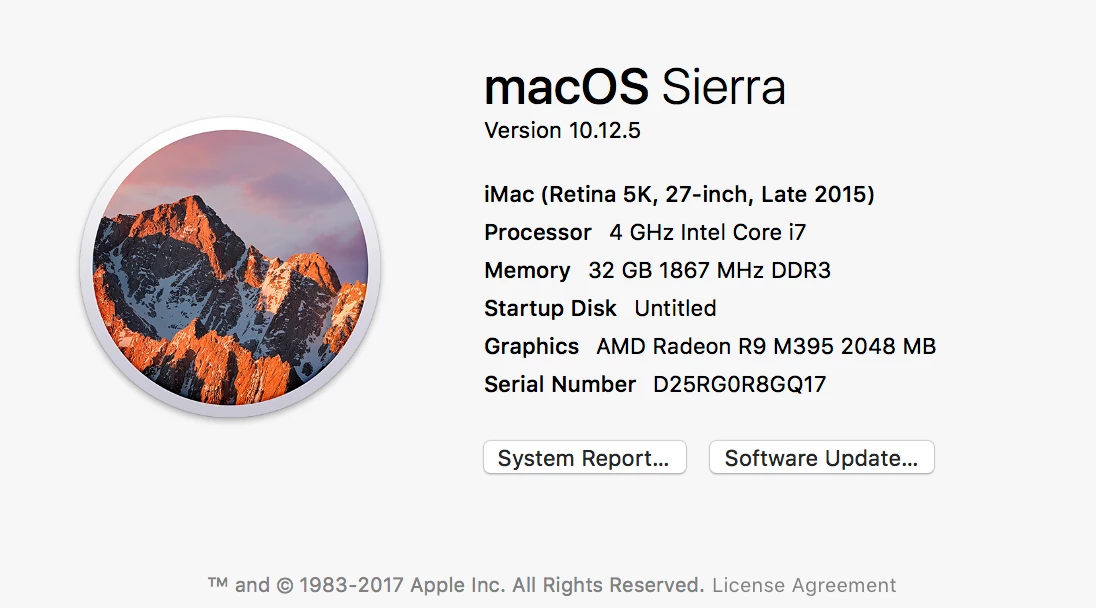
- Some people mentioned they had this problem with their iMac. My macs specs:
Any ideas?

This topic has been closed for replies.

3 replies

chris_z77-czYu1k
Inspiring
November 14, 2017

in AME's Preferences, Turn off Import sequences natively

R Neil Haugen
Legend
June 30, 2017

PrPro is built for straight up Rec709 ... and in use in pro-level players, does fine.

I had a very experienced video programmer explain it to me at NAB as follows, and it makes more sense than any other "conspiracy theory" about this I've heard. There are some hold-over settings from the days of yore, when "legal video levels" were 16-235, or then 16-255, and some programs look to see if there's a setting or something in the file header that indicates the level settings to use. QuickTime is one of them ... and when it doesn't "see" those, assumes 16-235 or 255 and a slightly different gamma level. From talking with PrPro engineers in past NAB's, they weren't that concerned with QuickTime player and just didn't see the reason to code in something just so that some amateur player got it 'right'.

Some of the other H.264 encoders such as Colin referenced do put the settings in, which is why they are seen correctly by Qt player.

This is the best explanation I've been able to get.

As QuickTime player is even going away for the PC side of things, I doubt it's more of a concern now for the PrPro team than before.

With Nvidia cards in PC's, there are a couple settings one can make so that the dynamic range of the video is always set for 0-255, and is supposed to over-ride player settings when it can. I still get a bit of flatness in Qt Player on mine even with the video card settings taken care of, but VLC and Potplayer show exactly what I see in PrPro.

Now ... as to the difference between exports from Media Encoder & PrPro, one thing to try is to go into the ME preferences and un-select 'Import Sequences Natively'. For many people that fixes this ... hope it works for you.

Neil

Everyone's mileage always varies ...
Colin Holgate
Inspiring
June 30, 2017

On the QuickTime for Windows front, there was an overreaction to news about Apple not updating QuickTime Player. Premiere, AME, Animate, AE, all just use QuickTime, they don't get involved in QuickTime Player. The QuickTime installer is still available, it is unlikely to infect your system, especially if you and none of your applications are using it.

In the case of Animate the video exporter is doing things with QuickTime that Adobe don't currently have a way to achieve in other ways, so if you're on Windows and doing Adobe Animate animations for video, you will need QuickTime.

Interesting what you say about the video levels. Here's a discussion on the topic:

RGB 16..235 or 0..255 ? - Roku Forums

I always thought that it was a gamma setting issue, but it could well be the video levels.

R Neil Haugen
Legend
June 30, 2017

Good info, Colin.

Gamma changes have not much effect in the deep values, they affect more the middle range "brightness" ... and I can re-create the look in PrPro with a lift of the color wheel shadow wheel luma and up-push on the mid-tones luma control. Coupled with a minor de-sat setting.

Neil

Everyone's mileage always varies ...
Colin Holgate
Inspiring
June 30, 2017

It's been a problem for many years. I don't know if Adobe will fix it in Media Encoder, but the fix in QuickTime was to use an x264 encoder. Here's an example one:

x264, the best H.264/AVC encoder - VideoLAN

Someone did do a plugin for AME that let you use x264. It may have been this one (not cheap):

x264 PRO | Adobe Creative Suite H.264 Encoder