
Question
Exported SCC file transform properties not matching original in Premiere
I'm using, Premiere Pro v25.1.0 on an iMac, macOS Sonoma v14.7.1
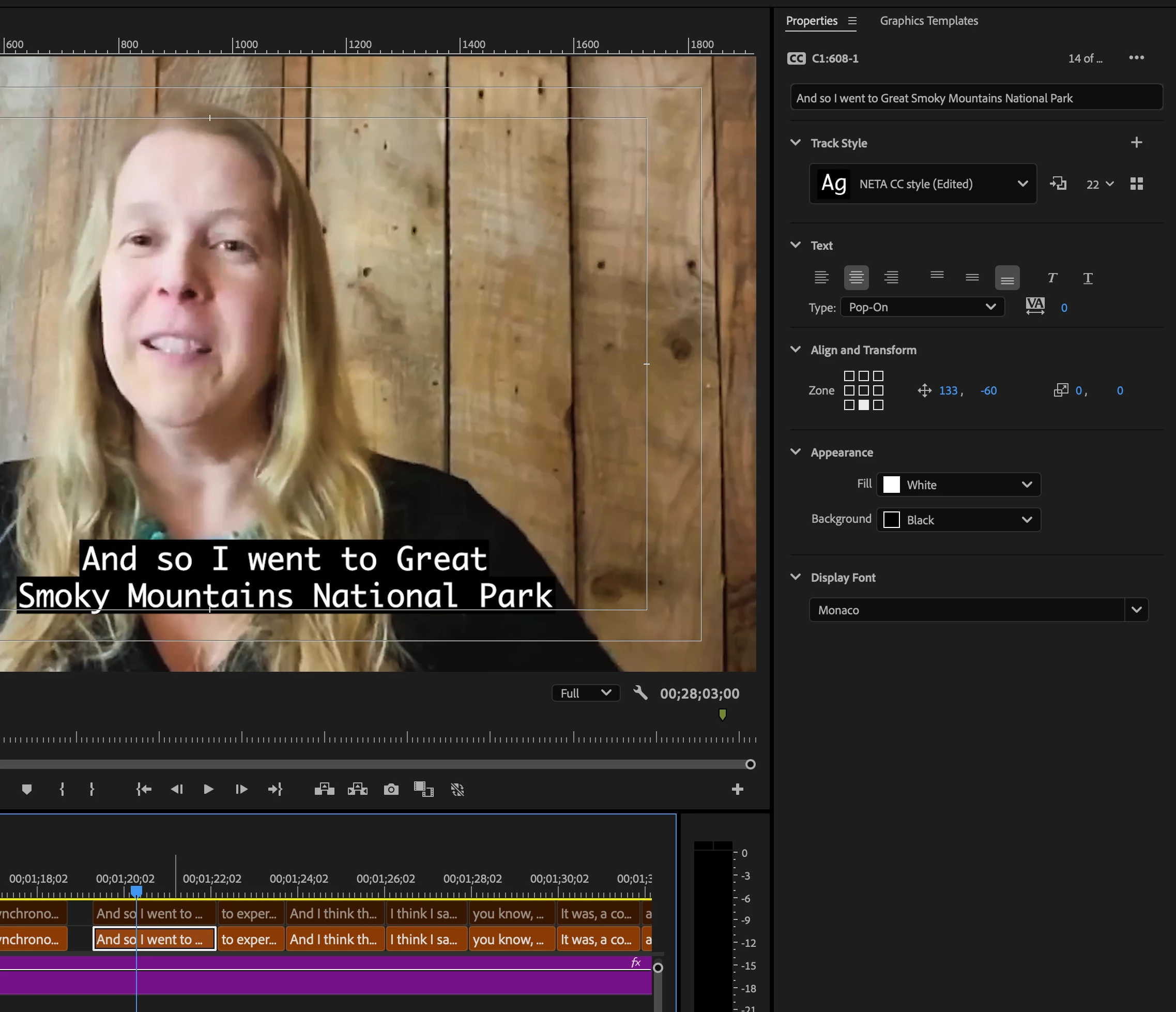
I created 608-1 Closed Captions for a project, but when I export a SCC file, the transform properties are messed up and aren't at all what they were originally. Not all of the captions are in different spots but a good portion of them are. Screenshots below.
Here is what they look like when I make them in Premiere:
And here is what the exported SCC looks like, re-imported into Premiere:
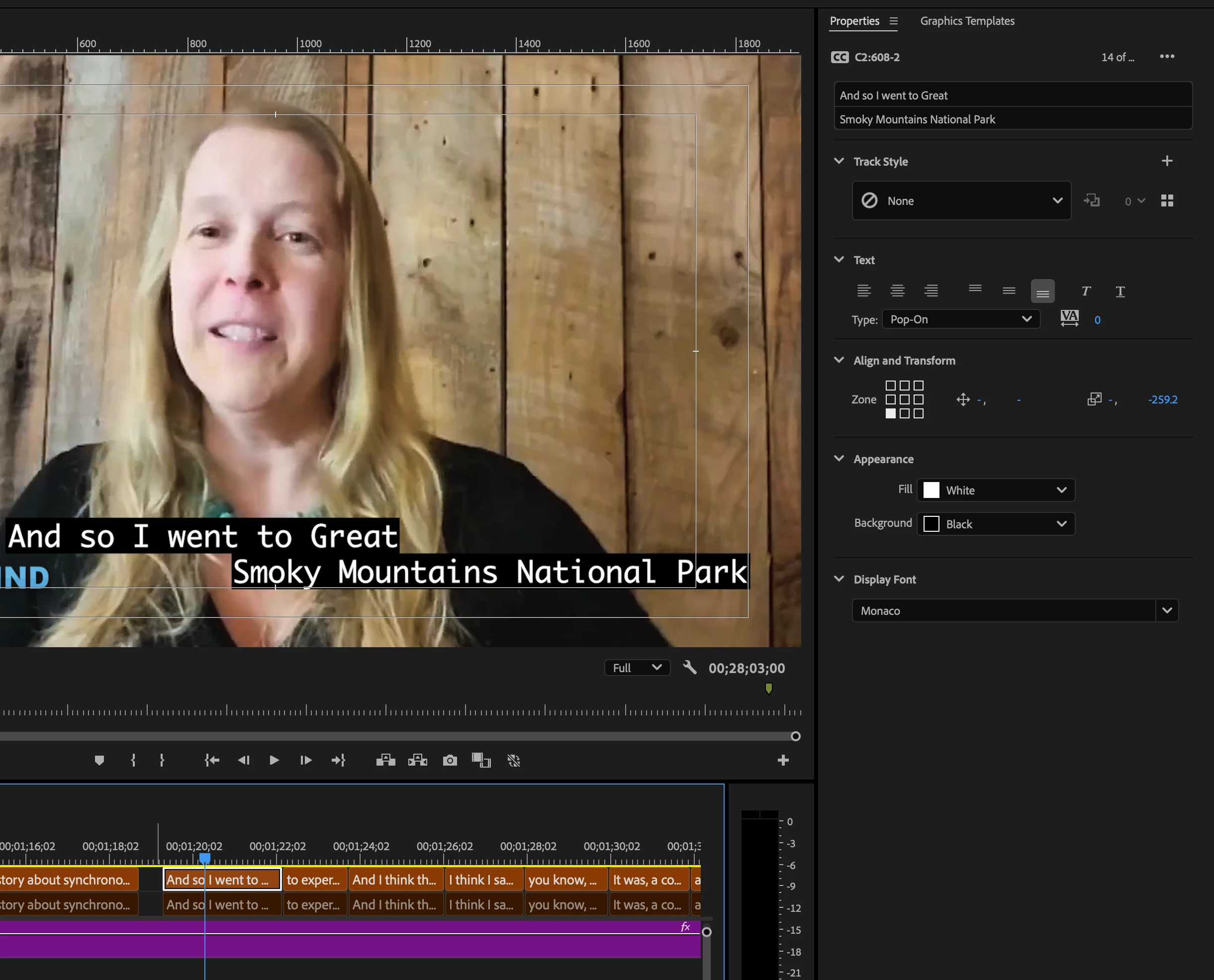
I've checked all my frame rate settings and they match (29.97 Drop Frame), and I have no idea what could be causing this in the export. Can someone help? Why isn't the export keeping the original transform properties?


 AdChoices