
Exported video doesn't run smooth
Hi Guys,
Hopefully you can help me out a bit, since i am new to the video segment  . I just finished editing my video, but when it's exported the video does not run smooth. The source material does not have this issue.
This is the video on YouTube. Check the content after the intro.
The following was done:
- Video shot with my Canon 80D at 1080p50 (shutterspeed 1/100).
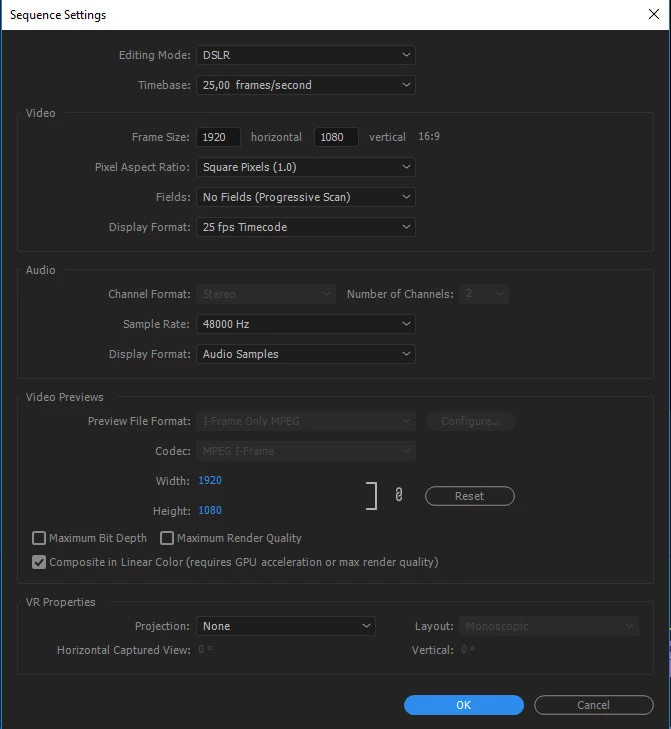
- I created a new sequence with 1080p25.
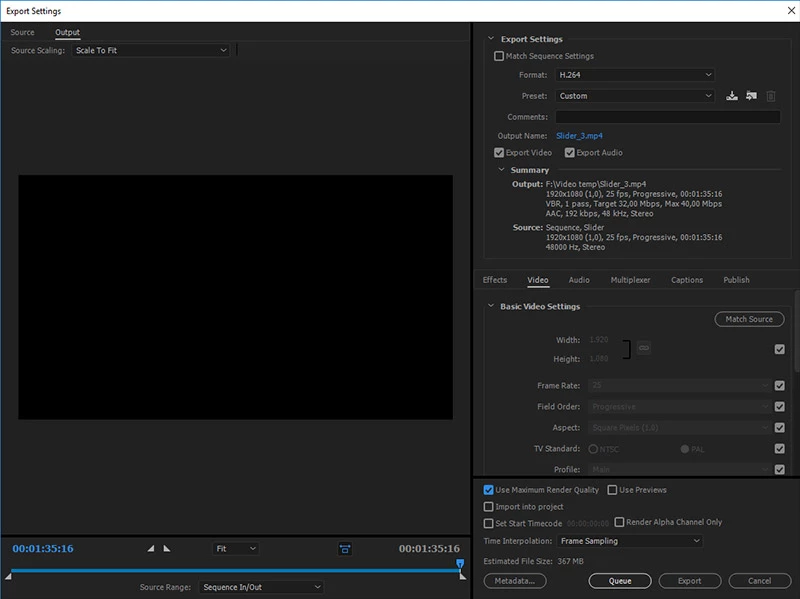
- Imported my video's and exported the thing to mp4.
I can't figure out what i am doing wrong. Hopefully you guys can help me get on the right track.
Thanks big time!
Source video:
File Path: F:\Video temp\RatRig\RAW\RAW\MVI_2591.MP4
Type: MPEG Movie
File Size: 205,16 MB
Image Size: 1920 x 1080
Frame Rate: 50,00
Source Audio Format: 48000 Hz - compressed - Stereo
Project Audio Format: 48000 Hz - 32 bit floating point - Stereo
Total Duration: 00:00:29:02
Pixel Aspect Ratio: 1,0
VR Projection: None
 AdChoices