
Inspiring
October 23, 2021
Question

Exported videos don't show on Windows apps -- but work fine in Quicktime and other apps

  • October 23, 2021
  • 1 reply
  • 658 views

No matter which settings I use in Premiere, my exported videos are blank -- white or black -- on Windows devices like Photo, Windows Media Player and "Movies & TV", which even shows this attached Missing Codec error: 0xc00d36b4
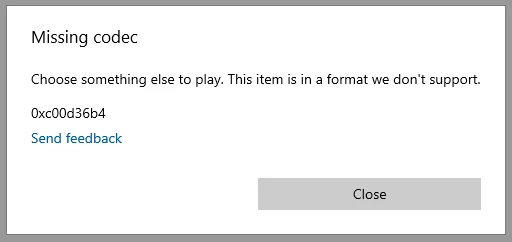


But the videos play as expected within Premiere as well as in Quicktime and on some websites. So perhaps it's more of a Windows issue.


At any rate, I'm not doing anything differently than I used to earlier this year when I exported a lot of videos that could instantly be played on all platforms, so I think this happened after a Premiere update. There's also some good news in that dept, though -- Premiere now supports my CUDA cards which means it takes 20 min. to render a video that literally used to take 4 hours. 🙂

This topic has been closed for replies.

1 reply

Ann Bens
Community Expert
Community Expert
October 23, 2021

Post screenshot export settings.

Inspiring
October 23, 2021

I'm on another computer right now so I can't do that today, but I really think I've tried all reasonably ordinary settings, including the most common ones, and I get the exact same results no matter what I do: Total white or black screens (audio is played back correctly, though).


Again, I actually think it's more of a Windows issue, because the videos look as expected on every other platform I've tried.


It did worry me a bit for a few hours though, until I started testing on a Mac and saw that everything looked fine there.


I should add that though all Adobe's app are the latest versions, I haven't updated Windows on that PC the past 5-6 months because everything in the current setup works fine with some 3D apps i need to use. So perhaps Windows' media players are already obsolete.

Ann Bens
Community Expert
Community Expert
October 23, 2021

Humor us: post the screenshot.