Participant
September 12, 2017
Answered

Exporting From Premiere CC to Encore

  • September 12, 2017
  • 3 replies
  • 1798 views

Im currently completing a massive 17 disc project for a charity event shot over 9 days. I have all teh edits in place and have exported the footage as .mpg files from premiere as shown below in Prem CC Export Properties.
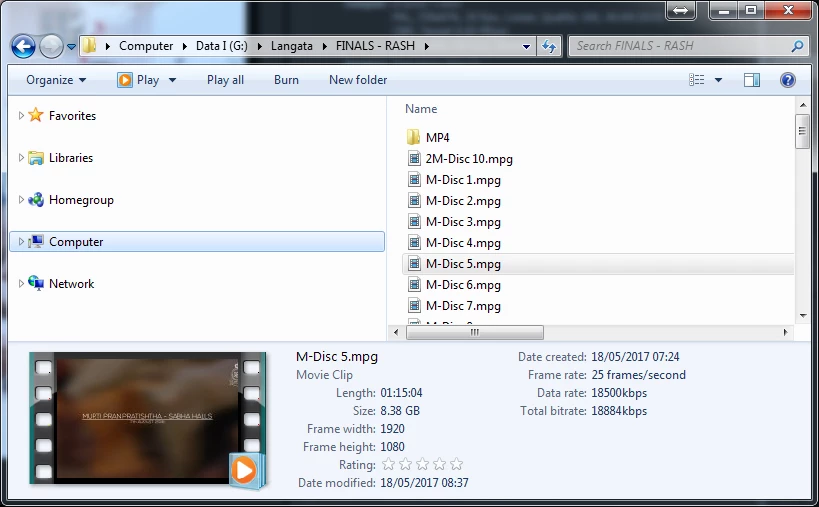
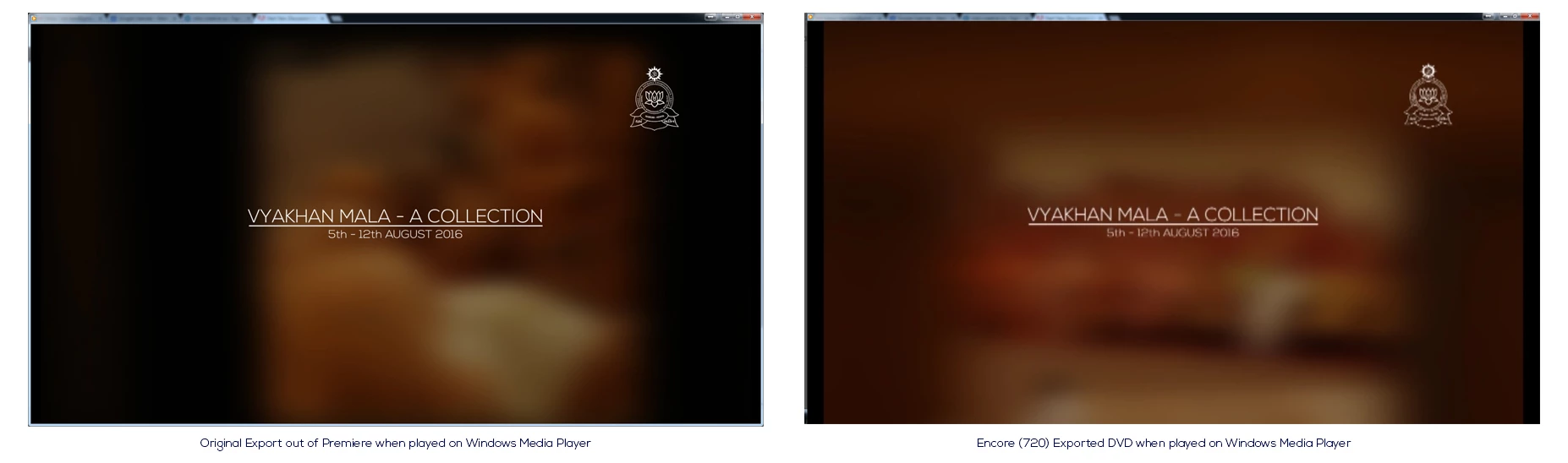
When I play back the exported footage its pin sharp on the title text and the corner logo and the footage is very clean as per the dimensions (1920x1080). However, when I import the exported footage into Encore CS6 to master the DVD, i know the footage gets scaled down to 720x576, how ever the text is blurry, and the corner logo is not clean. My understanding is that things enlarged would get pixelated, but down grading although makes the footage smaller, the sharpness shouldnt be lost.

Below is the difference I see... (Sampling.jpg)
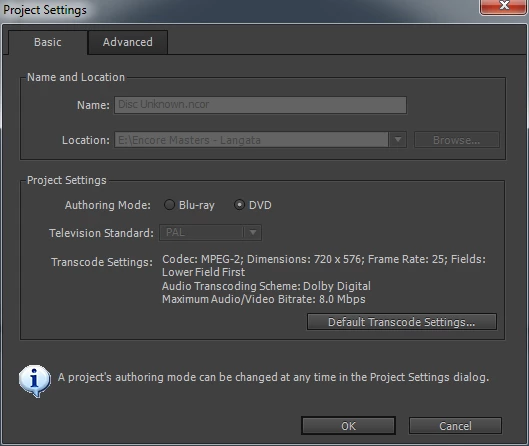
Encore obviously wont allow me to change the export settings as it is at max and fixed...
Where am I going wrong here? Why does my footage look so bad after its been through Encore? Hope with the above someone can spot my silly mistake somewhere..


Thanks

Hari

    This topic has been closed for replies.
    Correct answer Ann Bens

    You are encoding twice (once in Pr and once in Encore)

    Best is to use the mpeg2-dvd preset i Premiere and bump the bitrate to 8.

    In Encore is should say: dont transcode (that is important).

    When viewing the dvd use dvd software or a standalone bd-player with upscaler on a hd tv.

    For dvd the vimeo clip does not loop bad at all.

    Dont compare to HD or Hollywood dvd's.

    3 replies

    Legend
    September 12, 2017

    You shot it in HD.  Chances are it will be viewed in HD.

    Don't make DVDs.  Make Blu-rays.

    Joost van der Hoeven
    Community Expert
    Community Expert
    September 12, 2017

    Dear HariKara,

    When you scale down footage form HD to PAL you are scaling down 37,5% (trowing away 62,5% of you resolution), but because PAL wide screen has a Pixel Aspect ration of 1,4587, the result is scalled up (in de width) again by 145,87%. So if you need to use graphics and titles: make them normal to bold and big. Avoid thin lines and logo's.

    If you have no control over the used graphics because they are burned into the HD content. You really don't have many alternative then to accept the toll one has to pay when putting a standard form 2009 into a container from 1986 ...

    Welcome to the world of DVD and SD production...

    Community Expert
    September 12, 2017

    Are you exporting from Premiere using the mpeg dvd preset? or are you exporting as HD and letting Encore make the dvd file. If Encore is transcoding for HD material you need the field order set to upper or Progressive.

    HariKaraAuthor
    Participant
    September 12, 2017

    Hi Richard,

    Thanks for the quick response... Unfortunately, below are the settings I used to export in Premiere, not sure if these are what you were referring to, if so then the output from Encore was still bad Any other ideas or have I got these all wrong?

    Outputs... from the Export and then from Encore...

    HariKaraAuthor
    Participant
    September 12, 2017

    Ive added the videos here to see the difference...

    Vimeo Link to Exported footage

    Dropbox link to ISO that I built out of Encore that shows how bad the export in Encore is..

    Dropbox - Disc8.iso