
Participating Frequently
February 23, 2024
Question

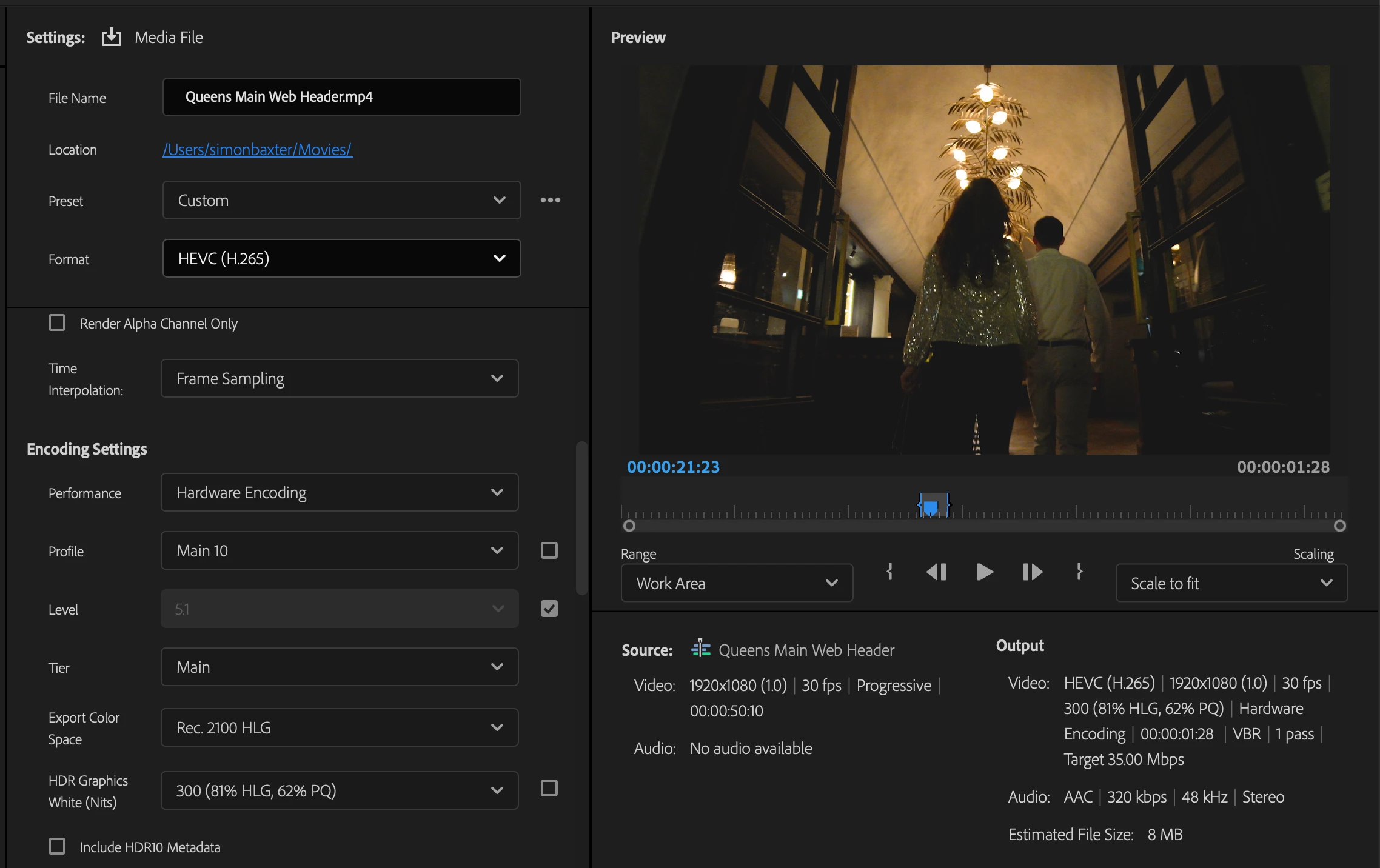
Exporting HLG. Colours changing.

  • February 23, 2024
  • 2 replies
  • 906 views

Dear all,


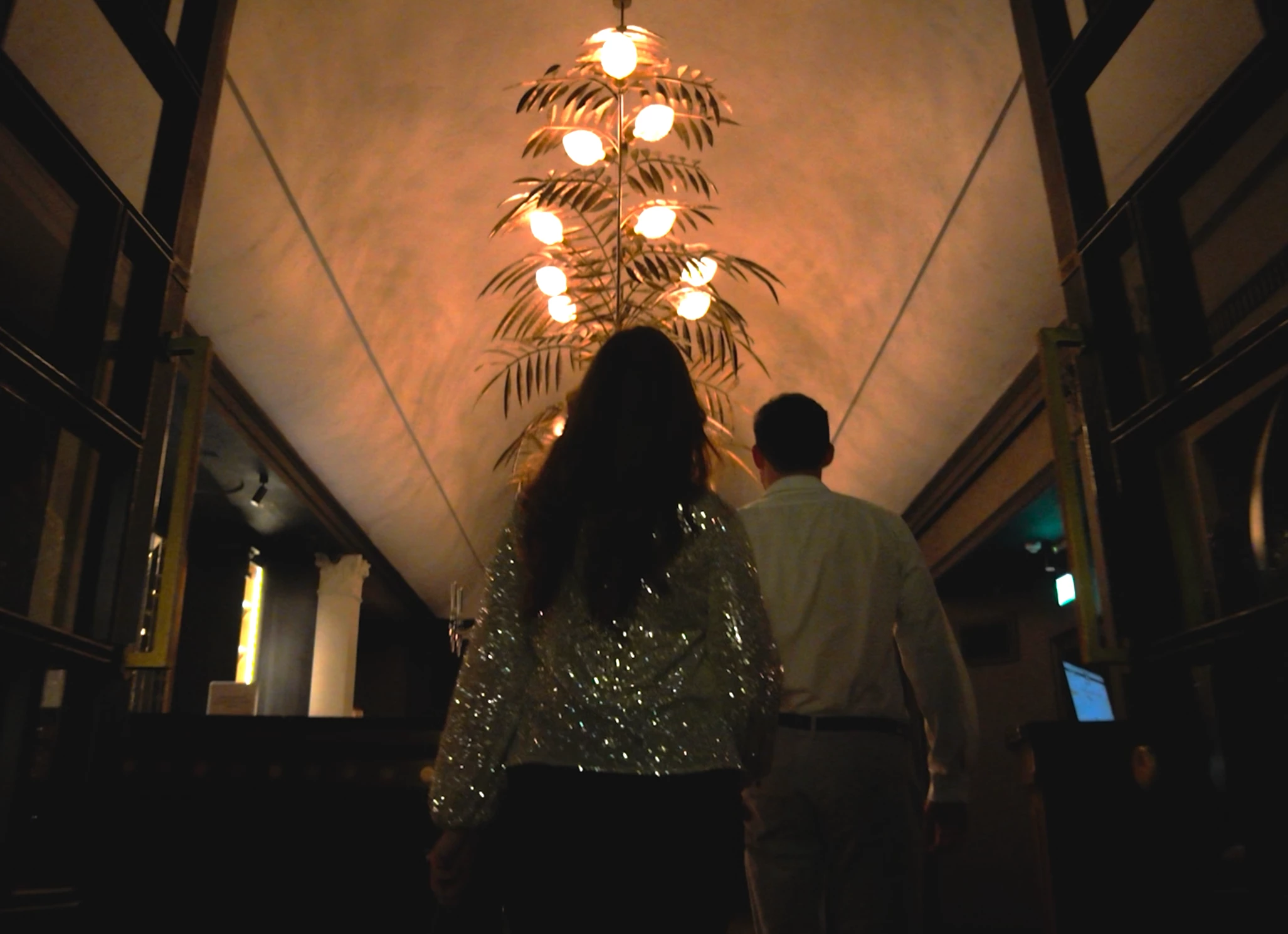
I'm going nuts. Filmed a project in HLG. Edited it in an HLG sequence but when I export it the colours are changing. I'm using 'Match Source HLG' but have tried a couple of other things with no luck. I've attatched screen grabs of the settings (the preview looks fine) and a screen shot of the exported file.


Thanks in advance!


Simon.
This topic has been closed for replies.

2 replies

R Neil Haugen
Legend
February 23, 2024

I work for/with/teach pro colorists, including the early adopters of DolbyVision, who were hired by Dolby to do the inhouse tutorials for colorists working with DolbyVision in Resolve for streaming/broadcast. I've been using Premiere since CS6, and was a heavy user of SpeedGrade before they killed it, Resolve since.


First note ... changing the graphics white setting to 300 is just weird. I don't know a single colorist who would use that, the 203 setting is by far the more common one. Understand, that isn't total brightness, just what a flat piece of white paper would be set to in a daylight shot. It's a crucial part of the data in the file, and changes how the screen maps the image brightness. Setting that to 300 means many screens will push much of the image down a bit. To fit their screen capability.


Next ... without seeing all of your Premiere color management settings, the only thing I could make is WAGs ... wild arsed guesses.


Please do a screen grab of your color managment settings ... Lumetri panel, Settings tab ... top to bottom. Not the color correction settings in the 'Edit' tab, the CM settings please.

Everyone's mileage always varies ...
Participating Frequently
February 24, 2024

Hi Neil,


Colouring is not my thing and I'm new to HLG I'm afraid so hence why I'm on here. Didnt even know what the Graphics White Setting was, I was trying anything eventually! I've attached a screen shot of the Lumetri settings.. I never noticed a box 'Display Colour Management' before, and when I check this it changes the colours to the undesired colours I was getting on the export. Again I don't understand this so any suggestions so that I can just export what I'm seeing on the preview monitor would be much appreciated - thanks.


.

Participating Frequently
February 24, 2024

So just to add Neil, should I have the Display Colour Management box checked and be colourising with this as the reference?


Thank you.

Ishan Y
Inspiring
February 23, 2024

Hey Simon,

Sorry for the issue. Which media player are you using to preview the exported media? If you import the media back to Premiere Pro, do you still see the change in colors? Please also let us know if you're on a Windows or a macOS system.


Thanks,

Ishan