Inspiring
June 24, 2024
Answered

Exporting interleaved multichannel audio

  • June 24, 2024
  • 2 replies
  • 1410 views

Hello all,


I have gotten files rejected by the lab my client uses because they're telling me the multichannel (10 ch) audio I export from Premiere is discreet, rather than interleaved as they want it to be.


Can someone please explain to me the procedure for making interleaved multichannel audio exports from Premiere? I don't see any options in the audio export page for that.


Thanks in advance for any advice.


David
Correct answer PaulMurphy

Hi David,

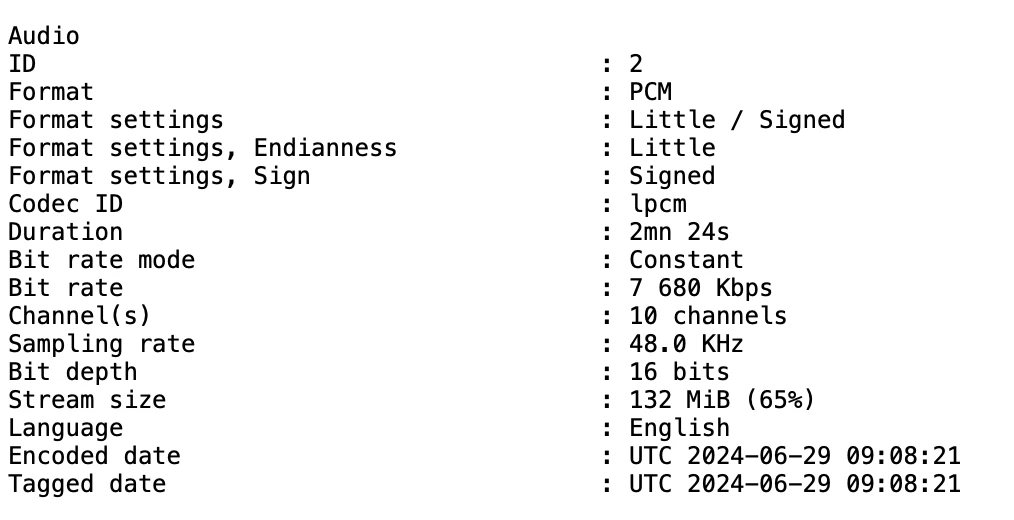
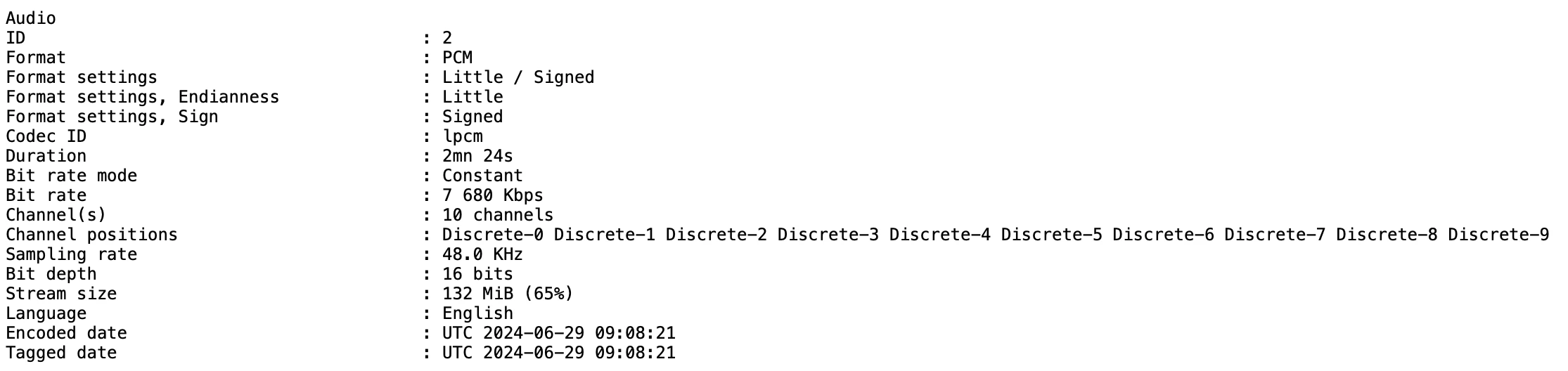
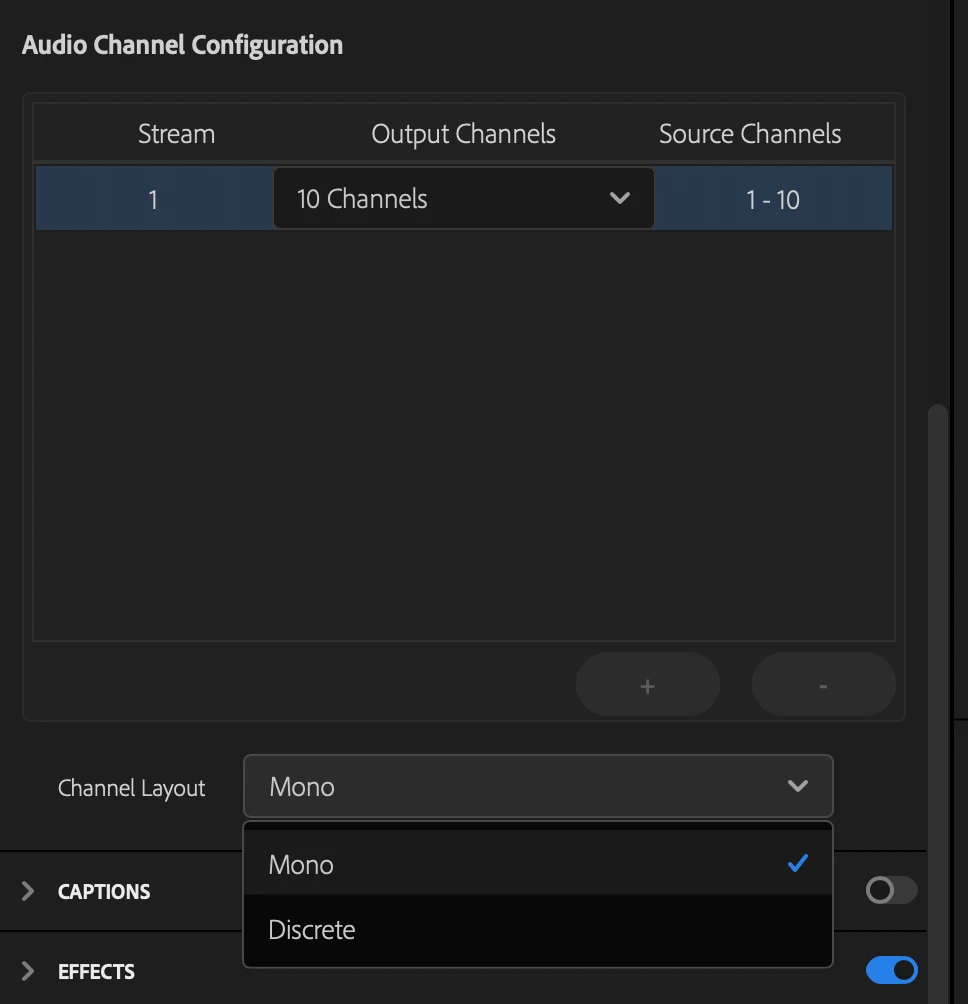
I believe this refers to whether the audio channels are interpreted as a single stream with 10 channels (Mono) or 10 streams, each with their own channel (Discrete).

I think QuickTime is the only format in Premiere that allows you to choose between Mono and Discrete - the others will default to Mono.

You can access this setting in the Export window under the Audio Channel Configuration.


You can also view the technical difference in MediaInfo.

Mono

Discrete


Hope this helps! If you have any more questions, feel free to ask.

Cheers,
Paul

2 replies

PaulMurphyCommunity ExpertCorrect answer
Community Expert
June 25, 2024

Hi David,

I believe this refers to whether the audio channels are interpreted as a single stream with 10 channels (Mono) or 10 streams, each with their own channel (Discrete).

I think QuickTime is the only format in Premiere that allows you to choose between Mono and Discrete - the others will default to Mono.

You can access this setting in the Export window under the Audio Channel Configuration.


You can also view the technical difference in MediaInfo.

Mono

Discrete


Hope this helps! If you have any more questions, feel free to ask.

Cheers,
Paul

Inspiring
June 25, 2024

Hi Paul - I think that was it! Thank you so very much!!!

Community Expert
June 24, 2024

It seems that your lab is asking for something rather uncommon and not a feature in Premiere.