


Exporting stereo ch1=LT ch2=RT and Dolby 5.1 question
Hi,
I have done some research, but the info I find is 7-10 years old or more, and Premiere has changed in that time, so I'm hoping someone can help me complete this workflow using best practices with Premiere 24.5
I have a deliverable to a local theater - they would like the audio in either
- Stereo Ch1=LT, Ch2=RT
or
- Dolby 5.1: Ch1=L, Ch2=R, Ch3=C, Ch4=Sub, Ch5-LS, Ch6=RS, Ch7=LT, Ch8=RT
- IMPORTANT: 5.1 Audio mix must include LT/RT on CH7 and CH8 (complete down mix)
I normally export for computer/web use, which is either stereo (or mono) on however many tracks necessary, so this type of audio work is new to me.
For Stereo Ch1=LT, Ch2=RT, I have created a sequence:
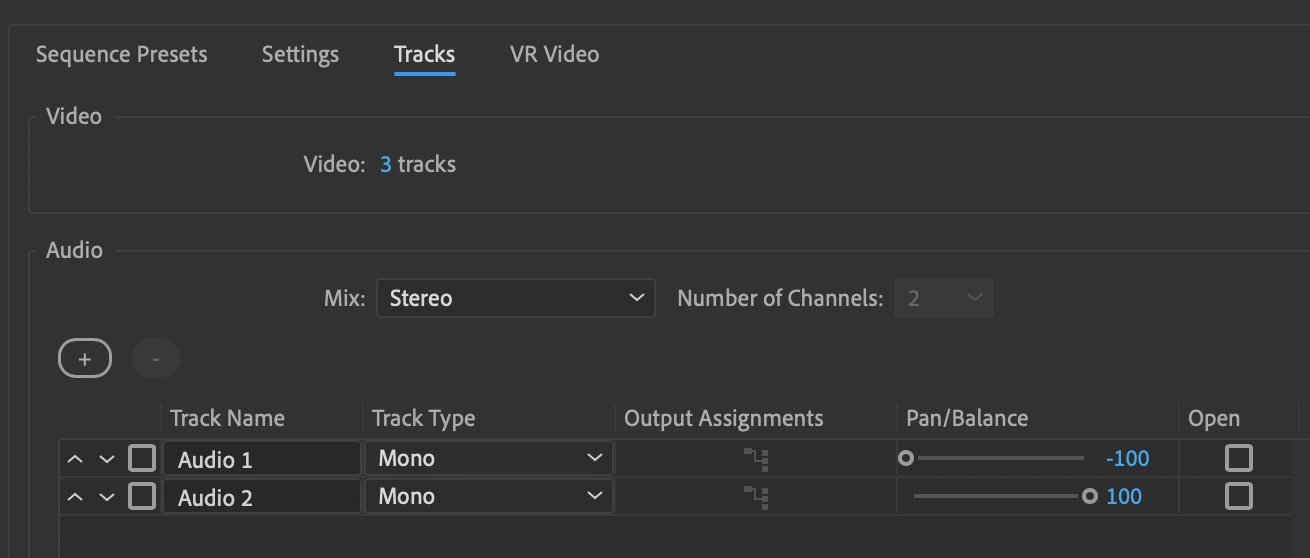
and then added audio:

If I choose to Export in Apple Prores 422 HQ, (what the company asked for),
- Do I set my output to 2 channel, or to stereo? (see image below)
- Is there any way I can verify it has been exported correctly before I send it in and annoy their QC team with a file that isn't done right?
- Is this how you make a Ch1=LT Ch2=RT stereo file, or is there a better way?
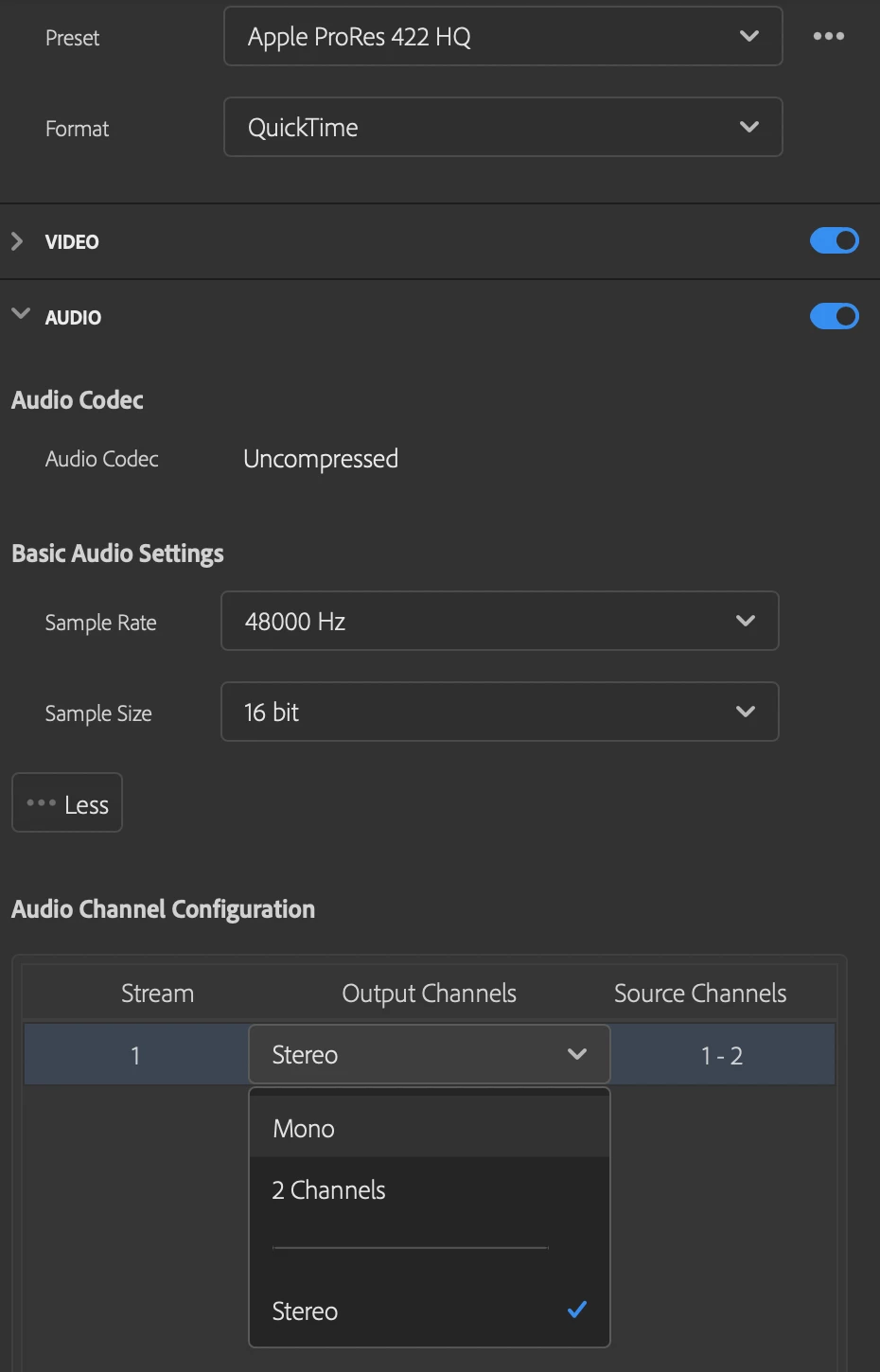
For the Dolby section...
- Dolby 5.1: Ch1=L, Ch2=R, Ch3=C, Ch4=Sub, Ch5-LS, Ch6=RS, Ch7=LT, Ch8=RT
- IMPORTANT: 5.1 Audio mix must include LT/RT on CH7 and CH8 (complete down mix)
I have seen there are a couple different ways to set this up, and I'd like advice on the best way to do it, that will meet the requirements above.
I do not have any plug-ins or external rack mounted hardware, just Premiere.
I have a stereo sound file, which I duplicated then converted to mono.
I have created two additional mono files, panning the sound to the left and right in each.
What are my first steps, and how can I verify I've done things correctly before, again, irritating a QC engineer.
Many, many thanks -
Scott
 AdChoices