
Exporting time tripled and weird GPU usage
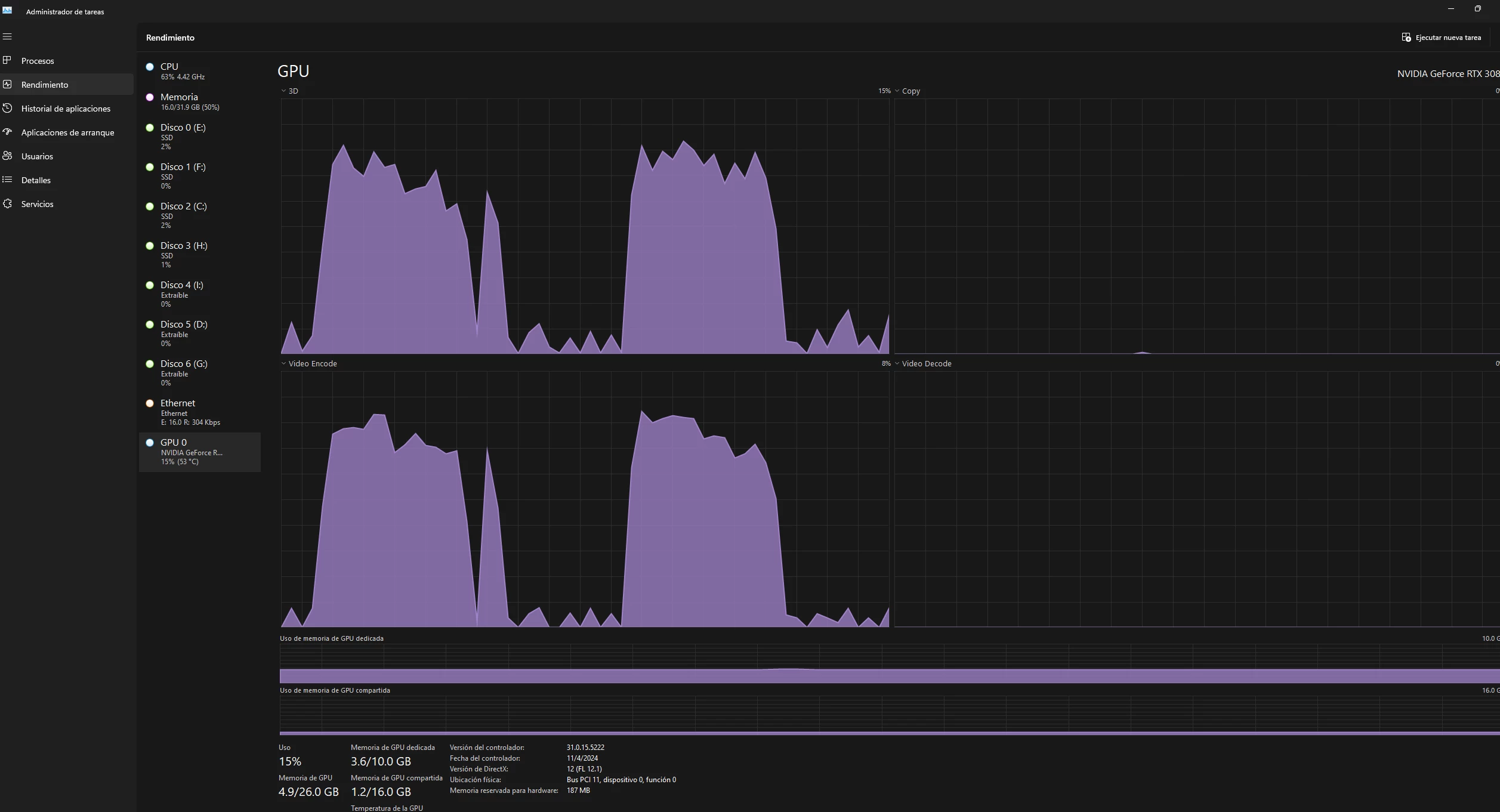
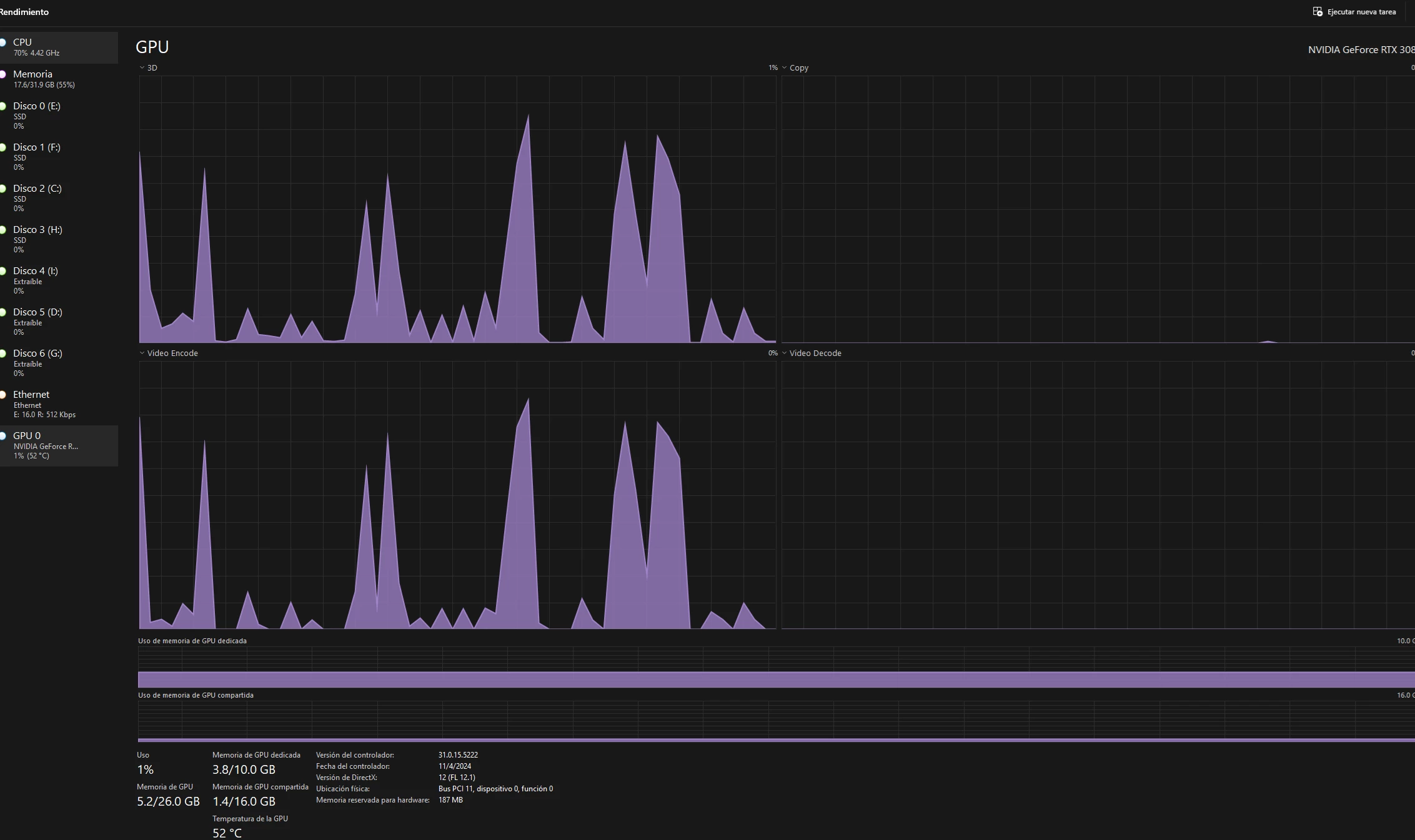
Hello everyone, recently my export time has tripled. I'm exporting to an MSI M470 M.2 SSD. I export videos of up to 30 minutes recorded with a Sony a6400 camera, XAVC S 4K 30 FPS, 100Mbps. Previously, exporting 30-minute videos only took me 10 minutes, but now it has extended to 30 minutes.
I've scanned the PC with HitmanPro and Windows Defender for viruses but found nothing. I've updated the drivers for my graphics card (RTX 3080), but the problem persists.
I changed the cache drive in Premiere to a faster one, but the problem remains.
I have deleted the cache
I have reinstalled Premiere Pro
I just do cuts and ad cross-dissolve on every cut on timeline
Settings: Match source - Adaptive High Bitrate
Video H264 3840x2160 30 fps Nvidia Codec
My system specs are:
CPU: Ryzen 9 5900X
GPU: RTX 3080
RAM: 32GB 3600MHz
All drives are SSDs - 1 SATA, 2 M.2, and they have DRAM/cache.
If anyone could share possible solutions, I would greatly appreciate it.
Thank you!
 AdChoices