


Participant
July 11, 2026
Answered

Exporting video error

  • July 11, 2026
  • 3 replies
  • 76 views

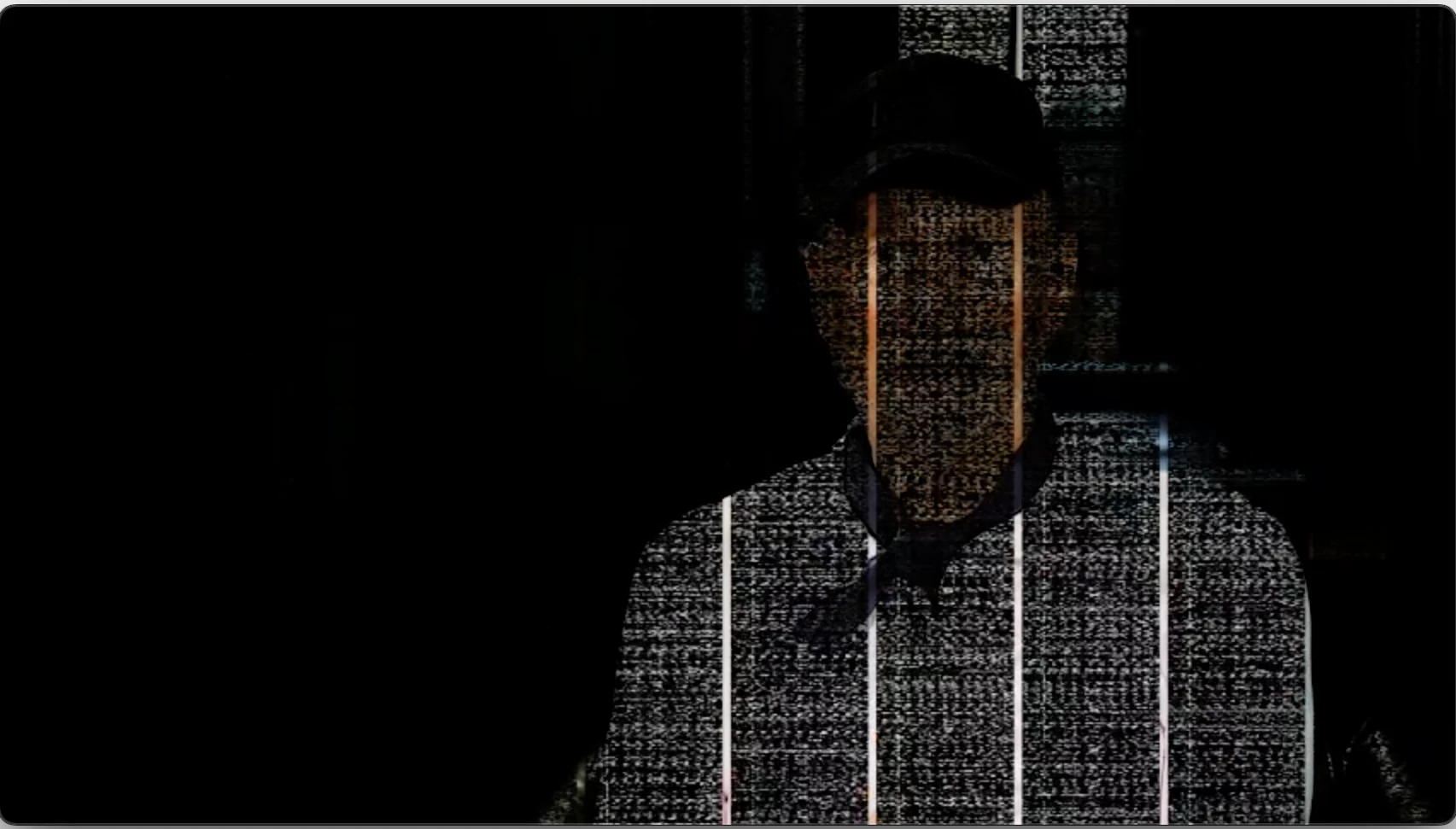
Hi guys, does anyone know what may be causing this video noise. Every time i export out even a low-res preview this appears in random spots in the video. If i’m lucky sometimes, it doesn’t appear at all, but no one seems to know the route cause of it. Its only been happening in the last year. Any help would be grateful, thank you


    Correct answer PaulMurphy

    Yes, I have the same Mac and recognise these glitches. They would appear randomly. There used to be a few threads here about this issue, but they seem to have vanished.

    My recollection is that the problem was specific to Intel Macs running macOS Sonoma. The solution was to upgrade to any macOS version after Sonoma. Once I did that, the glitches went away immediately.

    3 replies

    Community Expert
    July 13, 2026

    Could you share a few more details to help narrow this down? Please include your exact Premiere Pro version, whether you are on Windows or Mac, and your operating system version.

    stewartbuAuthor
    Participant
    July 13, 2026

    Hi, yes, should have elaborated on that. It’s the latest Premiere Pro using a radeon pro 5700 8 GPU on an IMAC 27 2020. So, not brand new. The above instance occurs at any time in a couple of random spots throughout the video no matter what the export settings are and so I’ve had to export feature-length docs in two parts sometimes because of this.

    PaulMurphyCommunity ExpertCorrect answer
    Community Expert
    July 13, 2026

    Yes, I have the same Mac and recognise these glitches. They would appear randomly. There used to be a few threads here about this issue, but they seem to have vanished.

    My recollection is that the problem was specific to Intel Macs running macOS Sonoma. The solution was to upgrade to any macOS version after Sonoma. Once I did that, the glitches went away immediately.

    Peru Bob
    Community Expert
    Community Expert
    July 11, 2026

    In addition to the reply by ​@RobShultz :

     If Windows and NVIDIA, do a clean installation of the latest Studio Driver (NOT the Game Driver).

    Community Expert
    July 11, 2026

    Please make sure that your Graphic Card Drivers are up to date