

Exporting with nested clips
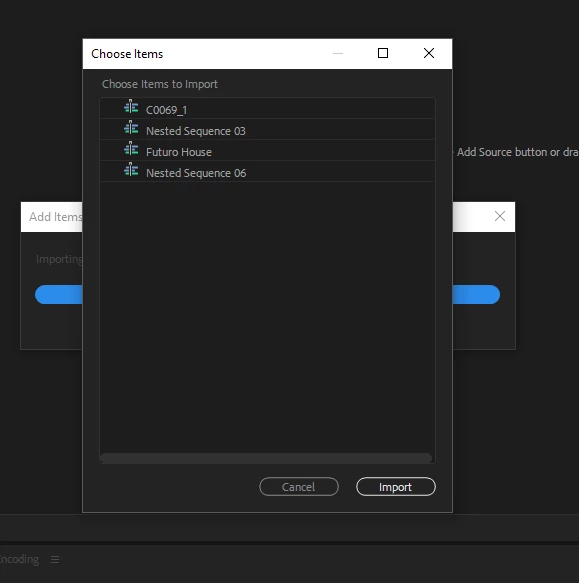
I have a Premier project with nested clips. When I use Media Encoder to apply my custom 4k settings, I run into an issue. When dropping the Premier file into the queue, it asks me what I would like to import and displays a list of the nested clips along with the sequence file itself. I selected all and the nested clips exported as separate MP4 files. The sequence file exported as well but the frame rate appears to be half of what it was in spots. The only way I've been able to successfully export the project file in 24p is straight from Premier, using the built in YouTube 4k settings. If I try to export from Premiere using my custom 4k settings, the video ends up with missing frames again. This is odd because my custom 4k settings have always worked perfectly for me. I'm thinking it might have something to do with the nested clips.
I'm not understanding why the nested clips would cause such an issue when exporting straight from Media Encoder. Is there another way I should be doing this?
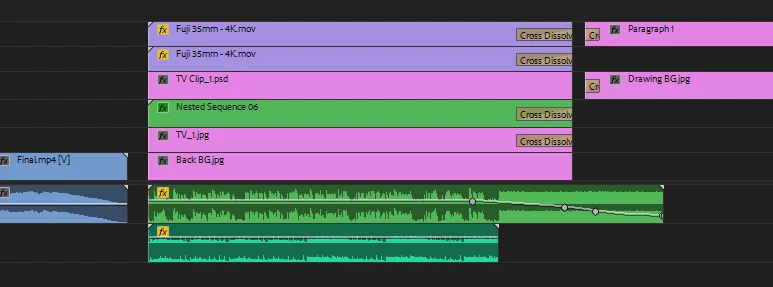
Here are some photos of my sequence and the dialog box I get when I drag the file into Media Encoder.
Thanks in advance!


 AdChoices