
Exposure change when enabling something in Lumetri
Hello,
This is weird to explain, but recently been having this issue a lot whenever I change/enable something within the curves, creative, or color wheels tabs within Lumetri. The exposure changes drastically like something was modified heavily.
Here I have a clip prior to adding a point to adjust the curve:
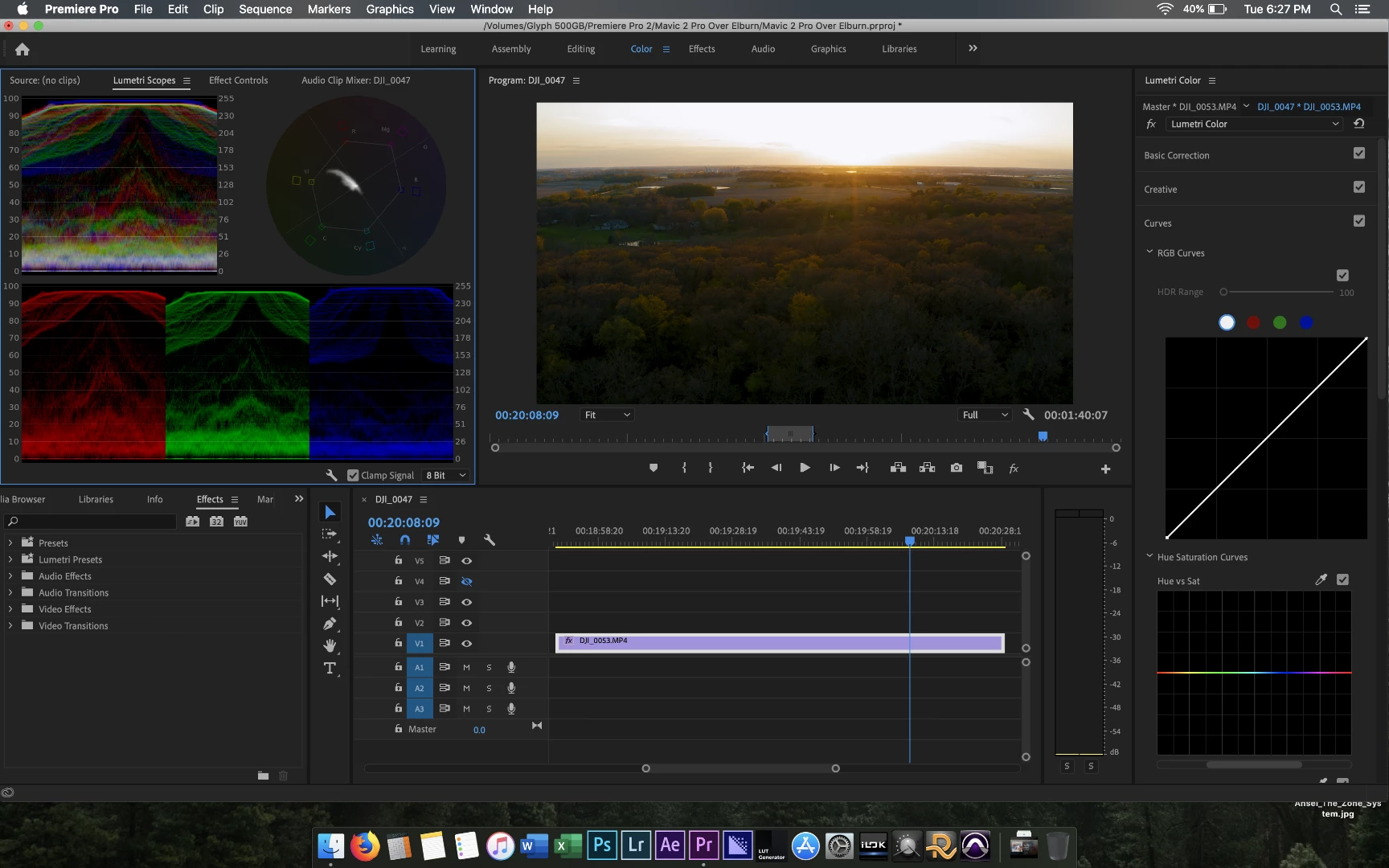
Here is after I simple add a point in the midtones, without actually changing anything:
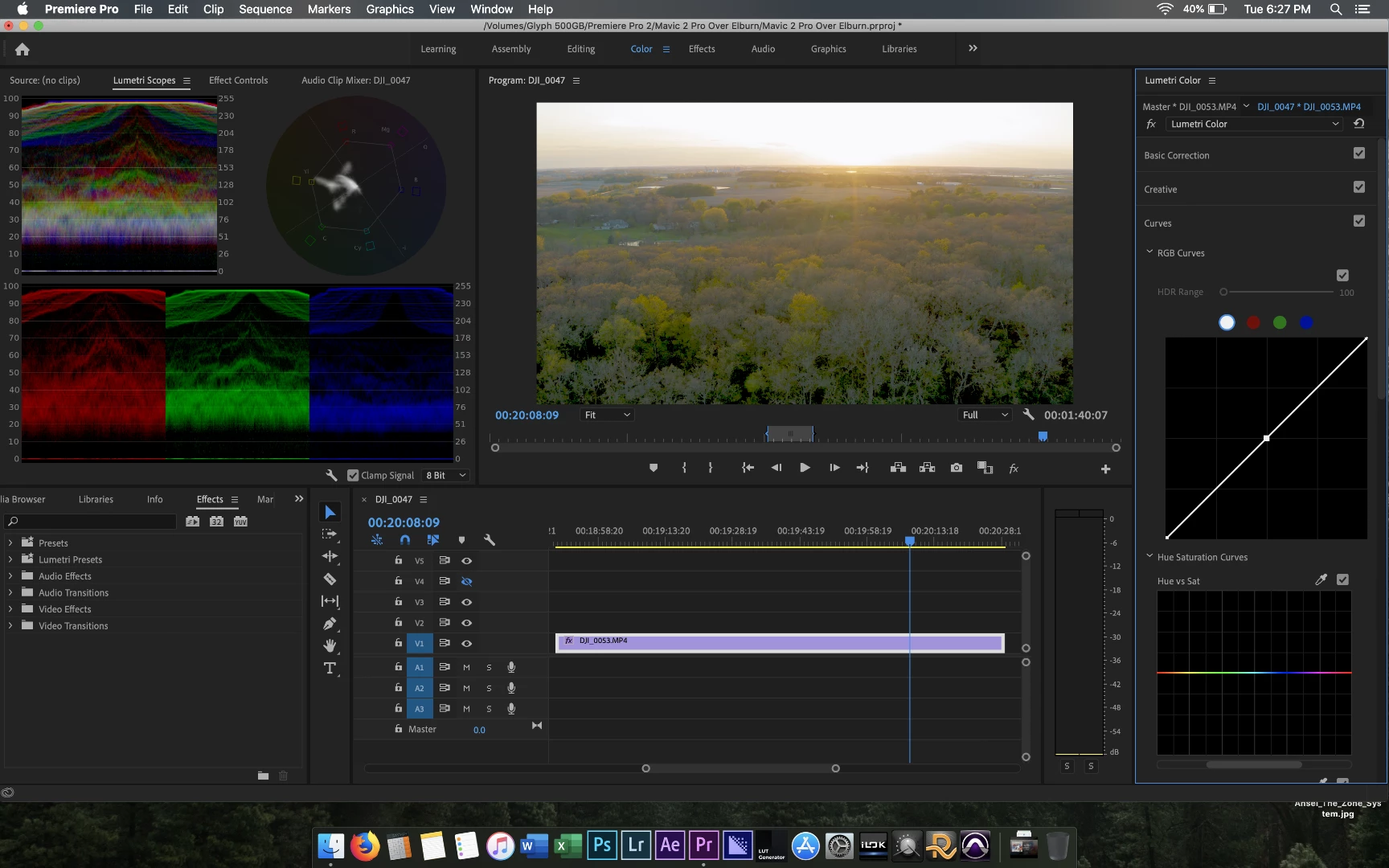
The image blows out in a weird way. This has been happening more and more frequently recently and I'm not sure why. Happens within curves, creative (when applying a LUT), and sometimes color wheels when I alter exposure or a color.
MacBook Pro (15-inch, 2018)
2.9 GHz Intel Core i9
32 GB 2400 MHz DDR4
Radeon Pro Vega 20 4 GB
Mojave 10.14.15
Read/write:
Glyph Atom Pro 1TB Thunderbolt 3 NVMe SSD (2600~ MB/s Read/Write Speed)
Glyph Atom Pro 500 GB Thunderbolt 3 NVMe SSD (2600~ MB/s Read/Write Speed)
Premiere Pro 13.1.3 (happened before updating as well).
Thanks!


 AdChoices