
Extend Sequence Background
Is there a way to extend the background of a sequence without changing the 'size' of the video...?
I've createed a 'timeline' in premiere pro which slides across the screen, and to do that, I had to place the text on the far left of the frame, put a transform adjustment layer on top of the text, recenter it in the video, and then slide the text could slide across the screen AND fit in the frame.
However, I wanted to add a background, because a black background is a little bland.
Except, when I add a background under the adjustment layer, the adjustment layer slides the background as well (refer to images).
I've tried rescaling the background, repositioning the background, but it can't be moved past that adjustment layer border as it cuts off...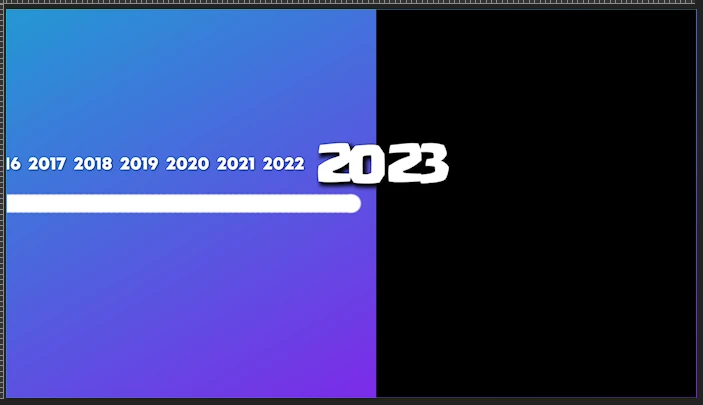
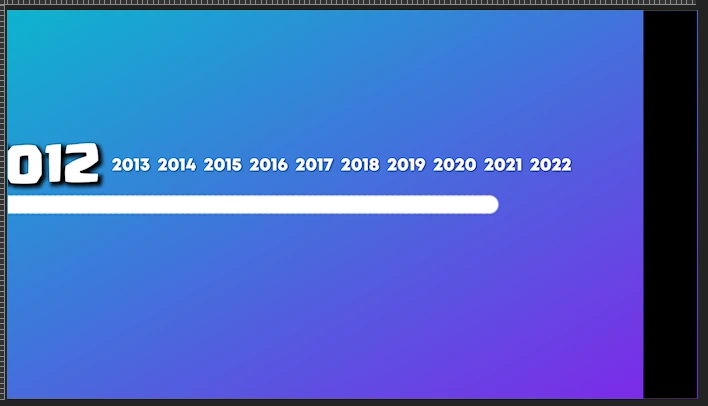
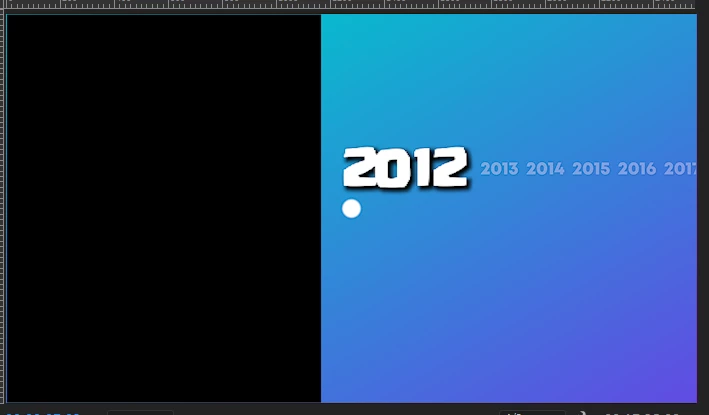
Is there a way to seperate the background from the adjustment layer, because the adjustment layer cant be put anywhere else.
I've tried multiple ways, i've even tried sliding each text asset individually, but its so wobbly and bad looking unless they're tied together with one adjustment layer.
And the background layer cant be put anywhere else but under the adjustment layer and under the text.
 AdChoices