
Extreme Lag on 30-minute Multicam Sequence
Hi there,
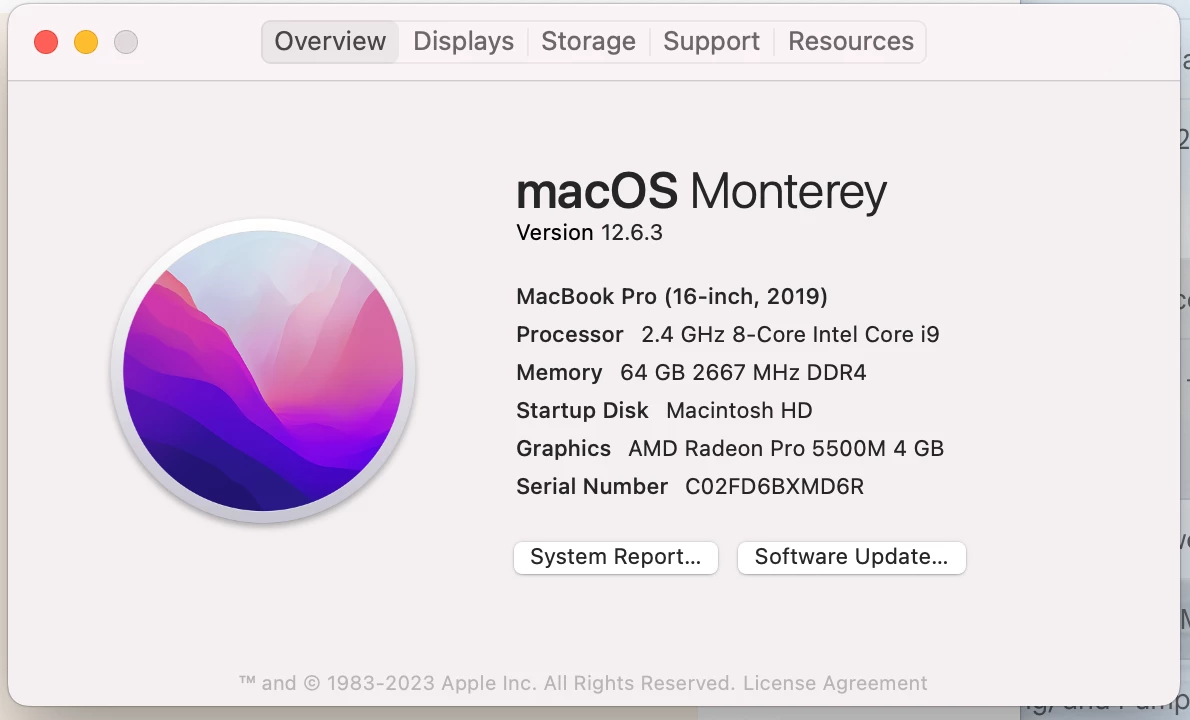
For context - I'm a professional commercial editor who regularly edits 4K & 8K footage, plus fairly intricate motion graphics in After Effects on my MacBook Pro (specs below), usually with little to no noticable lag in either program. Most of the videos I edit are under 5 minutes in runtime.
I'm working on a side project with a 30-minute long sequence which mostly consists of a 4-camera nested multicam sequence, and I'm experiencing lag like I never have before. Almost every function in Premiere, even just switching between sequences or panels, moving my playhead to a different position, or changing tools, brings up the spinning rainbow wheel and takes up to a minute, making editing almost impossible. I don't often work with sequences longer than 10 minutes or with multicam footage, so I'm not sure if I'm missing something. The footage is XAVC S 4K (mp4), shot on a Sony A7III, and I made 1024x540 Apple ProRes 422 (mov) Proxies.
One of the "cameras" being referenced in the multicam sequence is itself a nested sequence, which I'm using to add some masks over parts of the frame I want to cover. Not sure if that could be an issue. I've also been passing my premiere file back and forth with another editor who uses a PC. Doesn't seem like that would cause a problem but I'm just trying to account for all the new variables.
Some things I've done already:
- confirmed my proxies are attached, and the proxy button is enabled.
- closed all other programs to maximize my Premiere's memory usage.
- dropped the viewing resolution to 1/4
I could probably try "flattening" the multicam sequence, but I'm not at the stage where all of my angles are locked down yet, so I want to retain the ability to switch them.
Any tips? Does a longer sequence or using the multicam feature normally slow down Premiere dramatically?


 AdChoices