
Participant
May 15, 2023
Question

Extremely slow rendering in timelines and exporting

  • May 15, 2023
  • 1 reply
  • 4169 views

Hi,


(I'm relatively new to Premiere Pro so please excuse any potential misuse of words, etc)
So the problem I am sadly facing is following: When trying to preview any sequences (or timelines for that matter) that had chances made to it (pretty simple things) it becomes impossible to view the timeline let alone to export. When trying to "Render In to Out" or "Render Selection" it takes an absurd amount of time. Roughly 20 seconds of MP4 4k footage @ 25fps take 30-60 minutes (or sometimes even longer, yes, even after waiting for the Render to progress a bit).
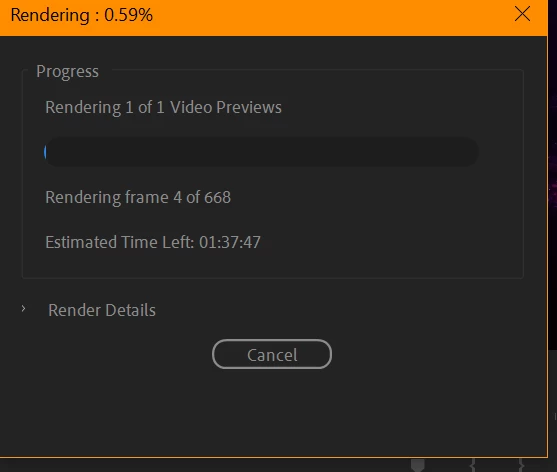
Roughly the same time is displayed when trying to export using Premiere Pro, yet Adobe Media Encoder gets the job done in mere seconds. 

I have Hardware that should certainly be able to handle massive workloads which makes this even more confusing.

Hardware is:


  • CPU: R7 5800X @ 4.2Ghz Base / 4.8Ghz Boost
  • RAM: 64Gb (54Gb allocated to Adobe) Corsair Vengeance @ 3666Mhz
  • GPU: NVidia Aorus 3080ti

In addition to that I have multiple NVMe SSD's installed. I should mention that all of the above mentioned hardware is custom overclocked, but thoroughly stress-tested so that shouldnt be a problem.
When trying to Render something, my CPU/GPU usage barely goes up at all.  
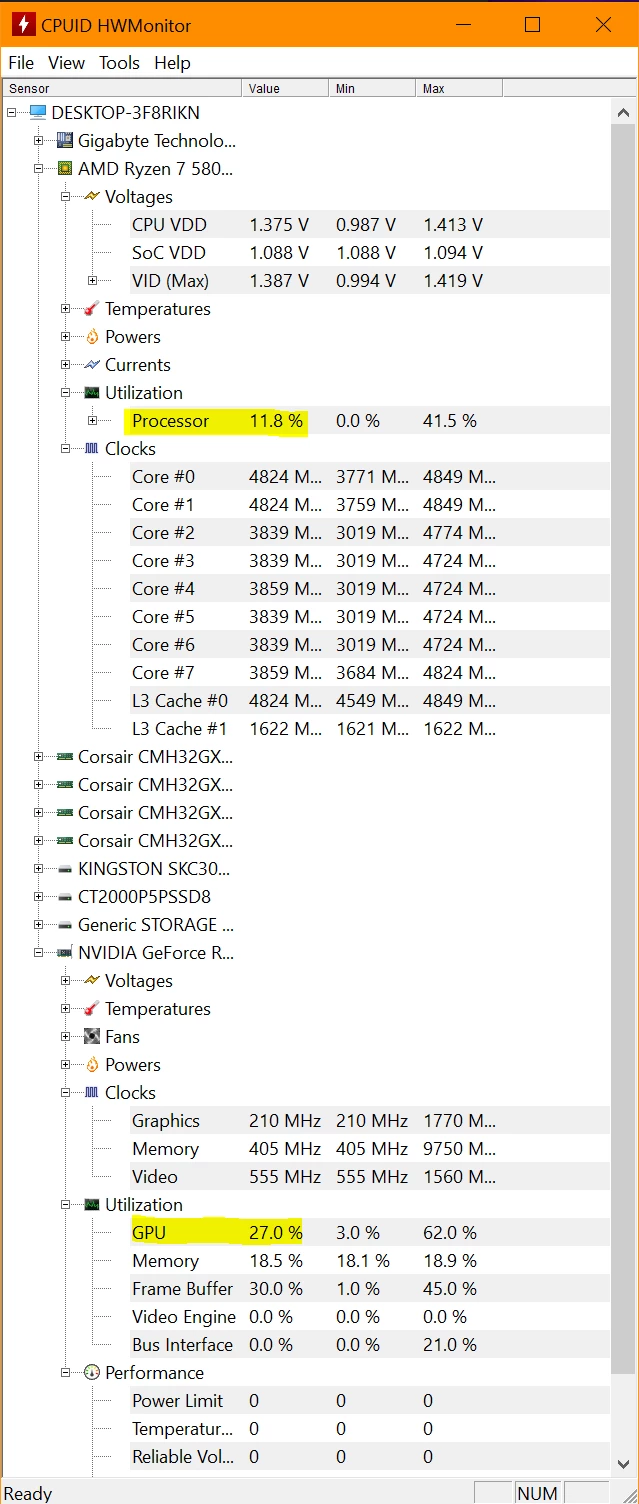
Note the Highlighted areas


Meanwhile Rendering with the Media Encoder it looks more like this:
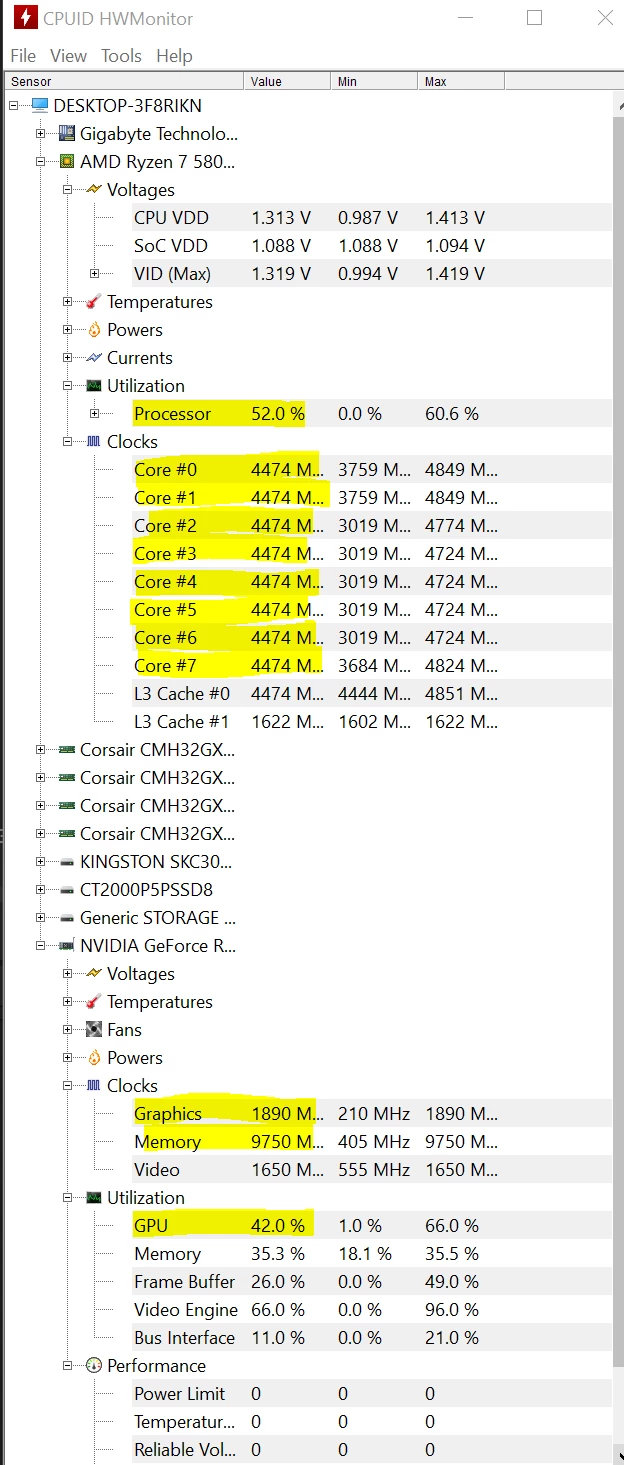
Note that now not only are the CPU and GPU usages much higher but also the the clock-speeds of the GPU is way higher than before. While the clock speed of the CPU stays roughly the same, this time all the cores are used equally.


If it were only for the exporting, Id be totally fine using the Media Encoder but being unable to navigate or preview the timeline really makes Premiere Pro unuable for me. I have tried different things already in hopes to be able to fix it but nothing has worked yet.


Thanks for any help already!

This topic has been closed for replies.

1 reply

Ishan Y
Inspiring
May 16, 2023

Hey kweiny,

Welcome to the community. We understand how frustrating this must be.

  • Please share your Premiere Pro (Here's how) and GPU driver version (Right-click on Desktop > Nvidia Control Panel).
  • Do you see this issue with all files or only specific ones?
  • Could you go to File > Project Settings > General, set the Renderer to Mercury Playback Engine Software Only, go to Edit > Preferences > Media, disable H.264/HEVC encoding and decoding, restart Premiere Pro and let us know if you still see the issue (this is for testing purposes only)?


We're here to help, just need some more information. 


Thanks,

Ishan

kweinyAuthor
Participant
May 17, 2023

Hi Ishan, thanks for the reply.

The Rendering Problem has pretty much (haven't tested it much as of yet) gone away once I removed the Adjustment Layer which was running a grid effect so I could correct lens distortion. While it's still wierd why this would slow it down so much I can live with using a transparent video with a grid effect to do the same thing. Though what I have noticed now is that when, for example, analyzing a clip for Warp Stabilization Premiere Pro still only uses about 20% CPU so I will provide the details anyway.


  • Premiere Pro Version: 23.04.0 (Build 56)
  • Nvidia Driver Version: DCH 531.68


I had (have) this issue with all files. I have also tried turning Mercury Playback Engine to software only before, which didn't change anything except make everything even slower. I will try again with the H.264 settings and let you know in a bit.

Ishan Y
Inspiring
May 22, 2023

Some effects require a lot more processing power than others. In the case of the Grid effect, it's obsolete and isn't hardware accelerated. You can try adjusting the curvature value in the Lens Distortion effect to check if that works for you. Please skip the steps related to disabling hardware decoding and hardware acceleration. I suggested those steps to check if the issue is GPU related.