
Reverendwolf
Participant
June 4, 2024
Question

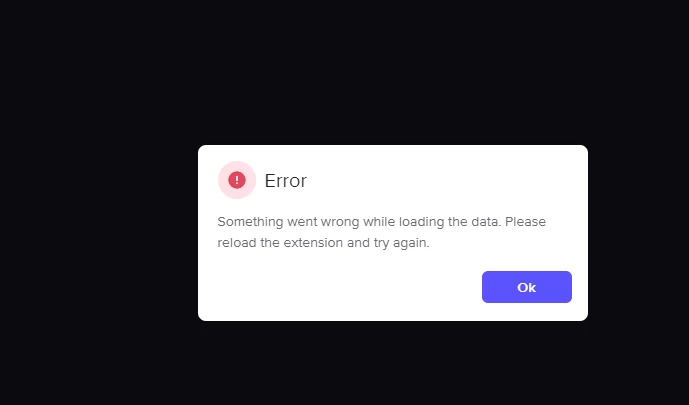
Failed retrieving project data please reload the extension and try again! " Frame IO" edit

  • June 4, 2024
  • 2 replies
  • 6735 views

Hey everyone,

I'm pulling my hair out here with the new Adobe Premiere Pro and the built-in Frame.io integration. I have a Frame.io account linked to my Adobe account, and everything seemed fine at first after a fresh install. But now, whenever I open Premiere Pro and try to access Frame.io, I get this frustrating error:

Failed retrieving project data please reload the extension and try again! " Frame IO"

I've tried everything I can think of:

  • Reinstalled Premiere Pro (including a full Creative Cloud cleanse)
  • Wiped and recreated Frame.io projects
  • Made new projects in Premiere Pro
  • Reloaded the Frame.io extension countless times

Nothing seems to work! Reformatting my entire system seems a bit extreme, so I'm hoping someone has some wisdom to share.

The official help files haven't been much help. Anyone else encountered this error? What did you do to fix it?

Thanks in advance!


This topic has been closed for replies.

2 replies

Participant
November 1, 2024
Community Expert
June 5, 2024

Hello,

It's definitely frustrating to encounter such persistent issues. You've done quite a bit of troubleshooting already! Suggesting the use of the Adobe Creative Cloud Cleaner Tool is a good step. Here’s a more detailed approach to tackle this problem:

Uninstall with Adobe Creative Cloud Cleaner Tool:

  • Download and run the Adobe Creative Cloud Cleaner Tool from this link.
  • Follow the instructions to remove all traces of Premiere Pro and any related Creative Cloud files. This tool helps in cleaning up any leftover files that might be causing conflicts.

Reinstall Adobe Creative Cloud and Premiere Pro:

  • After using the cleaner tool, reinstall Adobe Creative Cloud first.
  • Then, reinstall Premiere Pro from Creative Cloud.

Verify Frame.io Integration:

  • Ensure that your Frame.io account is correctly linked to your Adobe account. Sometimes, unlinking and relinking the accounts can help.
  • Check for any updates for both Premiere Pro and the Frame.io extension.

Network Issues:

  • Sometimes, network issues can interfere with the proper functioning of integrated services. Make sure your network settings aren't blocking Frame.io. You might want to try on a different network or disable any VPNs or firewalls temporarily to see if they are the cause.

Check for Permissions:

  • Ensure Premiere Pro has the necessary permissions on your system. On Windows, run the application as an administrator. On macOS, check the system preferences for any blocked permissions.

Clear Premiere Pro Cache:

  • Navigate to the Media Cache and delete the cache files. This can sometimes resolve issues related to corrupted cache files.

Contact Adobe Support:

  • If all else fails, contacting Adobe Support might be necessary. Provide them with detailed information about the steps you’ve already taken. They may be able to offer a solution specific to your setup.

Hopefully, these steps will help resolve the issue with Frame.io in Premiere Pro. If you try these and still encounter problems, sharing any specific error logs or additional details might help in pinpointing the exact cause.

T-Sal
Reverendwolf
Participant
June 12, 2024

Thank you for the follow up I used to have done these steps and I still receive the error.

Reverendwolf
Participant
June 12, 2024

I also tried it on another computer in another location so it's definitely not the network it seems to be something wrong with my frame IO count linking to my Adobe premiere account I don't know how to unlink and relink them though that you mentioned.