Fl4voredLif3
Known Participant
February 17, 2018
Frage

Failure to import in all versions of PrPro. Please help!

  • February 17, 2018
  • 3 Antworten
  • 525 Ansichten

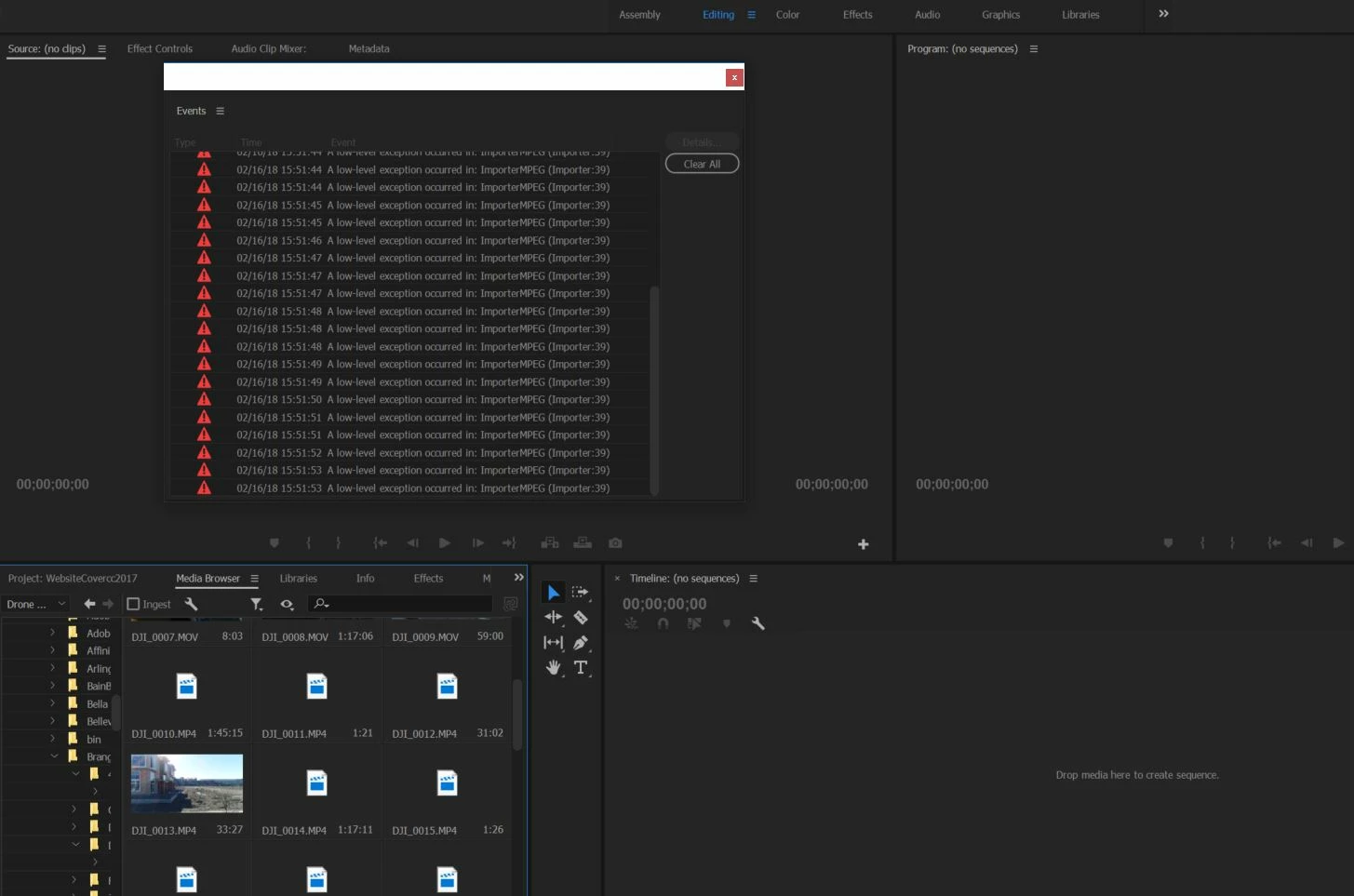
Just since last week my PrPro has stopped working. I am no longer able to import media of choice. I have searched around and seems others are having the same issue but no solution has been presented.

I hope Adobe chimes in to give there two cents because this is very frustrating that everything worked fine one day and the next..nada.
Dieses Thema wurde für Antworten geschlossen.

3 Antworten

Fl4voredLif3
Known Participant
February 17, 2018

I'm currently running Version 12.0.1

I tried reverting back to 11.1.4 and still nothing. I uninstalled all versions of PrPro and reinstalled. Still nothing.

I then uninstalled AGAIN and installed C6 and the media shows up just fine but my projects are saved in the latest versions.

Running Win 10. Media ranges from .MOV files to .Mp4's.

Tried changing the file name as others suggested and even the extension. still nothing.

Tried drag and dropping straight from file explorer...NOTHING.

Weird thing is; the first time it happened I reverted back to cc2017 and they popped up ONCE. Came back the next day and nothing again. VERY buggy!

Kevin-Monahan
Community Manager
Community Manager
February 17, 2018

Hi Fl4voredLif3,

Can you verify which version you are currently working with? FAQ: How to find the exact version of Premiere Pro you're using? What is your media and OS version?

Thanks,
Kevin

Kevin Monahan - Sr. Community & Engagement Strategist – Pro Video and Audio
Fl4voredLif3
Known Participant
February 18, 2018

Hi Kevin,

Have you come up with a viable solution for mine as well as others having this issue??

Fl4voredLif3
Known Participant
February 17, 2018

Here is the other error I get when trying to import files to PrPro.