

jordi_casas_
Participant
Sep 25, 2026 3:18 PM UTC
Answered

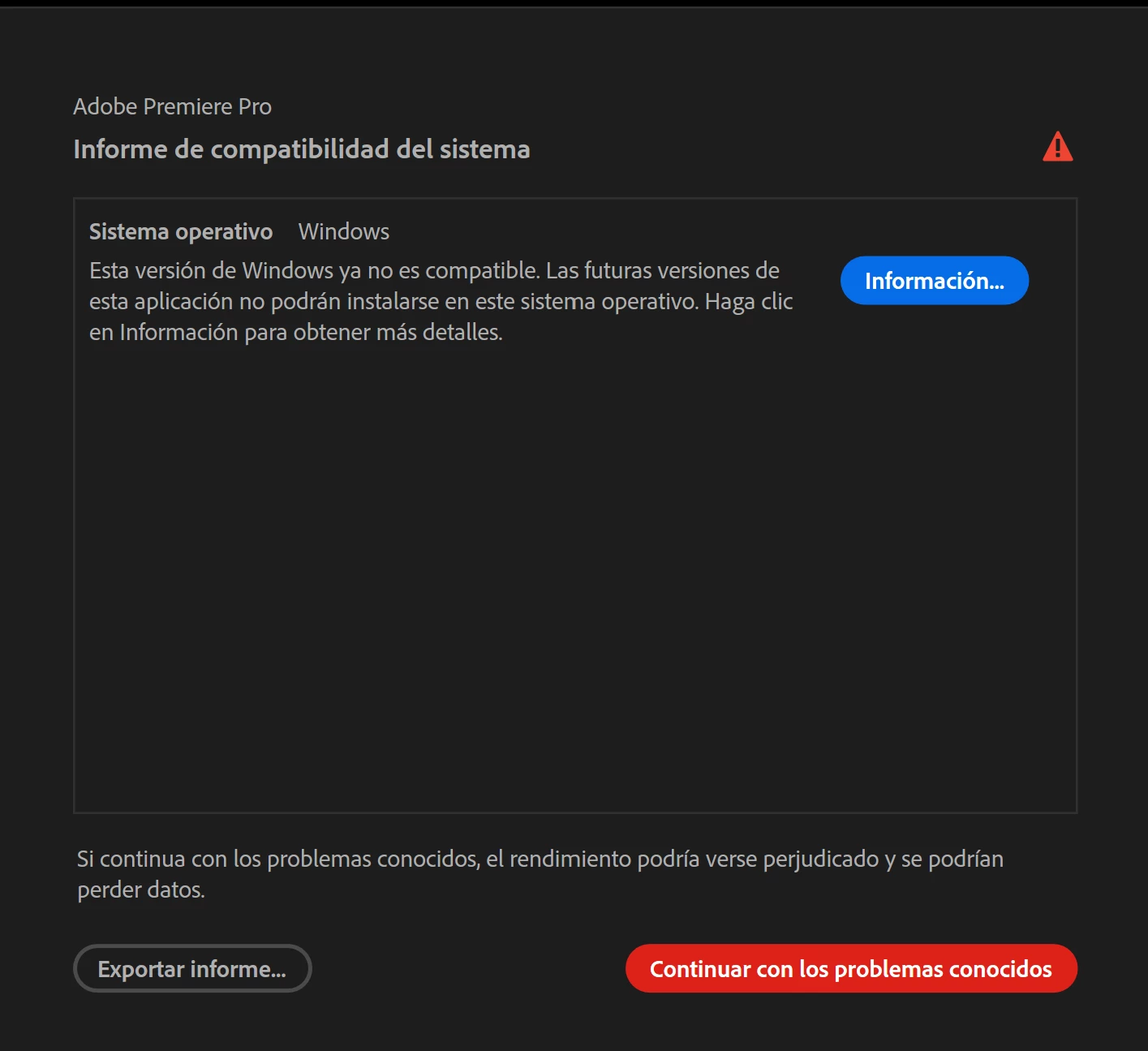
False positive compatibility report on Windows 11 23H2 (Build 10.0.22631.1).

When launching Premiere Pro, a "System Compatibility Report" window pops up stating that the operating system is no longer supported. However, I am currently running a fully updated version of Windows 11 (23H2, Build 10.0.22631.1). This appears to be a bug in the software's OS version detection.

Error ID shown: jira:DVAAP-3358

Steps to reproduce:

  1. Launch Adobe Premiere Pro on a Windows 11 23H2 system.

  2. The System Compatibility Report prompt appears immediately.

System Specifications:

  • OS: Windows 11, Build 10.0.22631.1

  • GPU: NVIDIA GeForce RTX 3070

  • RAM: 32 GB

  • CPU: 12 physical cores / 24 logical cores

Expected Behavior: Premiere Pro should recognize Windows 11 Build 10.0.22631.1 as a supported operating system and launch without warnings. I have attached the screenshot of the error and the exported System Compatibility Report text file for reference.


    Jonathan EditorCorrect answer
    Community Manager
    Sep 25, 2026 4:38 PM UTC

    Hi ​@jordi_casas_,

    Welcome to the Premiere forums! Thank you for reporting this occurrence and providing screenshot as well as your System Compatibility Report.

    Can you please confirm the exact version of Premiere that was used when this error occurred? 

    The team recommends to try updating your Windows as Adobe’s current Premiere requirements list Windows 11 v24H2.

    For your reference, please see view the resource links below:

    Best,

    Jonathan

    8 replies

    Participant
    Oct 24, 2026 5:50 PM UTC

    I attempted a manual install of the windows 11 v25 by downloading the installer from microsoft.  It said that it installed,  but when i checked it said v23.  Regardless, the message from Adobe was gone. I have no clue what i did

    Translate
    Participant
    Oct 22, 2026 6:54 PM UTC

    Im on version 23. Windows says im up to date and wont update when i tell it to.  Can I force the update?

    Translate
    Averdahl
    Community Expert
    Community Expert
    Oct 22, 2026 7:31 PM UTC

    When i had done that, iow focing the update, i have downloaded the latest Windows 11 version directly from Microsoft. Download the ISO-file > Mount it in Explorer > Double click on setup.exe and follow the instructions to do an upgrade.

    Download Windows 11 - microsoft.com 

    Translate
    Participant
    Oct 22, 2026 6:27 PM UTC

    I have been having this same issue and error report.  Is there a fix?

    Translate
    Averdahl
    Community Expert
    Community Expert
    Oct 22, 2026 6:36 PM UTC

    The fix is to make sure that you have Windows 11 24H2 or newer.

    Adobe Premiere technical requirements

    Translate
    Jonathan EditorCommunity ManagerCorrect answer
    Community Manager
    Sep 25, 2026 4:38 PM UTC

    Hi ​@jordi_casas_,

    Welcome to the Premiere forums! Thank you for reporting this occurrence and providing screenshot as well as your System Compatibility Report.

    Can you please confirm the exact version of Premiere that was used when this error occurred? 

    The team recommends to try updating your Windows as Adobe’s current Premiere requirements list Windows 11 v24H2.

    For your reference, please see view the resource links below:

    Best,

    Jonathan

    Translate
    jordi_casas_
    Participant
    Sep 25, 2026 4:45 PM UTC

    Hi Jonathan,

    Thanks for getting back to me so quickly!

    The exact version of Premiere Pro I am using right now is 26.5.1 (Build 1).

    I understand now that the new requirement is Windows 11 v24H2. My system is currently on v23H2 (Build 10.0.22631.1), so that completely explains the compatibility report. I will check my Windows Update settings to upgrade to the lateste so I can keep receiving future Premiere updates.

    Thanks for clarifying this for me!

    Best, Joka

    Translate
    -Joka