



FAQ: Batch processing files in Photosohop for use in Premiere Pro
Hello Community,
I'm working on a personal project in my spare time for testing and came across a terrific way to batch-process still image files with Photoshop for use in Premiere Pro projects.
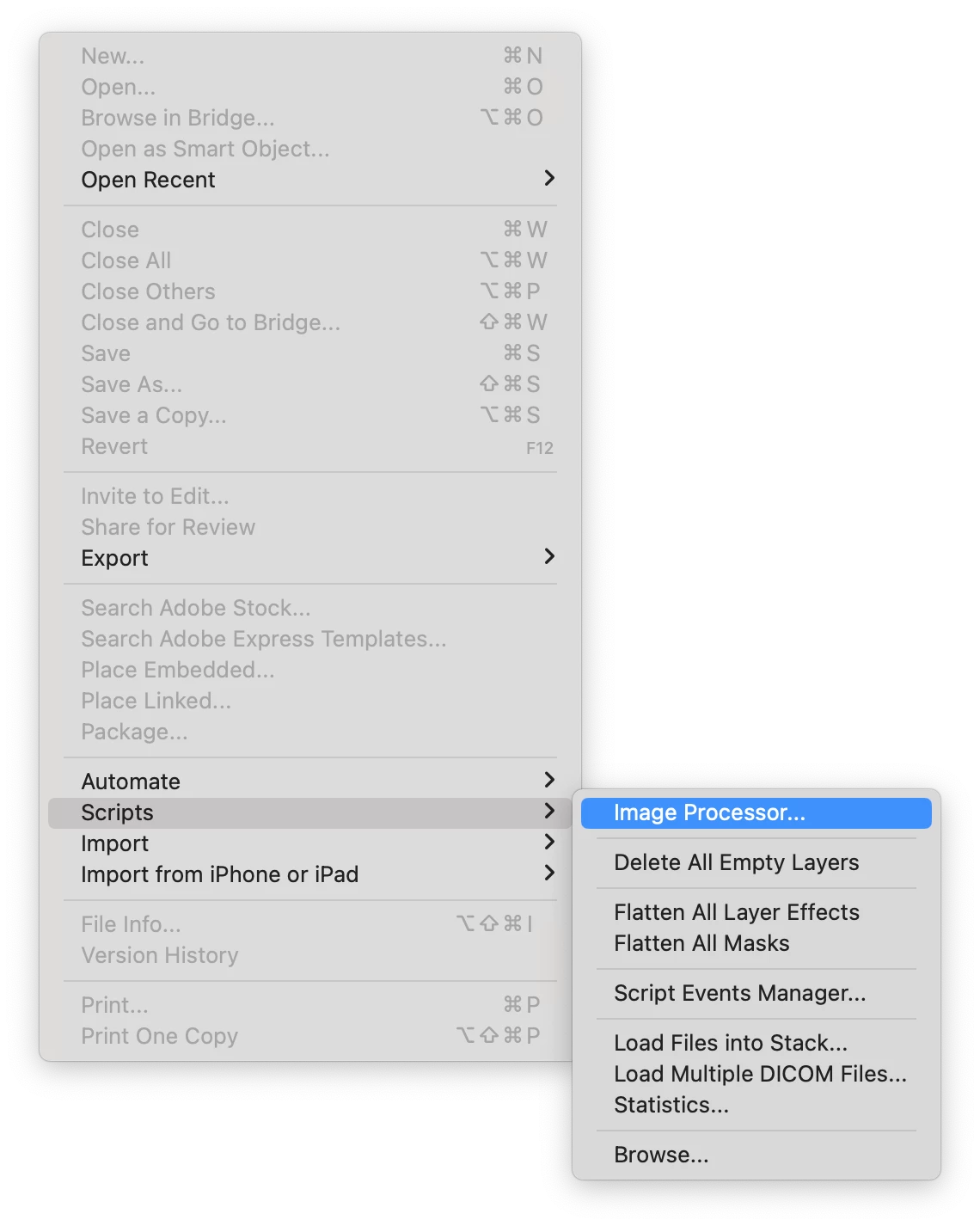
1. In Photoshop, choose File > Scripts > Image Processor.
2. Make choices suitable for your production in the Image Processor dialog box. In my case, .heic > .jpg was needed.
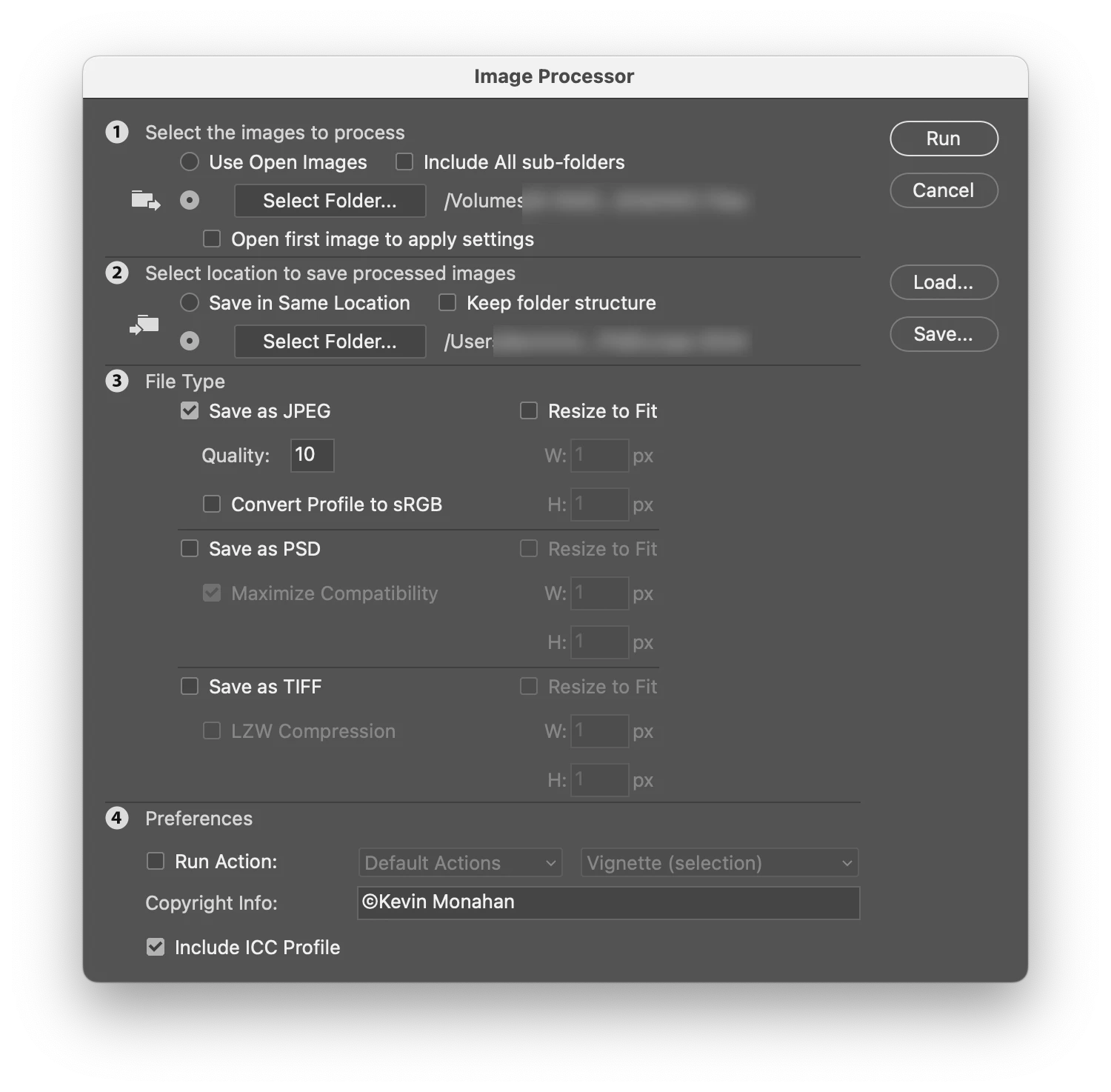
Those .heic files my iPhone creates are not well supported in Premiere Pro, so transcoding the files to .jpg smoothed out my workflow nicely. If you have still images you need to use in your production, consider doing all this work ahead of time as you prepare your edit sessions.
I used to create a custom Batch Action preset in Photoshop for this, but this method is much simpler, and everyone can get results faster. Image processing was quick and easy for me here. It looks like you even have resizing options for those overly huge images or those that need to be scaled up. Try it, and let me know if it helps you. If so, give the post the thumbs up!
Cheers,
Kevin
 AdChoices