



Question
FAQ: How do I reinstall a previous version of Premiere Pro?
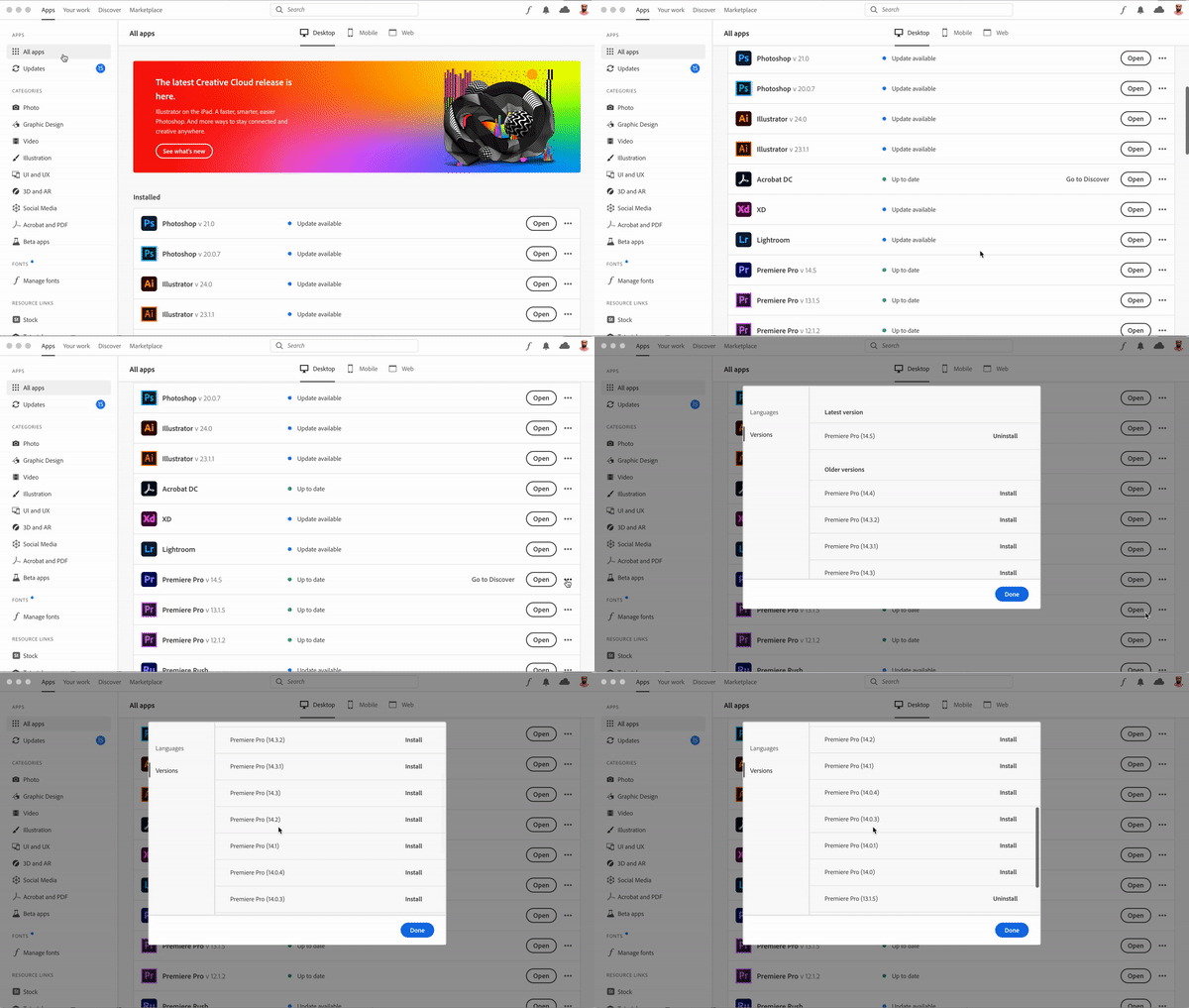
To reinstall a previous version of Premiere Pro, follow these steps:
- Open the Creative Cloud desktop application.
- Click on the All Apps tab.
- Find Premiere Pro in the list and click on the three-dot menu on the right.
- Click Other Versions and choose the previous version of Premiere Pro that you want to install on your computer.
 AdChoices