



Question
FAQ: How to change the Video Renderer in Premiere Pro and Adobe Media Encoder?
This is a quick guide to changing the Video Rendering and Playback Engine in Premiere Pro CC.
1. In Premiere Pro, choose File > Project Settings > General. That opens the Project Settings window.
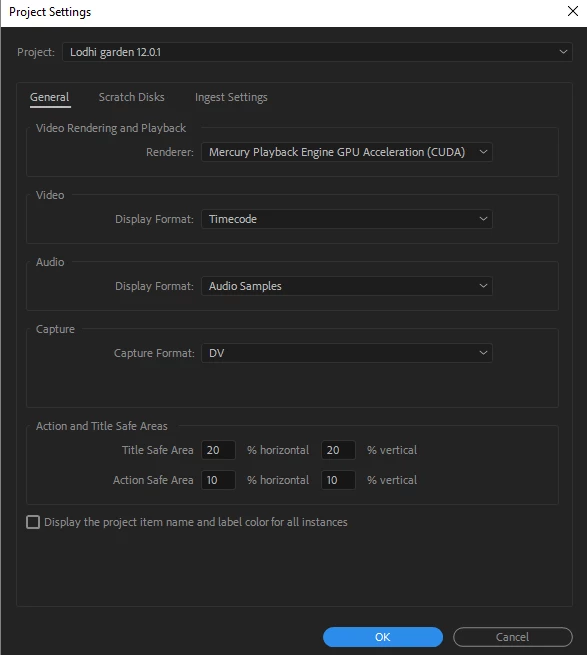
2. Under the Video Rendering and Playback section, select the Renderer as Mercury Playback Engine GPU Acceleration or Mercury Playback Engine Software Only
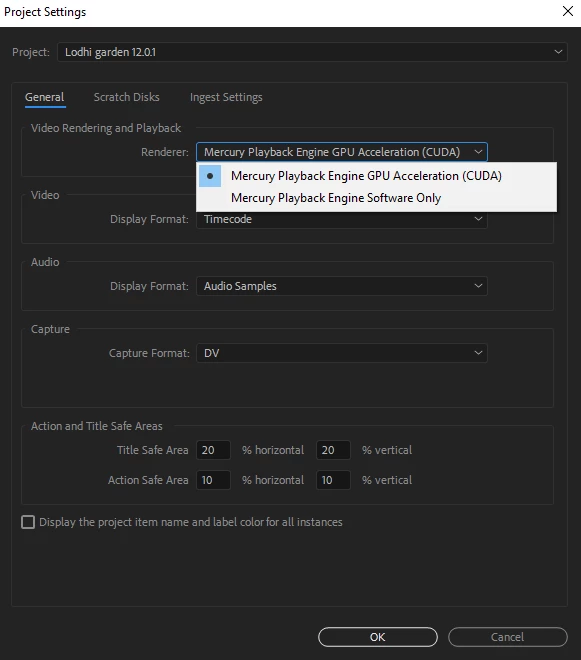
3. Click OK
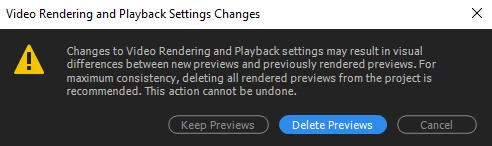
4. In the Video Rendering and Playback Settings Changes box, click Delete Previews, if you want to delete the existing preview files
 AdChoices