



FAQ: I lost my timeline, where do I find it?
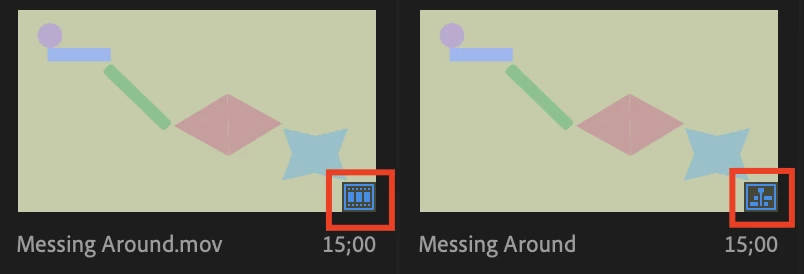
Typically, you do not lose a timeline. Instead, it is misplaced or, as we say, "hiding in plain sight."
If you are in Icon View, be sure you can tell the difference between the Clip icon (left) and the Sequence icon (right). Simply, double click the Sequence icon to reopen your timeline or sequence. Your work is now "found" or restored.
If this is not your issue, please create a new post on the forum describing your issue; screenshots help.
Notes on potentially losing work
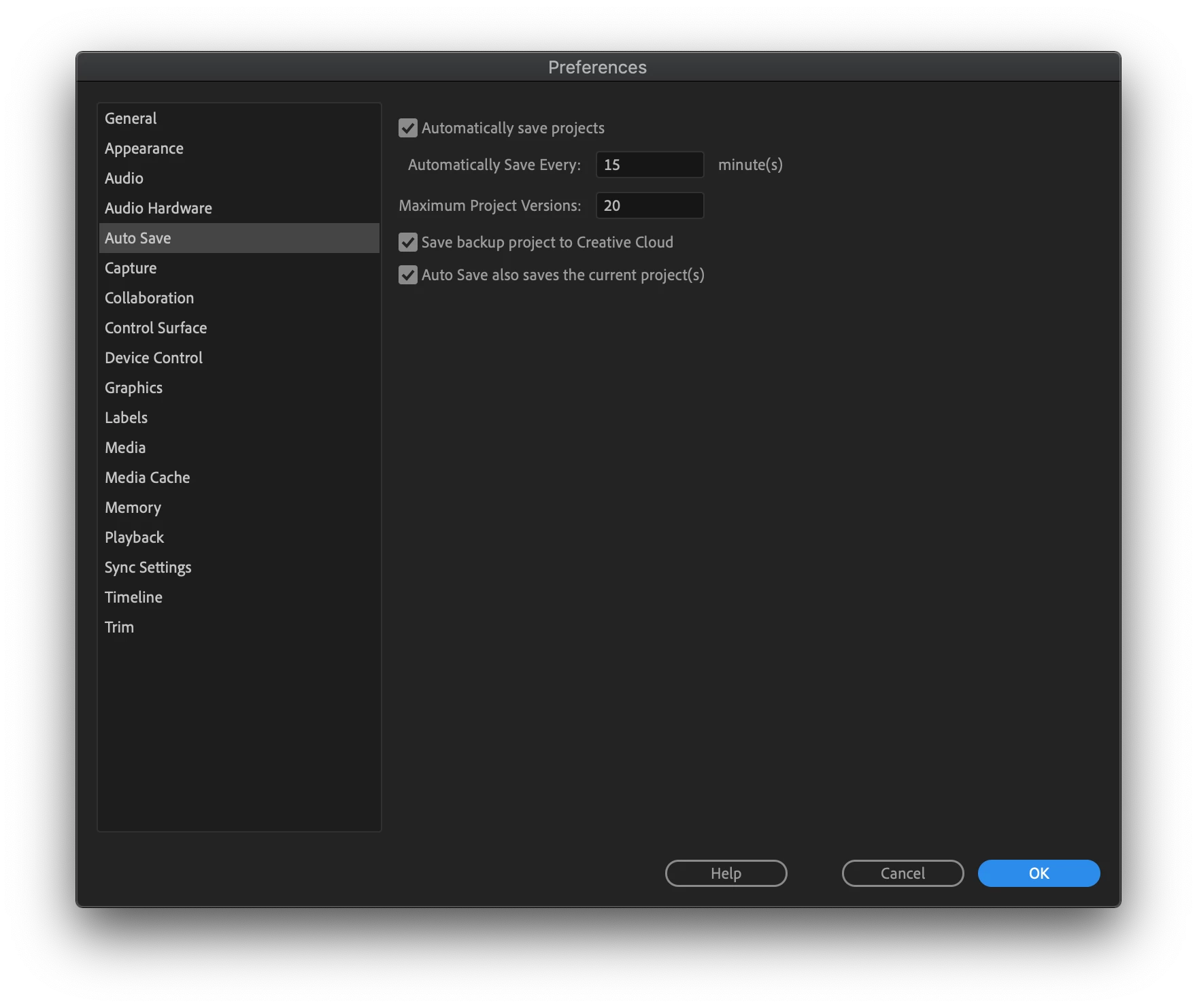 You never want to lose work and need to continually to both save and back up your work as you go.
The timeline or sequence you have been working on is rarely deleted or removed accidentally, however, it can happen. That is why you want to enable all the Auto Save preferences, including the one to save a file to Creative Cloud. As an editor, I also use the "Save As" function to create my own set of back up project files.
 AdChoices