

Fast color correction tips (primary & secondary) for my project
Hello,
I need advice on my project about color correction part. I have two different characters with different color skin (one is white skin other is black skin) and I'm aware that every of them need to be treated differently. I pulled of the key successfully, and everything looks good for that part and I need to incorporate them colored into the ambient of dark blue.
I'm using for my project Lumetri color for every character, but I want to be sure that I did all important steps that will allowed me that my character will be look like part of the scene. I read a lot of theory about primary & secondary cc and I think that I understand order of operations. But as you know every situation is different and I just want to be sure that I done this part good.
For example for primary color correction part: fix exposure, adjust whites-adjust blacks, saturation, white balance, color temperature etc.
I did all steps, but still not sure if I did job good. What is the most important scope which I need to watch in this part? RGB parade, right?
What's the difference between adjusting highlights and whites ? I still dont understand the difference. What is difference between shadows and blacks ?
Do I need to use WB every time ?
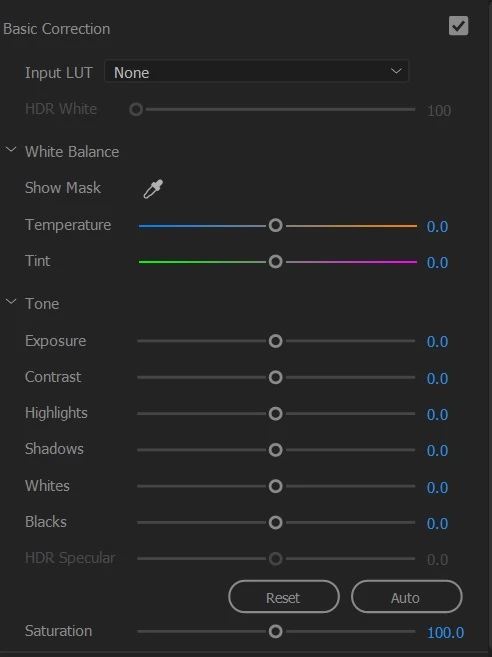
My clients wants from me to make pop out black person from darker background, so I tweak many settings until I got something which is brighter (I put a lot of whites value, but I tried to not exaggerate that, I tweak a little shadows and blacks too), but still dont know how to be sure that I did this part right, you know. I am lacking color correction expirience, but I will learn it a lot of more in the future. I got better results, but maybe some settings are incorrect now.
Can i hear your point of view, what is best to do in to make a pop black skin character on primary CC, and how to pop white skin character on primery CC properly? What sliders are the most important to tweak if I look the caracter just pull off the key (so we talk about first stage still - primary CC) ?
Do you have some fast CC tips on my case please ?
The second stage is how to make all characters feels more like a part of the scene. I watched many tuts where for this task is used Levels but separately every channel of RGB, or use color curves RGB (I tried this approach to use more blue channel and I put its value higher, because BG is dark blue), it looks better, but need more advices how to do this part better.
What is your approach?
Thank you guys!
 AdChoices