
lucp78654414
Participant
November 7, 2016
Answered

File does not exist

  • November 7, 2016
  • 1 reply
  • 555 views

Hi,

I've edited a simple sequence where one mxf-file is cut (from 1:32:00 hrs to 00:25:00 hrs), some PNG-files are added on a layer on top, and that's it.

When I imported the mxf-file, it automatically opened the converter, which I stopped because it was taking two hours to convert the file, which was unnnecesary I believed.

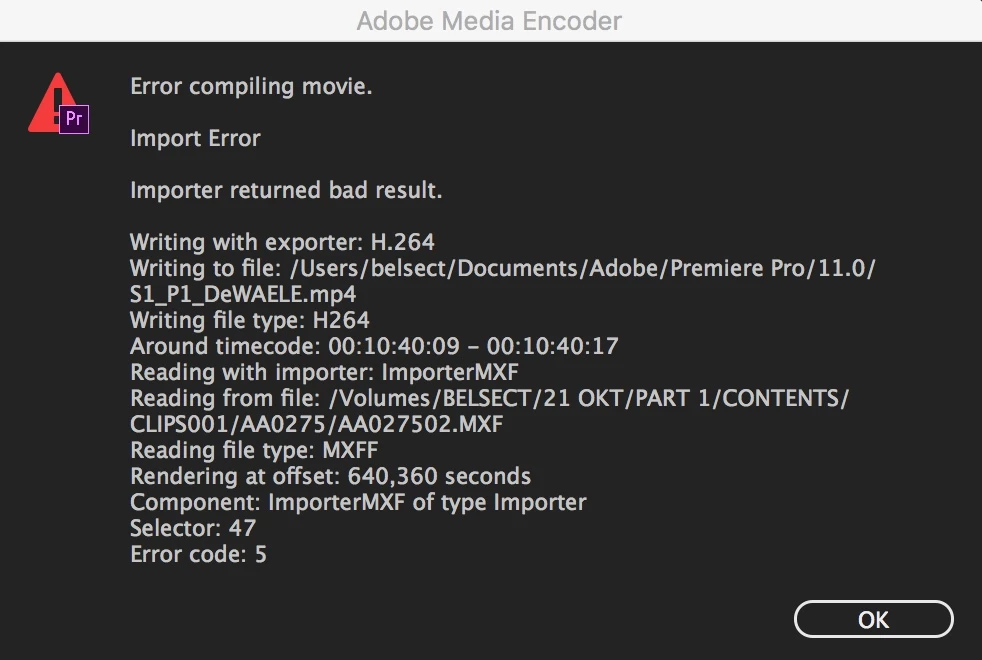
When I want to export the file, it stops after a while, giving the message "File does not exist", see the image.`

Should I have the mxf-file converted first? And if yes, why so?

Thanks for any input.

Luc
This topic has been closed for replies.
Correct answer excited_Genie16B8

Got it.

With the Ingest option checked, the file will be sent over to AME in the background to be processed.

If you don't want that, uncheck that Ingest box in the Media Browser tab.

1 reply

Legend
November 7, 2016

it automatically opened the converter

Huh?

lucp78654414
Participant
November 8, 2016

Hi Jim,

Thank you for your reaction. It works now, I just forgot to mark Ingest, so the file was not in the program.

The file opened in the program Media Encoder... Don't know why...

Cheers,

Luc

excited_Genie16B8Correct answer
Legend
November 8, 2016

Got it.

With the Ingest option checked, the file will be sent over to AME in the background to be processed.

If you don't want that, uncheck that Ingest box in the Media Browser tab.